Of course! Finding high-quality, well-structured PDFs for Python projects is a great way to learn. Here’s a comprehensive guide to resources where you can find them, categorized by type, along with what to look for in a good project PDF.
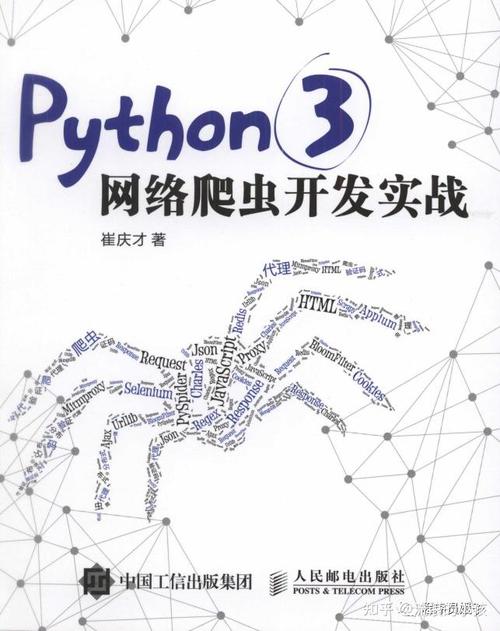
Part 1: Where to Find Python Project PDFs
Here are the best sources, ranging from official documentation to curated lists and community-driven platforms.
Official Python Documentation & Tutorials
These are the gold standard for learning how to use specific libraries and frameworks for projects.
-
Python.org's "What's New in Python": While not a project guide, these PDFs (available via the "Printer-friendly version" link) show you new features you can incorporate into your projects.
- Link: Python What's New Docs
-
Django, Flask, FastAPI Documentation: All major web frameworks have excellent documentation. You can often save or print pages to a PDF for offline reference.
 (图片来源网络,侵删)
- Django: djangoproject.com
- Flask: flask.palletsprojects.com
- FastAPI: fastapi.tiangolo.com
-
Scikit-learn, Pandas, NumPy User Guides: For data science projects, these libraries provide in-depth guides on their APIs, which are essential for building projects.
- Scikit-learn: scikit-learn.org/stable/user_guide.html
- Pandas: pandas.pydata.org/docs/user_guide/index.html
Educational Platforms & MOOCs (Massive Open Online Courses)
Many courses offer downloadable materials, including syllabi, lecture notes, and project guides, often in PDF format.
-
Coursera & edX: Courses like "Python for Everybody" (Michigan), "Applied Data Science with Python" (Michigan), and "Deep Learning Specialization" (deeplearning.ai) often have PDFs for each module.
- How to find: Enroll in the free version (if available) and look for a "Downloads" or "Resources" section in the course materials.
-
freeCodeCamp: Their curriculum is entirely free and includes project-based modules. You can use your browser's "Print to PDF" function on their project guides.
 (图片来源网络,侵删)
 -
Real Python: An incredible resource with in-depth tutorials. While they don't always provide a single PDF per project, their articles are so well-structured that you can easily save them as PDFs.
- Link: realpython.com
GitHub Repositories & Open Source Projects
This is a treasure trove for real-world, complex projects. Many maintainers provide a README.md file that can be converted to a PDF.
-
How to find:
- Go to GitHub.
- Search for a project type you're interested in (e.g.,
python web scraper,python machine learning project). - Look for repositories with a detailed
README.mdfile. It often contains:- Project description
- Screenshots
- Installation instructions
- Usage examples
- Project structure (which files do what)
- Future ideas (stretch goals)
-
How to convert to PDF:
- Use a browser extension like "Print Friendly & PDF".
- Use an online Markdown-to-PDF converter.
- Copy the text into a word processor and save as PDF.
-
Example Repositories:
- Web Scraping: scrapy/scrapy (the framework itself)
- Machine Learning: tensorflow/models (official models)
- Data Analysis: pandas-dev/pandas (the library itself, great for learning)
Book Publishers & Online Bookstores
Many technical books are sold in PDF format. They are structured like long-term projects, taking you from zero to a complete application.
-
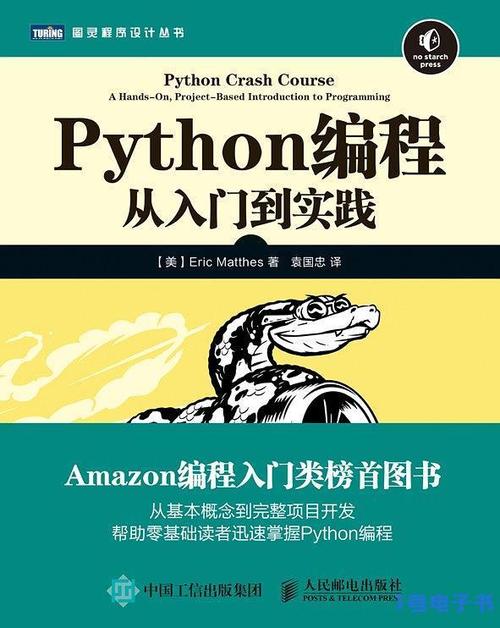
No Starch Press: Known for high-quality, project-focused books like "Automate the Boring Stuff with Python" and "Python Crash Course." They often sell PDF versions.
- Link: nostarch.com
-
Manning Publications: Famous for their "MEAP" (Early Access) program and books like "Fluent Python."
- Link: manning.com
-
Packt Publishing: Has a vast catalog of books on every Python topic imaginable, available in PDF, ePub, and Kindle formats.
- Link: packtpub.com
-
O'Reilly Learning: The home of classic tech books. You can buy individual PDFs or subscribe to their online library.
- Link: learning.oreilly.com
Community Forums & Blogs
Developers often share their project experiences in blog posts, which can be saved as PDFs.
- Towards Data Science (Medium): A huge collection of articles on data science and machine learning projects.
- Link: towardsdatascience.com
- Dev.to: A community of programmers sharing tutorials and project walkthroughs.
- Link: dev.to
Part 2: What to Look for in a Good Python Project PDF
A great project PDF should be more than just a list of commands. It should guide you through the entire thought process.
| Feature | Why It's Important | What to Look For |
|---|---|---|
| Clear Problem Statement | You need to understand what you are building and why. | A well-defined goal (e.g., "Build a web app that tracks and displays cryptocurrency prices"). |
| Learning Objectives | Helps you know what skills you will gain from the project. | A list of topics like "Learn to use the requests library," "Understand REST APIs," "Practice with Flask templates." |
| Prerequisites & Tools | Ensures you have the necessary environment set up before starting. | A list of required Python libraries (e.g., Flask==2.0.1, pandas), Python version, and any other software (like Git or a database). |
| Step-by-Step Instructions | Breaks down the complex project into manageable, logical chunks. | Numbered or bulleted steps that are easy to follow. "Step 1: Set up the project folder. Step 2: Create a virtual environment..." |
| Code Snippets & Explanations | Shows you what to code and, more importantly, why it works that way. | Well-commented code blocks with clear explanations of each part. |
| Project Structure & Best Practices | Teaches you how to organize a real-world application. | A diagram or explanation of the file and folder structure. Mentions of using virtual environments, version control (Git), and writing clean code. |
| Challenges & Stretch Goals | Encourages you to go beyond the basics and truly understand the material. | Sections like "Try This," "Challenge," or "Next Steps" that ask you to add new features or refactor the code. |
| Expected Output & Screenshots | Helps you verify that your code is working correctly. | Screenshots of the final application or examples of the expected output from a script. |
Part 3: Sample Python Project Ideas (with Resources)
Here are a few project ideas and where you might find a guide or similar project to get you started.
Beginner: Web Scraper for News Articles
- Concept: A script that scrapes headlines and summaries from a news website (like BBC News or Hacker News) and saves them to a CSV file.
- Libraries:
requests,BeautifulSoup4,pandas. - Where to find a guide:
- Book: "Automate the Boring Stuff with Python" by Al Sweigart (Chapter 12).
- Tutorial: Real Python's "Beautiful Soup: Build a Web Scraper".
Intermediate: To-Do List API with Flask
- Concept: A RESTful API that allows you to create, read, update, and delete (CRUD) to-do items. The data can be stored in a simple JSON file or a database like SQLite.
- Libraries:
Flask,Flask-SQLAlchemy(orFlask-SocketIOfor real-time updates). - Where to find a guide:
- Tutorial: Miguel Grinberg's "Flask Mega-Tutorial" (the definitive guide, save chapters as PDFs).
- GitHub: Search for "Flask todo list API" on GitHub.
Advanced: Personal Finance Tracker with a Dashboard
- Concept: A desktop or web app where you can import bank statements (CSV), categorize transactions, and visualize your spending with charts (e.g., using Plotly or Matplotlib).
- Libraries:
pandas,matplotlib/plotly,streamlit(for a quick dashboard UI), orDjango(for a full web app). - Where to find a guide:
- Course: The "Applied Data Science with Python" specialization on Coursera has a similar final project.
- Tutorial: Look for "build a financial dashboard with Python" on Towards Data Science or freeCodeCamp.
Pro-Tip: How to Create Your Own Project PDF
The best way to solidify your learning is to document your own projects!
- Document as You Code: After writing a function or a key part of your app, write a comment explaining what it does and why.
- Write a
README.md: Create aREADME.mdfile in your project's root directory. Include sections for:- Project Title and Description
- Installation Instructions (
pip install -r requirements.txt) - How to Run the Project (
python main.py) - Project Structure (what each folder/file is for)
- Screenshots
- Convert to PDF: Use an online Markdown-to-PDF converter or a browser extension to save your
README.mdas a polished PDF. This becomes a portfolio piece and a personal reference guide.