Of course! Converting a String to an int is a fundamental task in Java. Here’s a comprehensive guide covering the best ways, common pitfalls, and how to handle errors.
The Short Answer: The Best Way
For most situations, you should use the static parseInt() method from Java's built-in Integer class.
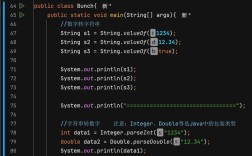
String numberString = "123";
int number = Integer.parseInt(numberString);
System.out.println(number); // Output: 123
System.out.println(number + 10); // Output: 133
Detailed Explanation
Let's break down the different methods, their use cases, and how to handle errors.
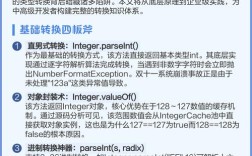
Integer.parseInt() (Most Common)
This is the standard, go-to method for parsing a String that represents a standard base-10 integer.
How it Works
It takes a String as an argument and attempts to convert it into an int primitive value.

Code Example
String str = "2025";
// The successful conversion
int num = Integer.parseInt(str);
System.out.println("The integer is: " + num); // The integer is: 2025
The Crucial Part: Handling Errors
If the String does not contain a valid integer, Integer.parseInt() throws a NumberFormatException. This is the most common mistake for beginners.
Bad Code (Will Crash):
String badStr = "hello";
int num = Integer.parseInt(badStr); // Throws NumberFormatException
Good Code (Using a try-catch block):
You should always wrap parseInt() in a try-catch block if the input might be invalid.
String potentialNumber = "42abc"; // This is not a valid integer
try {
    int number = Integer.parseInt(potentialNumber);
    System.out.println("Conversion successful: " + number);
} catch (NumberFormatException e) {
    System.out.println("Error: '" + potentialNumber + "' is not a valid integer.");
    // You can print the full error stack trace for debugging:
    // e.printStackTrace();
}
// Output: Error: '42abc' is not a valid integer.
Integer.valueOf()
This method is very similar to parseInt(), but with one key difference: it returns an Integer object (the wrapper class for int), not a primitive int.
When to Use It
Use valueOf() when you need an Integer object, for example, when working with generics or collections that require objects (like List<Integer>). If you just need a primitive for a calculation, parseInt() is slightly more efficient.
Code Example
String str = "99";
// Returns an Integer object
Integer numberObject = Integer.valueOf(str);
// You can use it in calculations, and Java will "unbox" it to an int automatically.
int primitiveNumber = numberObject + 1; // Unboxing happens here
System.out.println("Integer object: " + numberObject);
System.out.println("Primitive int after calculation: " + primitiveNumber);
Error Handling:
Like parseInt(), valueOf() also throws a NumberFormatException for invalid input, so you must handle it the same way.
new Scanner().nextInt()
This method is useful when you are reading input from a source like the console or a file, and you want to parse integers from a stream of text.
How it Works
A Scanner tokenizes the input (splits it into pieces). The nextInt() method finds the next token in the stream and tries to parse it as an integer.
Code Example (Reading from Console)
import java.util.Scanner;
public class ScannerExample {
    public static void main(String[] args) {
        Scanner scanner = new Scanner(System.in);
        System.out.print("Enter an integer: ");
        try {
            int number = scanner.nextInt(); // Waits for user to type and press Enter
            System.out.println("You entered: " + number);
        } catch (Exception e) {
            System.out.println("Invalid input. Please enter a whole number.");
        } finally {
            scanner.close(); // Always close the scanner!
        }
    }
}
Error Handling:
If the user enters text that is not an integer (e.g., "hello"), scanner.nextInt() throws an InputMismatchException. This is different from NumberFormatException, but the principle is the same: you need to handle it with a try-catch block.
Using Regular Expressions (Advanced)
This is a more complex but powerful method, especially useful if the string has extra characters you want to ignore.
How it Works
You can use a regular expression to extract only the numerical parts of the string before attempting to parse it.
Code Example
Let's say you have a string like "ID: 12345" and you only want the number.
import java.util.regex.Matcher;
import java.util.regex.Pattern;
public class RegexExample {
    public static void main(String[] args) {
        String data = "ID: 98765";
        // Regex to find one or more digits (\d+)
        Pattern pattern = Pattern.compile("\\d+");
        Matcher matcher = pattern.matcher(data);
        if (matcher.find()) {
            String numberStr = matcher.group();
            int number = Integer.parseInt(numberStr);
            System.out.println("Extracted number: " + number); // Output: Extracted number: 98765
        } else {
            System.out.println("No number found in the string.");
        }
    }
}
This gives you fine-grained control over what part of the string you attempt to convert.
Summary and Comparison
| Method | Return Type | Throws | Best For |
|---|---|---|---|
Integer.parseInt() |
int (primitive) |
NumberFormatException |
Most common use cases. When you need a primitive int for calculations. |
Integer.valueOf() |
Integer (object) |
NumberFormatException |
When you need an Integer object, e.g., for generics (List<Integer>). |
Scanner.nextInt() |
int (primitive) |
InputMismatchException |
Parsing integers from an input stream like System.in or a file. |
| Regular Expression | int (primitive) |
NumberFormatException |
Extracting numbers from strings with mixed text and numbers. |
Final Recommendation
For general-purpose string-to-int conversion in Java:
- Use
Integer.parseInt(). - Always wrap it in a
try-catch (NumberFormatException)block to handle invalid input gracefully and prevent your program from crashing.