Of course! "Python Redis listen" typically refers to one of two main patterns:

- Listening for published messages (Pub/Sub): This is the most common meaning. You have a publisher that sends messages to a "channel," and you have one or more subscribers (your Python script) that "listen" to that channel and receive messages in real-time.
- Listening for key events (Keyspace Notifications): You can configure Redis to publish a message whenever a key is changed (e.g., deleted, expired, updated). Your Python script can then subscribe to these events to react to changes in the data.
I'll cover both, starting with the most popular Pub/Sub model.
Method 1: Pub/Sub (Publish/Subscribe) - The "Chat Room" Model
This is ideal for real-time messaging, notifications, and event-driven architectures.
How it Works
- Publisher: Sends a message to a specific channel.
- Subscriber: "Listens" to one or more channels. When a message is published to a channel it's subscribed to, it receives the message.
- Redis: Acts as the message broker, distributing messages from publishers to all subscribers of a channel.
Step 1: Install the Redis Library
First, you need a Python client for Redis. redis-py is the standard.
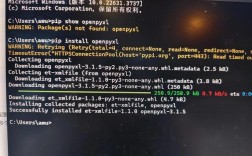
pip install redis
Step 2: Start a Redis Server
Make sure you have a Redis server running. If you don't have one installed, you can run it using Docker, which is often the easiest way:

docker run -d -p 6379:6379 redis:latest
This command starts a Redis container and maps port 6379 (the default Redis port) from the container to your machine.
Step 3: Write the Python Code
We need two scripts: one to publish messages and one to listen for them.
A. The Publisher (publisher.py)
This script will send messages to a channel named news.
# publisher.py
import redis
import time
import random
# Connect to Redis
r = redis.Redis(host='localhost', port=6379, db=0)
# The channel to publish to
channel = 'news'
print("Publisher is running. Sending a message every 5 seconds...")
try:
    while True:
        # Create a sample message
        message = f"Breaking News Item #{random.randint(1, 100)} at {time.time()}"
        # Publish the message to the channel
        # The publish command returns the number of subscribers that received the message
        subscribers = r.publish(channel, message)
        print(f"Published to '{channel}': '{message}' (Sent to {subscribers} subscribers)")
        time.sleep(5) # Wait for 5 seconds
except KeyboardInterrupt:
    print("\nPublisher shutting down.")
B. The Subscriber / Listener (subscriber.py)
This is the core of your request. This script will listen for messages on the news channel.
# subscriber.py
import redis
import time
# Connect to Redis
# Note: For pub/sub, a connection is often used for a single listener thread.
# If you were doing other operations, you might use a connection pool.
r = redis.Redis(host='localhost', port=6379, db=0)
# The channel to listen to
channel = 'news'
# Create a pub/sub object
pubsub = r.pubsub()
# Subscribe to the channel
# The subscribe method returns a confirmation message
print(f"Subscribing to channel '{channel}'...")
pubsub.subscribe(channel)
print("Subscribed. Waiting for messages...")
# The listen() method blocks and yields new messages as they arrive
for message in pubsub.listen():
    # The message is a dictionary. We're interested in the 'type' and 'data'
    if message['type'] == 'message':
        # The data is in bytes, so we decode it to a string
        print(f"Received on '{channel}': {message['data'].decode('utf-8')}")
    elif message['type'] == 'subscribe':
        print(f"Successfully subscribed to {message['channel'].decode('utf-8')}")
How to Run It
-
Open two separate terminal windows.
-
In the first terminal, run the publisher:
python publisher.py
You will see it sending a message every 5 seconds.
-
In the second terminal, run the subscriber:
python subscriber.py
You will see it confirm its subscription and then immediately start printing the messages published by the first script.
You can even run the subscriber script in a third terminal to see how messages are broadcast to all subscribers!
Method 2: Keyspace Notifications - Listening for Key Changes
This is useful for things like caching invalidation, background jobs triggered by data changes, or logging.
How it Works
- You must enable this feature in your
redis.conffile or via a command. It's disabled by default for performance reasons. - You configure which events you want to listen for (e.g.,
Kexpiredfor key expirations,Ksetfor key sets). - Your Python script subscribes to a special channel named
__keyspace@<db>__:<pattern>.
Step 1: Enable Keyspace Notifications
You can do this with the Redis CLI:
redis-cli config set notify-keyspace-events KEA
K: Keyspace events, published with a__keyspace@<db>__:prefix.E: Keyevent events, published with a__keyevent@<db>__:prefix.A: Alias for all event types (generic, tring,list,set,hash,zset,xstream,expired,victed).
Step 2: Python Listener Script (keyspace_listener.py)
This script will listen for any key being set in the database.
# keyspace_listener.py
import redis
import time
# Connect to Redis
r = redis.Redis(host='localhost', port=6379, db=0)
# We subscribe to the keyspace channel for events on ALL keys ('*')
# The channel name is specific: __keyspace@<db>__:<pattern>
channel = '__keyspace@0__:*'
print(f"Subscribing to keyspace notifications for pattern: '*'")
print("Open another terminal and try running: SET mykey somevalue or DEL mykey")
# Create a pub/sub object and subscribe
pubsub = r.pubsub()
pubsub.subscribe(channel)
print("Listening for keyspace events...")
for message in pubsub.listen():
    # We only care about 'message' type events from the keyspace
    if message['type'] == 'message':
        event_type = message['data'].decode('utf-8')
        key_name = message['channel'].decode('utf-8').split('__')[-1] # Extract key name
        print(f"Key '{key_name}' was {event_type}")
How to Run It
- Run the listener script in one terminal:
python keyspace_listener.py
- In a second terminal, connect to Redis and interact with it:
redis-cli
- Inside the Redis CLI, execute some commands:
SET mykey "hello world"  # You should see the listener print "Key 'mykey' was set"
GET mykey                # Listener won't see this (unless you configure 'g'eneric events)
DEL mykey                # You should see the listener print "Key 'mykey' del"
EXPIRE mykey 5           # You should see "Key 'mykey' expired" after 5 seconds
Advanced: Patterned Listening and Multiple Listeners
For more complex scenarios, you can use psubscribe to listen to multiple channels with a matching pattern.
# advanced_subscriber.py
import redis
r = redis.Redis(host='localhost', port=6379, db=0)
pubsub = r.pubsub()
# Subscribe to all channels starting with 'news:'
# e.g., 'news:tech', 'news:sports', 'news:politics'
pubsub.psubscribe('news:*')
print("Listening for all channels starting with 'news:'...")
for message in pubsub.listen():
    if message['type'] == 'pmessage': # 'pmessage' for patterned subscriptions
        # The 'channel' is the specific channel that matched the pattern
        # The 'pattern' is the pattern itself
        channel = message['channel'].decode('utf-8')
        pattern = message['pattern'].decode('utf-8')
        data = message['data'].decode('utf-8')
        print(f"[Pattern: {pattern}] Received on '{channel}': {data}")
To test this, you would publish to news:tech, news:finance, etc., from your publisher script.