Of course! This is a fundamental concept in Python for controlling the flow of your loops. Let's break down continue and pass with clear explanations and examples.
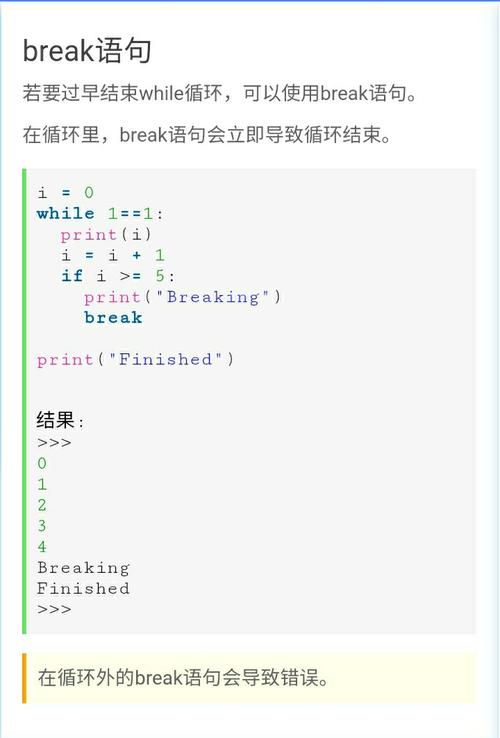
The Core Idea
Both continue and pass are keywords used to control the flow of your code, but they do very different things:
pass: Does nothing. It's a "do-nothing" placeholder.continue: Skips the rest of the current iteration and immediately jumps to the next iteration of a loop.
pass: The "Do-Nothing" Statement
pass is a null operation; when the interpreter executes it, nothing happens. It is useful as a placeholder when you are designing your code and haven't written the logic for a specific block yet. It prevents your code from raising an IndentationError.
Key Characteristics of pass:
- It is a statement.
- It is not a loop control statement.
- It is often used for stubbing out code or for handling cases where you want to take no action.
Example 1: Placeholder for Future Code
Imagine you're building a program and you know you'll need a function, but you haven't figured out the details yet.
def future_feature():
    # This function is not implemented yet.
    # Using 'pass' prevents an IndentationError.
    pass
print("The program continues to run even though future_feature() does nothing.")
Example 2: Taking No Action in a Conditional
Let's say you want to process a list of users, but you only care about "active" users. For "inactive" users, you want to do nothing.
users = [
    {"name": "Alice", "status": "active"},
    {"name": "Bob", "status": "inactive"},
    {"name": "Charlie", "status": "active"}
]
print("Processing active users only:")
for user in users:
    if user["status"] == "inactive":
        # We want to do nothing for inactive users.
        pass  # This block is intentionally empty.
    else:
        print(f"- Processing {user['name']}")
# Output:
# Processing active users only:
# - Processing Alice
# - Processing Charlie
continue: The "Skip to Next" Statement
continue is used only inside loops (for or while). When continue is executed, it immediately stops the current iteration and jumps to the next iteration of the loop. All the code in the loop body after the continue statement is skipped for that specific item.
Key Characteristics of continue:
- It is a loop control statement.
- It can only be used inside a loop.
- It is used to skip an item based on a condition.
Example 1: Skipping Even Numbers
This is the classic example. Let's print all the odd numbers from 0 to 9.
print("Printing odd numbers from 0 to 9:")
for number in range(10):
    # If the number is even (divisible by 2), skip this iteration.
    if number % 2 == 0:
        continue  # Skip the rest of the code in this loop iteration.
    # This line will only be reached for odd numbers.
    print(number)
# Output:
# Printing odd numbers from 0 to 9:
# 1
# 3
# 5
# 7
# 9
Example 2: Skipping Negative Numbers in a List
Let's calculate the sum of all positive numbers in a list.
numbers = [10, -5, 2, -8, 15, 0, 3]
total = 0
print(f"Calculating sum of positive numbers from the list: {numbers}")
for num in numbers:
    if num <= 0:
        continue  # Skip non-positive numbers (0 and negatives)
    total += num  # This line is skipped for 0 and negative numbers.
print(f"The final sum is: {total}")
# Output:
# Calculating sum of positive numbers from the list: [10, -5, 2, -8, 15, 0, 3]
# The final sum is: 30
pass vs. continue: A Direct Comparison
Let's use the same scenario to see how pass and continue produce different results.
Scenario: We have a list of numbers. We want to print a message for each number, but we want to do something special for the number 5.
Using pass
With pass, the loop completes the current iteration and moves to the next. The code after the pass is still executed.
print("--- Using 'pass' ---")
for number in [1, 2, 5, 6, 7]:
    if number == 5:
        print(f"Found {number}, but doing nothing special.")
        pass  # The loop continues normally; the next line is still executed.
    print(f"Finished processing {number}")
# Output:
# --- Using 'pass' ---
# Finished processing 1
# Finished processing 2
# Found 5, but doing nothing special.
# Finished processing 5
# Finished processing 6
# Finished processing 7
Using continue
With continue, the current iteration is abandoned. The code after the continue is skipped, and the loop immediately starts the next iteration.
print("\n--- Using 'continue' ---")
for number in [1, 2, 5, 6, 7]:
    if number == 5:
        print(f"Found {number}, skipping the rest of this iteration.")
        continue  # The loop stops here for this number and jumps to the next (6).
    print(f"Finished processing {number}")
# Output:
# --- Using 'continue' ---
# Finished processing 1
# Finished processing 2
# Found 5, skipping the rest of this iteration.
# Finished processing 6
# Finished processing 7
Notice how "Finished processing 5" is not printed when using continue.
Summary Table
| Feature | pass |
continue |
|---|---|---|
| Purpose | A "do-nothing" placeholder. | Skips the rest of the current loop iteration. |
| Where Used | Anywhere (inside functions, classes, loops). | Only inside for or while loops. |
| Effect | No effect. Execution moves to the next line. | Aborts the current loop iteration and starts the next. |
| Common Use | Stubs for unimplemented code. | Filtering or skipping items in a loop. |