Of course! Reading HDF5 files in Python is a common task, especially in scientific computing, data analysis, and for handling large datasets. The de facto standard library for this is h5py.

Here's a comprehensive guide covering the basics, best practices, and more advanced usage.
Installation
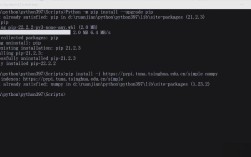
First, you need to install the h5py library. It's a wrapper around the high-performance C++ HDF5 library.
pip install h5py
You might also want to install numpy, as it's heavily used for numerical data within HDF5 files.
pip install numpy
Core Concepts: HDF5 File Structure
Think of an HDF5 file as a file system within a single file. It has two main components:

- Groups: Like directories in a file system. They are used to organize datasets and other groups into a hierarchical structure. The root of the file is denoted by .
- Datasets: Like files in a file system. They are multidimensional arrays of data. They contain the actual data and metadata (like dimensions, data type, etc.).
A key feature of HDF5 is that datasets can be read partially, which is extremely efficient for large files.
Basic Reading Operations
Let's start by reading a file. We'll assume you have a sample HDF5 file named sample.h5 with the following structure (we'll create it later in the "Writing" section):
/
├── group1/
│   ├── dataset1 (a 1D array of integers)
│   └── dataset2 (a 2D array of floats)
└── dataset3 (a 1D array of strings)
Opening a File
You use the h5py.File function to open a file. It's crucial to manage the file context using a with statement to ensure it's automatically closed.
import h5py
# The 'r' flag stands for 'read-only'
with h5py.File('sample.h5', 'r') as f:
    # All file operations happen inside this block
    print("File object:", f)
    print("Keys in the root:", list(f.keys()))
Accessing Groups and Datasets
You can access groups and datasets using dictionary-like syntax or attribute notation.
with h5py.File('sample.h5', 'r') as f:
    # Accessing a group
    group1 = f['group1']
    print("\nKeys in group1:", list(group1.keys()))
    # Accessing a dataset within a group
    dset1 = f['group1/dataset1']  # Using path string
    # OR
    # dset1 = group1['dataset1']   # Using the group object
    print("\nDataset 1 object:", dset1)
    print("Shape of dataset1:", dset1.shape)
    print("Data type of dataset1:", dset1.dtype)
Reading Data
Once you have a dataset object, you can read its data. For small datasets, you can read everything at once into a NumPy array.
with h5py.File('sample.h5', 'r') as f:
    # Read the entire dataset into a NumPy array
    data_dset1 = f['group1/dataset1'][:]
    print("\nFull data from dataset1:", data_dset1)
    # Read a specific slice (partial read)
    # This is very efficient for large datasets
    partial_data = f['group1/dataset2'][0:2, 1:3]
    print("\nPartial data from dataset2 (rows 0-1, cols 1-2):\n", partial_data)
Inspecting File Metadata
A powerful feature of HDF5 is its rich metadata.
Attributes
Attributes are small pieces of metadata attached to a group or dataset, similar to dictionary key-value pairs.
# Let's assume our file has attributes
# group1.attrs['description'] = "This is group 1"
# dset1.attrs['creation_date'] = "2025-10-27"
with h5py.File('sample.h5', 'r') as f:
    group1 = f['group1']
    print("\nAttributes of group1:", dict(group1.attrs))
    dset2 = group1['dataset2']
    print("Attributes of dataset2:", dict(dset2.attrs))
    # Get a specific attribute
    if 'description' in group1.attrs:
        print("Group1 description:", group1.attrs['description'])
Iterating Over the File Structure
You can traverse the file tree to see its contents.
def print_structure(name, obj):
    """Helper function to print the structure of the HDF5 file."""
    if isinstance(obj, h5py.Dataset):
        print(f"Dataset: {name}, Shape: {obj.shape}, Type: {obj.dtype}")
    elif isinstance(obj, h5py.Group):
        print(f"Group: {name}")
with h5py.File('sample.h5', 'r') as f:
    f.visititems(print_structure)
Complete Example: Writing and Then Reading
To make the previous examples runnable, let's first create a sample.h5 file.
import h5py
import numpy as np
# --- WRITING A FILE ---
print("--- Writing sample.h5 ---")
with h5py.File('sample.h5', 'w') as f: # 'w' for write
    # Create a group
    group1 = f.create_group('group1')
    group1.attrs['description'] = 'This is group 1'
    # Create a dataset in the group
    data1 = np.arange(10)
    dset1 = group1.create_dataset('dataset1', data=data1)
    dset1.attrs['creation_date'] = '2025-10-27'
    # Create another dataset
    data2 = np.random.rand(5, 5)
    dset2 = group1.create_dataset('dataset2', data=data2)
    # Create a dataset at the root
    data3 = [b'apple', b'banana', b'cherry']
    dset3 = f.create_dataset('dataset3', data=data3)
print("File written successfully.\n")
# --- READING THE FILE ---
print("--- Reading sample.h5 ---")
with h5py.File('sample.h5', 'r') as f:
    print("Root keys:", list(f.keys()))
    group1 = f['group1']
    print("\nGroup1 keys:", list(group1.keys()))
    # Read dataset1
    dset1_data = group1['dataset1'][:]
    print("\nData from group1/dataset1:", dset1_data)
    # Read dataset2
    dset2_data = group1['dataset2']
    print("\nShape of group1/dataset2:", dset2_data.shape)
    print("First row of group1/dataset2:", dset2_data[0, :])
    # Read dataset3 (strings)
    dset3_data = f['dataset3'][:]
    print("\nData from dataset3:", dset3_data)
    print("First element as string:", dset3_data[0].decode('utf-8'))
Best Practices and Common Pitfalls
a. Use with Statements
Always use with h5py.File(...) as f:. This ensures the file is closed properly, even if errors occur. Forgetting to close a file can lead to data corruption or resource leaks.
b. Read Partially for Large Datasets
Never load a multi-gigabyte dataset into memory if you only need a small part of it. Use slicing to read only the necessary chunks.
# GOOD: Efficient
chunk = f['big_dataset'][1000:2000, 500:600]
# BAD: Inefficient and can crash your program
# whole_array = f['big_dataset'][:] # Avoid this!
c. Handling Different Data Types
- Numerical Data: HDF5 maps directly to NumPy dtypes (e.g.,
float32,int64). - Strings: HDF5 stores them as fixed-length byte strings. When you read them, you get a NumPy array of
dtype='S...'. You need to.decode('utf-8')them to get regular Python strings.byte_string = dset[0] python_string = byte_string.decode('utf-8')
d. Checking for Existence
Before accessing a key, check if it exists to avoid a KeyError.
with h5py.File('sample.h5', 'r') as f:
    if 'group1/dataset1' in f:
        data = f['group1/dataset1'][:]
        print("Found the dataset!")
    else:
        print("Dataset not found.")
Alternative Libraries
While h5py is the standard, other libraries can be useful:
- PyTables: Another library that provides an interface to HDF5. It's built on top of
h5pyandNumPyand offers a more high-level, object-oriented interface (tables.Table,tables.Array). It can sometimes be faster for certain types of queries. - Pandas: Pandas can read HDF5 files using the
pd.read_hdf()function. This is very convenient if your HDF5 file is structured like a Pandas DataFrame or a collection of them. It usestables(PyTables) in the backend.import pandas as pd # Reads a specific dataset from an HDF5 file into a DataFrame df = pd.read_hdf('data.h5', key='my_dataframe_key') - Dask: For extremely large datasets that don't fit into memory, Dask can create a "virtual" HDF5 dataset. It allows you to perform lazy, chunked computations on the data without ever loading it all at once. It uses
h5pyunder the hood.