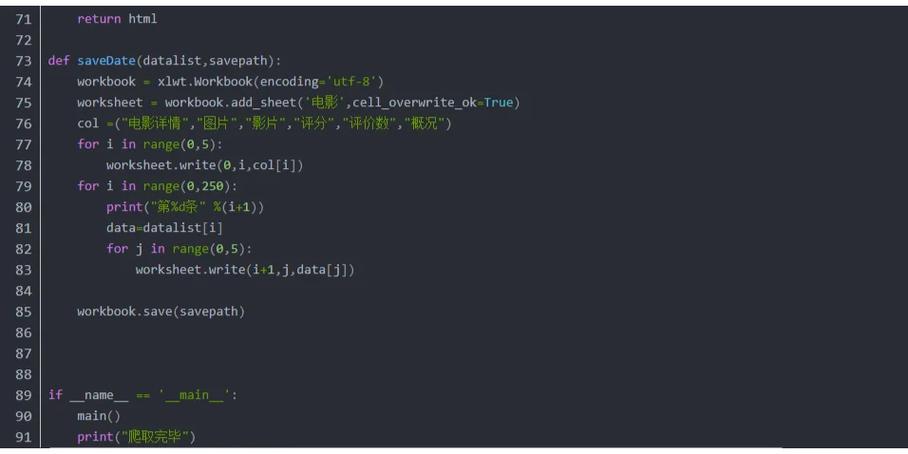
Of course! The term "write function" in Python can mean a few different things. I'll cover the most common interpretations, from the simplest (writing to a file) to more advanced concepts like writing functions that operate on other functions.
Here's a breakdown:
- Writing Data to a File: The most literal meaning.
- Writing Your Own Reusable Code (Creating a Function): The fundamental concept of programming.
- Higher-Order Functions: Writing functions that accept other functions as arguments or return them.
Writing Data to a File
This is the most direct answer. You use Python's built-in open() function with a mode flag of 'w' (write) or 'a' (append).
Basic Example: Writing to a New File
This will create a file named my_file.txt (or overwrite it if it already exists) and write a string to it.
# The 'w' mode means "write". It will create the file or overwrite it.
# It's crucial to use 'with open()' as it automatically closes the file.
with open('my_file.txt', 'w') as f:
    f.write('Hello, Python!\n')  # The \n adds a newline character
    f.write('This is the second line of the file.')
# After the 'with' block, the file is automatically closed.
print("File has been written.")
How to run it:
- Save the code as a Python file (e.g.,
write_script.py). - Run it from your terminal:
python write_script.py - A new file named
my_file.txtwill appear in the same directory.
Appending to a File
If you want to add content to the end of an existing file without deleting it, use the 'a' (append) mode.
# The 'a' mode means "append". It adds content to the end of the file.
with open('my_file.txt', 'a') as f:
    f.write('\n\nThis line was appended later.')
print("Content has been appended.")
Writing Your Own Reusable Code (Creating a Function)
This is the core of structured programming. You "write a function" to define a block of reusable code that performs a specific task.
Basic Syntax
A function is defined using the def keyword.
# Define a function named 'greet'
def greet(name):
  """This is a docstring. It explains what the function does."""
  print(f"Hello, {name}! Welcome to Python.")
# --- How to use the function ---
# Call the function with an argument
greet("Alice")
# Call it again with a different argument
greet("Bob")
Output:
Hello, Alice! Welcome to Python.
Hello, Bob! Welcome to Python.
A More Practical Example: A Function to Write to a File
Let's combine the two concepts. We can write a function that makes writing to a file cleaner and more reusable.
def write_to_file(filename, content):
    """
    Writes a given string of content to a file.
    Args:
        filename (str): The name of the file to write to.
        content (str): The string content to write into the file.
    """
    try:
        with open(filename, 'w') as f:
            f.write(content)
        print(f"Successfully wrote to '{filename}'.")
    except IOError as e:
        print(f"Error: Could not write to file '{filename}'. Reason: {e}")
# --- Using our new function ---
# Define the content we want to write
report_content = """Sales Report - Q1 2025
====================
Product A: 150 units
Product B: 200 units
Product C: 175 units
Total Sales: 525 units
"""
# Call the function to do the work for us
write_to_file("sales_report.txt", report_content)
Why is this better?
- Reusability: You can call
write_to_file()anywhere in your code. - Readability: The code
write_to_file(...)is more descriptive thanopen(...). - Error Handling: The
try...exceptblock makes the function more robust by handling potential file permission errors.
Higher-Order Functions: Writing Functions that Use Other Functions
This is an advanced and powerful concept. In Python, functions are "first-class citizens," meaning you can pass them as arguments to other functions.
Example: A "Writer" Function that Takes Another Function
Let's create a function that executes another function and writes its output to a file.
import time
# 1. A regular function that does some work and returns a result
def generate_log_message():
    """Generates a log message with a timestamp."""
    timestamp = time.strftime("%Y-%m-%d %H:%M:%S")
    return f"[{timestamp}] Application started successfully."
# 2. A higher-order function that "writes" the result of another function
def write_function_output_to_file(func, filename):
    """
    Takes a function, calls it, and writes its return value to a file.
    """
    result = func()  # Execute the passed-in function
    with open(filename, 'w') as f:
        f.write(result)
    print(f"Executed function and wrote its output to '{filename}'.")
# --- Using the higher-order function ---
write_function_output_to_file(generate_log_message, "app.log")
How it works:
generate_log_messageis a standard function.write_function_output_to_fileis our "writer" function. It acceptsfunc(which will begenerate_log_message) andfilenameas arguments.- Inside
write_function_output_to_file, we callfunc()to get the string. - We then write that string to the specified file.
This pattern is extremely useful for things like logging, data processing pipelines, and creating decorators.
Summary
| Your Goal | The Python Tool/Concept | Example Snippet |
|---|---|---|
| Save text to a file | with open('file.txt', 'w') as f: f.write('text') |
with open('data.txt', 'w') as f: f.write('hello') |
| Create a reusable block of code | def my_function(): ... |
def add(a, b): return a + b |
| Create a reusable block that writes to a file | Combine def and with open() |
def write_data(path, data): with open(path, 'w') as f: f.write(data) |
| Write a function that runs another function and saves its output | Pass a function as an argument to another function | def writer(func, file): result = func(); with open(file, 'w') as f: f.write(result) |