
Of course! Using Python to send emails via Gmail is a very common task. The standard library for this is smtplib, and you'll also need the email library to construct the message properly.
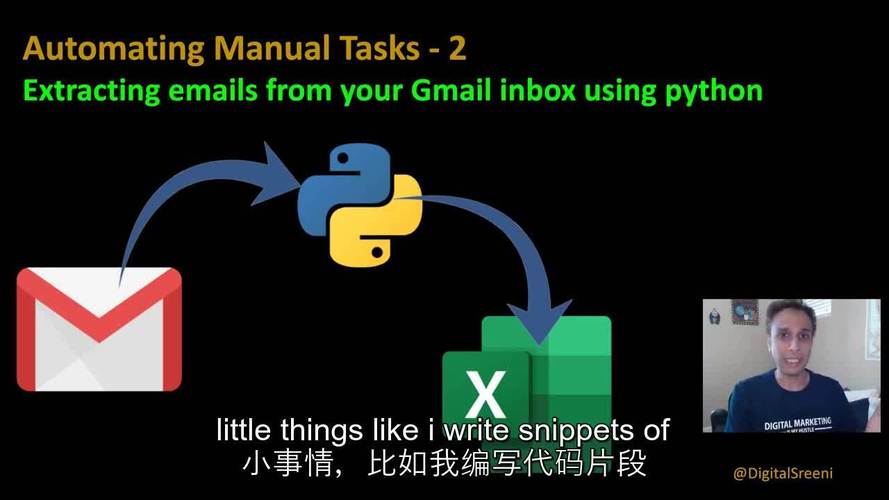
Here’s a comprehensive guide covering the modern best practices, including how to handle Gmail's security requirements.
The Short Answer: The Code
Here is a complete, working example of sending an email with a subject, body, and an attachment.
import smtplib
import ssl
from email.message import EmailMessage
# --- Configuration ---
# Replace with your details
sender_email = "your_email@gmail.com"
receiver_email = "recipient_email@example.com"
password = "YOUR_APP_PASSWORD"  # See instructions below on how to get this
# --- Create the Email Message ---
message = EmailMessage()
message["Subject"] = "Test Email from Python"
message["From"] = sender_email
message["To"] = receiver_email
# Set the body of the email
message.set_content("This is the body of the email sent from Python!")
# Optional: Add an attachment
# You can attach any file. Let's attach a text file as an example.
attachment_filename = "my_document.txt"
try:
    with open(attachment_filename, "rb") as attachment:
        message.add_attachment(
            attachment.read(),
            maintype="application",
            subtype="octet-stream",
            filename=attachment_filename
        )
except FileNotFoundError:
    print(f"Warning: Attachment '{attachment_filename}' not found. Continuing without it.")
# --- Send the Email ---
# Use Gmail's SMTP server
smtp_server = "smtp.gmail.com"
port = 465  # For SSL
# Create a secure SSL context
context = ssl.create_default_context()
try:
    # Connect to the server and send the email
    print("Connecting to Gmail SMTP server...")
    with smtplib.SMTP_SSL(smtp_server, port, context=context) as server:
        print("Logging in...")
        server.login(sender_email, password)
        print("Sending email...")
        server.sendmail(sender_email, receiver_email, message.as_string())
        print("Email sent successfully!")
except Exception as e:
    print(f"An error occurred: {e}")
Step-by-Step Breakdown
Step 1: The Crucial Part - Gmail App Passwords
You cannot use your regular Gmail password to send emails via a script. This is for security reasons. You need to generate an "App Password".
-
Enable 2-Factor Authentication (2FA): If you haven't already, you must have 2FA enabled on your Google Account.
 (图片来源网络,侵删)
- Go to your Google Account settings: https://myaccount.google.com/
- Navigate to Security.
- Under "Signing in to Google," make sure 2-Step Verification is On.
-
Generate an App Password:
- In the same "Security" section, look for App Passwords. (You might need to sign in again).
- Click on App Passwords.
- Under "Select app," choose "Mail".
- Under "Select device," choose "Other (Custom name)" and give it a name you'll recognize, like "Python Email Script".
- Click "Generate".
- Google will show you a 16-character password. Copy this password immediately. This is your
passwordfor the script. You won't be able to see it again.
Step 2: Understanding the Code
-
Import Libraries:
smtplib: The core library for sending emails.ssl: For creating a secure connection.email.message.EmailMessage: A modern and easy way to build email messages.
-
Configuration:
sender_email: Your Gmail address.receiver_email: The email address you're sending to.password: The 16-character App Password you generated in Step 1. Do not use your main Gmail password here.
-
Create the Email Message (
EmailMessage):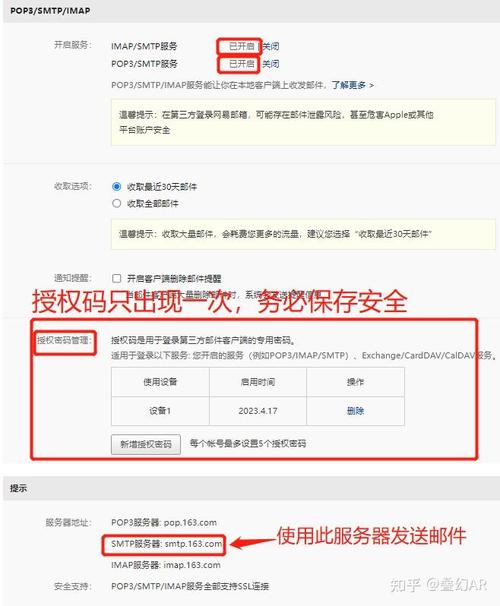 (图片来源网络,侵删)
- This object is much easier to work with than older methods.
message["Subject"],message["From"],message["To"]: Set the headers of the email.message.set_content(): Sets the main body of the email as plain text.
-
Add an Attachment (Optional):
message.add_attachment(): This is how you add files.- We open the file in binary read mode (
"rb"). attachment.read()reads the file's content.maintypeandsubtypedescribe the file type."application/octet-stream"is a generic binary type that works for almost anything (PDFs, images, docs, etc.).filenameis the name you want the attachment to have in the recipient's email client.
-
Send the Email (
smtplib.SMTP_SSL):smtp_server = "smtp.gmail.com": This is Gmail's SMTP server address.port = 465: This is the standard port for SMTP with SSL (Secure Sockets Layer), which encrypts the entire communication.context = ssl.create_default_context(): This creates a secure context to prevent man-in-the-middle attacks.with smtplib.SMTP_SSL(...) as server:: This connects to the server securely. Thewithstatement ensures the connection is closed automatically.server.login(): Authenticates you with the server using your email and the App Password.server.sendmail(): Sends the email. We usemessage.as_string()to convert ourEmailMessageobject into the format required by the server.
Alternative: Using Gmail's SMTP Server on Port 587 (STARTTLS)
If you prefer, you can connect on port 587 and upgrade the connection to secure using STARTTLS. This was the older standard but is still perfectly valid.
import smtplib
import ssl
from email.message import EmailMessage
# --- Configuration (same as before) ---
sender_email = "your_email@gmail.com"
receiver_email = "recipient_email@example.com"
password = "YOUR_APP_PASSWORD"
# --- Create the Email Message (same as before) ---
message = EmailMessage()
message["Subject"] = "Test Email from Python (Port 587)"
message["From"] = sender_email
message["To"] = receiver_email
message.set_content("This email was sent using the STARTTLS method on port 587.")
# --- Send the Email using Port 587 ---
smtp_server = "smtp.gmail.com"
port = 587  # For STARTTLS
# Create a secure default context
context = ssl.create_default_context()
try:
    # Connect to the server using SMTP (not SMTP_SSL) and upgrade the connection
    print("Connecting to Gmail SMTP server...")
    with smtplib.SMTP(smtp_server, port) as server:
        print("Starting TLS encryption...")
        server.starttls(context=context)  # Secure the connection
        print("Logging in...")
        server.login(sender_email, password)
        print("Sending email...")
        server.sendmail(sender_email, receiver_email, message.as_string())
        print("Email sent successfully!")
except Exception as e:
    print(f"An error occurred: {e}")
Troubleshooting Common Errors
-
smtplib.SMTPAuthenticationError: (535, b'5.7.8 Username and Password not accepted...')- Cause: This is the most common error. It means your login failed.
- Solution: Double-check that you are using your App Password, not your regular Google account password. Ensure 2FA is enabled.
-
smtplib.SMTPServerDisconnected: Connection unexpectedly closed- Cause: Often a firewall or network issue blocking the connection to
smtp.gmail.com:465orsmtp.gmail.com:587. - Solution: Check your network settings and firewall rules. Make sure your internet connection is stable.
- Cause: Often a firewall or network issue blocking the connection to
-
FileNotFoundErrorfor the attachment- Cause: The script cannot find the file you're trying to attach.
- Solution: Make sure the
attachment_filenamevariable contains the correct path to your file, and that the file exists in that location.


