Of course! Here’s a comprehensive guide on how to ping a Redis server using Python, starting with the most common library and covering other options as well.
The Most Common Way: Using the redis-py Library
The redis-py library is the standard and most popular way to interact with Redis in Python. It's a high-level, feature-rich client.
Step 1: Install the Library
If you don't have it installed, open your terminal or command prompt and run:
pip install redis
Step 2: Connect to Redis and Ping
The ping() command in the redis-py library does two things:
- It sends a
PINGcommand to the Redis server. - It returns
Trueif the server responds withPONG, andFalseotherwise. It will also raise an exception if it cannot connect.
Here is a simple, complete example:

import redis
# --- Basic Connection ---
# By default, redis-py tries to connect to a Redis server
# running on localhost (127.0.0.1) on port 6379.
try:
    # Create a Redis client instance
    r = redis.Redis(host='localhost', port=6379, db=0)
    # Send the PING command
    response = r.ping()
    if response:
        print("Successfully connected to Redis! PONG received.")
    else:
        print("Connected to Redis, but the PING command failed.")
except redis.ConnectionError as e:
    print(f"Could not connect to Redis: {e}")
except Exception as e:
    print(f"An unexpected error occurred: {e}")
Explanation of the Code
import redis: Imports the necessary library.r = redis.Redis(...): Creates a connection object. You can specify the host, port, and database number (db). If Redis is running with default settings, you can even just user = redis.Redis().try...exceptblock: This is crucial for handling connection errors. If Redis is not running or is inaccessible,redis-pywill raise aredis.ConnectionError. This block gracefully catches that error instead of crashing your program.response = r.ping(): This is the core of the operation. It sends thePINGcommand.if response:: Theping()method returnsTruefor a successfulPONGresponse, making the check simple and readable.
Alternative: Using a Connection Pool
For applications that need to connect to Redis frequently, creating a new connection each time is inefficient. Connection pools reuse connections, which is much faster.
Here's how you can use a connection pool to perform a ping:
import redis
# --- Using a Connection Pool ---
try:
    # Create a connection pool
    # The pool manages a set of connections
    pool = redis.ConnectionPool(host='localhost', port=6379, db=0)
    # Get a connection from the pool
    with pool.get_connection() as r:
        # Send the PING command using the connection from the pool
        response = r.ping()
        print(f"Ping successful using connection pool: {response}")
except redis.ConnectionError as e:
    print(f"Could not connect to Redis using pool: {e}")
except Exception as e:
    print(f"An unexpected error occurred: {e}")
Why use a pool? In a web application (like Flask or Django), you would typically create the connection pool once when the application starts and then reuse it for all incoming requests, avoiding the overhead of establishing a new connection for every request.
Alternative: Using StrictRedis (The "Older" Way
You might see StrictRedis in older code or tutorials. It was the predecessor to the current default Redis class.
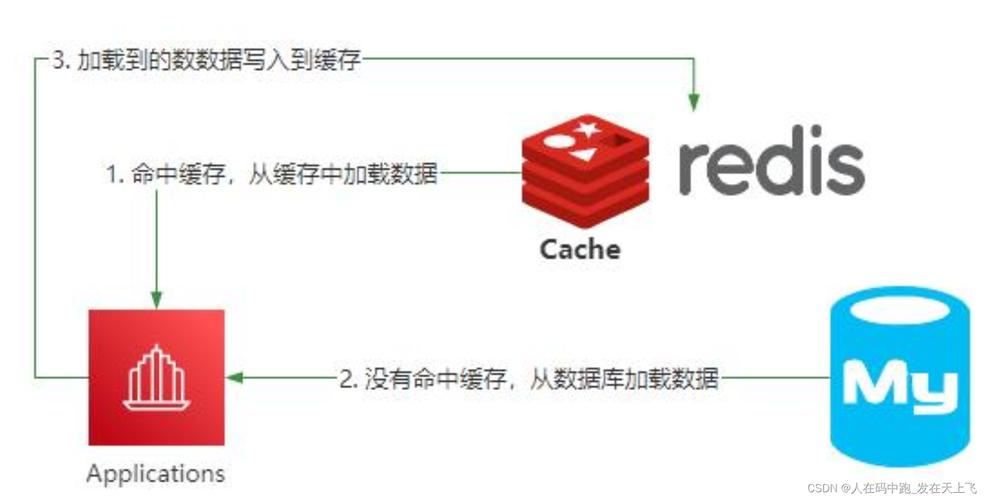
Redis(default): A more user-friendly, high-level client. It's the recommended choice for most use cases.StrictRedis: A more strict, low-level client that maps almost 1:1 to the Redis protocol commands. It's still available and behaves very similarly toRedis.
For a simple ping, the difference is negligible.
import redis
try:
    # Using StrictRedis instead of Redis
    r = redis.StrictRedis(host='localhost', port=6379, db=0)
    response = r.ping()
    print(f"Ping successful using StrictRedis: {response}")
except redis.ConnectionError as e:
    print(f"Could not connect to Redis: {e}")
Advanced: Using aioredis for Asynchronous Operations
If you are using an asynchronous framework like FastAPI, asyncio, or aiohttp, you should use an asynchronous client. aioredis is the modern, high-performance choice.
Step 1: Install aioredis
pip install aioredis
Step 2: Asynchronous Ping Example
Notice the async and await keywords, which are essential for asynchronous code.
import asyncio
import aioredis
async def main():
    # aioredis creates a connection pool by default
    # It's an async context manager, so use 'async with'
    try:
        redis = await aioredis.from_url("redis://localhost")
        # The ping method is also an awaitable
        response = await redis.ping()
        print(f"Ping successful with aioredis: {response}")
        # It's good practice to close the connection when done
        await redis.close()
    except aioredis.exceptions.ConnectionError as e:
        print(f"Could not connect to Redis asynchronously: {e}")
    except Exception as e:
        print(f"An unexpected error occurred: {e}")
# Run the async function
asyncio.run(main())
Summary: Which One Should I Use?
| Scenario | Recommended Library | Why? |
|---|---|---|
| General Purpose / Scripts / Sync Apps | redis-py |
Simple, standard, and easy to use. The try...except block is all you need for basic error handling. |
| Web Applications (e.g., Flask, Django) | redis-py with a Connection Pool |
Reusing connections significantly improves performance by avoiding the overhead of new connections for each request. |
| Asynchronous Applications (e.g., FastAPI, aiohttp) | aioredis |
Designed from the ground up for asyncio, allowing non-blocking I/O which is critical for high-performance async servers. |