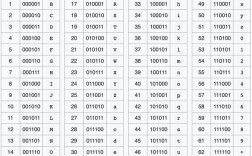
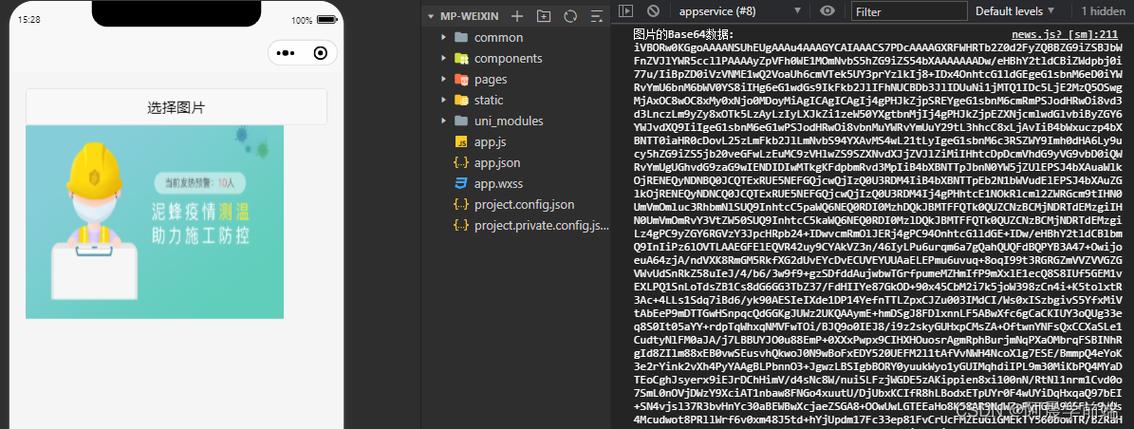
Java Base64 编码图片
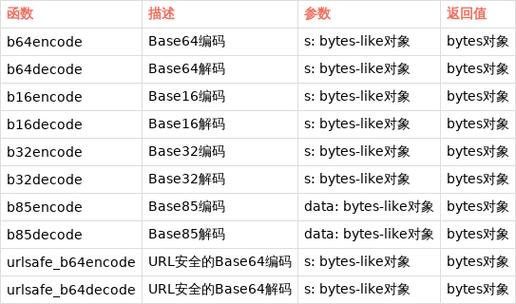
在Java中,你可以使用java.util.Base64类来对图片进行Base64编码,以下是几种常见的实现方法:
(图片来源网络,侵删)
使用Java 8+的Base64类
import java.io.*;
import java.util.Base64;
public class ImageToBase64 {
    public static String encodeImageToBase64(String imagePath) throws IOException {
        File file = new File(imagePath);
        try (FileInputStream imageInFile = new FileInputStream(file)) {
            // 读取图片字节数组
            byte[] imageBytes = new byte[(int) file.length()];
            imageInFile.read(imageBytes);
            // 编码为Base64
            return Base64.getEncoder().encodeToString(imageBytes);
        }
    }
    public static void main(String[] args) {
        try {
            String base64Image = encodeImageToBase64("path/to/your/image.jpg");
            System.out.println("Base64编码结果: " + base64Image);
        } catch (IOException e) {
            e.printStackTrace();
        }
    }
}
使用Apache Commons IO库(更简洁)
首先添加依赖:
<dependency>
    <groupId>commons-io</groupId>
    <artifactId>commons-io</artifactId>
    <version>2.11.0</version>
</dependency>
然后使用:
import org.apache.commons.io.FileUtils;
import java.io.File;
import java.util.Base64;
public class ImageToBase64 {
    public static String encodeImageToBase64(String imagePath) throws IOException {
        byte[] fileContent = FileUtils.readFileToByteArray(new File(imagePath));
        return Base64.getEncoder().encodeToString(fileContent);
    }
}
处理图片并添加MIME类型
如果需要在HTML或CSS中使用Base64图片,通常需要添加MIME类型前缀:
import java.io.*;
import java.util.Base64;
public class ImageToBase64 {
    public static String encodeImageToBase64WithMime(String imagePath) throws IOException {
        File file = new File(imagePath);
        String mimeType = getMimeType(file);
        try (FileInputStream imageInFile = new FileInputStream(file)) {
            byte[] imageBytes = new byte[(int) file.length()];
            imageInFile.read(imageBytes);
            return "data:" + mimeType + ";base64," + Base64.getEncoder().encodeToString(imageBytes);
        }
    }
    private static String getMimeType(File file) throws IOException {
        String name = file.getName();
        if (name.endsWith(".jpg") || name.endsWith(".jpeg")) {
            return "image/jpeg";
        } else if (name.endsWith(".png")) {
            return "image/png";
        } else if (name.endsWith(".gif")) {
            return "image/gif";
        }
        // 默认返回二进制流
        return "application/octet-stream";
    }
}
从URL获取图片并编码
import java.io.*;
import java.net.URL;
import java.util.Base64;
public class UrlImageToBase64 {
    public static String encodeUrlImageToBase64(String imageUrl) throws IOException {
        URL url = new URL(imageUrl);
        try (InputStream inputStream = url.openStream()) {
            byte[] imageBytes = inputStream.readAllBytes();
            return Base64.getEncoder().encodeToString(imageBytes);
        }
    }
}
注意事项
- 性能考虑:对于大图片,Base64编码会增加约33%的数据大小
- 内存使用:一次性读取整个图片到内存,对于超大图片可能需要分块处理
- MIME类型:确保正确识别图片类型,否则可能导致显示问题
- 异常处理:实际应用中应添加更完善的异常处理
反向操作:Base64解码为图片
import java.io.*;
import java.util.Base64;
public class Base64ToImage {
    public static void decodeBase64ToImage(String base64Image, String outputPath) throws IOException {
        // 去除可能的数据URI前缀
        String base64Data = base64Image.split(",")[1];
        byte[] imageBytes = Base64.getDecoder().decode(base64Data);
        try (FileOutputStream imageOutFile = new FileOutputStream(outputPath)) {
            imageOutFile.write(imageBytes);
        }
    }
}
方法可以根据你的具体需求选择使用。
(图片来源网络,侵删)
(图片来源网络,侵删)