安装 PyMongo
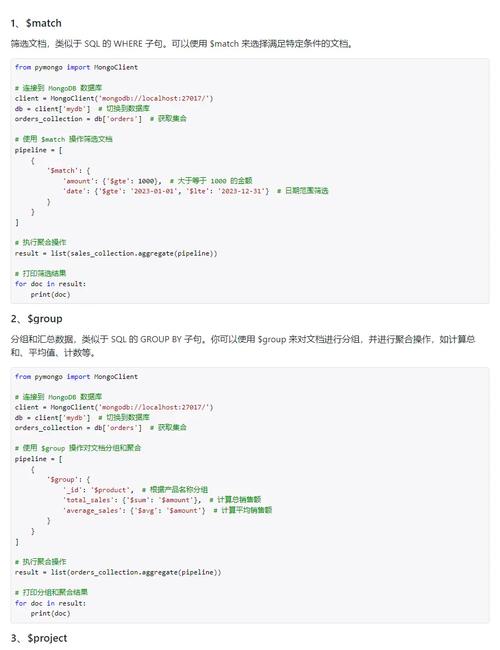
你需要安装 MongoDB 的官方 Python 驱动程序 PyMongo。
(图片来源网络,侵删)
pip install pymongo
连接到 MongoDB
在进行任何操作之前,你需要先建立一个到 MongoDB 服务器的连接。
from pymongo import MongoClient
# 默认连接本地 MongoDB (localhost:27017)
client = MongoClient('mongodb://localhost:27017/')
# 指定要连接的数据库
# 如果数据库不存在,MongoDB 会在第一次插入数据时自动创建它
db = client['my_database']
# 指定要操作的集合 (类似于 SQL 中的表)
# 如果集合不存在,它也会在第一次插入数据时自动创建
collection = db['my_collection']
# 关闭连接 (当程序结束时)
# client.close()
准备数据
为了演示查询,我们先向 my_collection 中插入一些示例数据。
# 清空集合(可选,确保每次运行都是干净的)
collection.delete_many({})
# 插入多条数据
data_to_insert = [
    {
        "name": "Alice",
        "age": 30,
        "city": "New York",
        "hobbies": ["reading", "hiking"],
        "contact": {
            "email": "alice@example.com",
            "phone": "123-456-7890"
        }
    },
    {
        "name": "Bob",
        "age": 25,
        "city": "London",
        "hobbies": ["gaming", "cooking"],
        "contact": {
            "email": "bob@example.com",
            "phone": "987-654-3210"
        }
    },
    {
        "name": "Charlie",
        "age": 35,
        "city": "New York",
        "hobbies": ["reading", "traveling", "photography"],
        "contact": {
            "email": "charlie@example.com",
            "phone": "555-123-4567"
        }
    },
    {
        "name": "David",
        "age": 30,
        "is_student": False,
        "city": "Paris"
    }
]
# insert_many() 用于插入列表中的所有文档
insert_result = collection.insert_many(data_to_insert)
print(f"插入的文档 ID: {insert_result.inserted_ids}")
查询操作详解
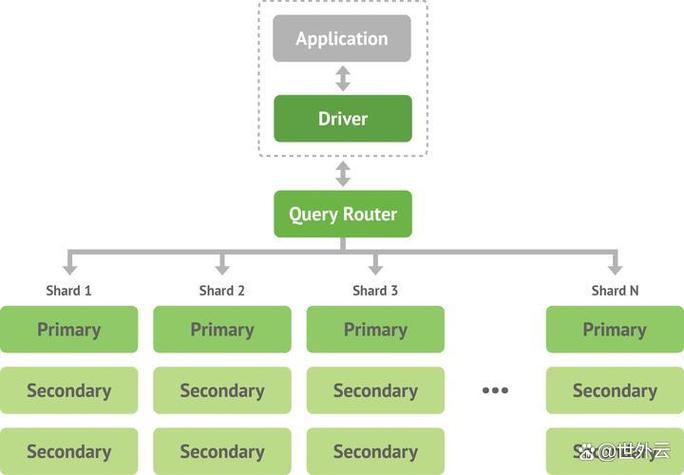
MongoDB 查询的核心是 find() 方法,它返回一个 Cursor 对象,你可以像迭代列表一样遍历它。
1 基本查询
查询所有文档
(图片来源网络,侵删)
find() 方法不带任何参数会返回集合中的所有文档。
# 查询所有文档
all_docs = collection.find()
# 遍历并打印结果
for doc in all_docs:
    print(doc)
查询满足条件的单个文档
如果你只想找一个匹配的文档(通常用于主键查询),可以使用 find_one(),它找到第一个匹配的文档后就会返回,而不是一个游标。
# 查找名字为 'Alice' 的第一个文档
alice_doc = collection.find_one({"name": "Alice"})
print("\n查找 Alice:")
print(alice_doc)
2 查询条件
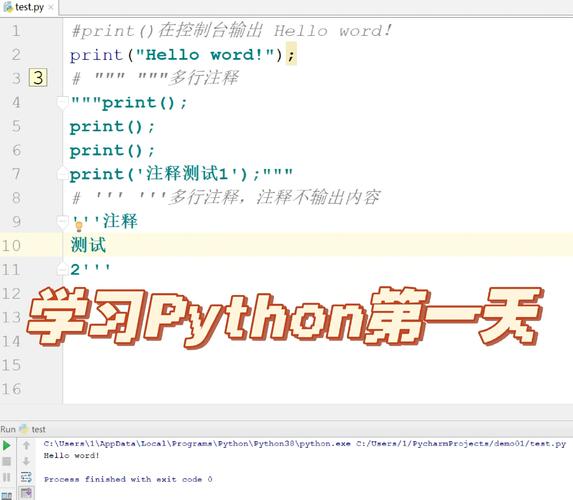
这是查询最强大的部分,MongoDB 使用文档来指定查询条件。
(图片来源网络,侵删)
精确匹配
# 查找 city 为 'New York' 的所有文档
new_yorkers = collection.find({"city": "New York"})
print("\n所有纽约居民:")
for person in new_yorkers:
    print(person)
比较查询
使用 操作符进行比较。
| 操作符 | 描述 | 示例 |
|---|---|---|
$gt |
大于 | {"age": {"$gt": 30}} |
$gte |
大于等于 | {"age": {"$gte": 30}} |
$lt |
小于 | {"age": {"$lt": 30}} |
$lte |
小于等于 | {"age": {"$lte": 30}} |
$ne |
不等于 | {"age": {"$ne": 30}} |
$in |
在...之内 | {"city": {"$in": ["New York", "London"]}} |
# 查找年龄大于 30 的人
older_than_30 = collection.find({"age": {"$gt": 30}})
print("\n年龄大于 30 的人:")
for person in older_than_30:
    print(person)
# 查找年龄为 25 或 30 的人
age_25_or_30 = collection.find({"age": {"$in": [25, 30]}})
print("\n年龄为 25 或 30 的人:")
for person in age_25_or_30:
    print(person)
逻辑查询
| 操作符 | 描述 | 示例 |
|---|---|---|
$and |
逻辑与 | {"$and": [{"age": {"$gt": 25}}, {"city": "New York"}]} |
$or |
逻辑或 | {"$or": [{"city": "London"}, {"name": "Alice"}]} |
$not |
逻辑非 | {"age": {"$not": {"$gt": 30}}} (年龄不大于30,即小于等于30) |
# 查找年龄大于 25 且住在纽约的人
young_new_yorkers = collection.find({
    "$and": [
        {"age": {"$gt": 25}},
        {"city": "New York"}
    ]
})
print("\n年龄大于 25 且住在纽约的人:")
for person in young_new_yorkers:
    print(person)
# 查找住在伦敦或者名字是 Alice 的人
london_or_alice = collection.find({
    "$or": [
        {"city": "London"},
        {"name": "Alice"}
    ]
})
print("\n住在伦敦或者名字是 Alice 的人:")
for person in london_or_alice:
    print(person)
3 查询嵌套文档和数组
查询嵌套文档
要精确匹配整个嵌套文档,请将嵌套文档作为一个整体传入。
# 查找 contact.email 为 'alice@example.com' 的人
# 注意:这里的 contact 必须是完全匹配的
email_alice = collection.find({"contact.email": "alice@example.com"})
print("\n邮箱为 alice@example.com 的人:")
for person in email_alice:
    print(person)
提示:使用
field.subfield语法是查询嵌套字段最简单的方式。
查询数组
- 精确匹配:如果字段是一个数组,要匹配整个数组,需要传入一个列表。
- 元素匹配:要检查数组中是否包含某个元素,直接传入该元素的值即可。
# 查找 hobbies 同时包含 'reading' 和 'hiking' 的人 (顺序不重要)
# 这会匹配 Alice,但不会匹配 Charlie (Charlie 还有 'traveling')
hobby_reader_hiker = collection.find({"hobbies": ["reading", "hiking"]})
print("\n爱好同时是 'reading' 和 'hiking' 的人:")
for person in hobby_reader_hiker:
    print(person)
# 查找 hobbies 数组中包含 'reading' 的人
# 这会匹配 Alice 和 Charlie
hobby_reader = collection.find({"hobbies": "reading"})
print("\n爱好包含 'reading' 的人:")
for person in hobby_reader:
    print(person)
数组操作符
| 操作符 | 描述 | 示例 |
|---|---|---|
$all |
数组包含所有指定元素 | {"hobbies": {"$all": ["reading", "traveling"]}} |
$size |
数组大小 | {"hobbies": {"$size": 2}} |
$elemMatch |
匹配数组中至少一个元素满足所有条件 | 见下方示例 |
# 查找爱好中同时包含 'reading' 和 'traveling' 的人
# 这只会匹配 Charlie
hobby_reader_traveler = collection.find({"hobbies": {"$all": ["reading", "traveling"]}})
print("\n爱好同时包含 'reading' 和 'traveling' 的人:")
for person in hobby_reader_traveler:
    print(person)
# 查找爱好数量恰好为 2 的人
two_hobbies = collection.find({"hobbies": {"$size": 2}})
print("\n爱好数量为 2 的人:")
for person in two_hobbies:
    print(person)
4 高级查询
正则表达式查询
使用 {'$regex': 'pattern'} 进行模糊匹配。
# 查找名字以 'A' 开头的人
name_starts_with_a = collection.find({"name": {"$regex": '^A'}})
print("\n名字以 'A' 开头的人:")
for person in name_starts_with_a:
    print(person)
# 或者使用简写形式 (Python re 模块的模式)
import re
name_starts_with_a_short = collection.find({"name": re.compile('^A')})
字段投影
默认情况下,find() 会返回文档的所有字段,你可以使用 projection 参数来指定只返回哪些字段(包含)或不返回哪些字段(排除)。
1:表示包含0:表示排除- 注意:不能在一个投影中同时包含和排除字段,除了
_id字段。
# 只返回 name 和 city 字段,不返回其他字段
# _id 默认总是返回,可以显式设置为 0 来排除
projected_docs = collection.find(
    {"city": "New York"},  # 查询条件
    {"name": 1, "city": 1, "_id": 0}  # 投影
)
print("\只返回纽约居民的 name 和 city:")
for doc in projected_docs:
    print(doc)
# 排除 age 和 hobbies 字段
projected_docs_exclude = collection.find(
    {"age": 30},
    {"age": 0, "hobbies": 0}
)
print("\n返回年龄为 30 的人,但不显示 age 和 hobbies:")
for doc in projected_docs_exclude:
    print(doc)
结果处理
1 排序
使用 sort() 方法,并传入一个字段名和排序方向 1 (升序) 或 -1 (降序)。
# 按年龄升序排序
print("\n按年龄升序排序:")
for doc in collection.find().sort("age", 1):
    print(doc)
# 按年龄降序排序
print("\n按年龄降序排序:")
for doc in collection.find().sort("age", -1):
    print(doc)
2 限制结果数量
使用 limit() 方法来限制返回的文档数量。
# 只返回前 2 个文档
print("\n只返回前 2 个文档:")
for doc in collection.find().limit(2):
    print(doc)
3 跳过结果
使用 skip() 方法来跳过指定数量的文档,通常与 limit() 结合使用来实现分页。
# 跳过前 1 个文档,然后返回接下来的 2 个 (实现分页: 第2页,每页2条)
print("\n跳过第1个,获取接下来的2个 (模拟分页):")
for doc in collection.find().skip(1).limit(2):
    print(doc)
完整示例
下面是一个将以上知识点整合起来的完整示例。
from pymongo import MongoClient
# 1. 连接
client = MongoClient('mongodb://localhost:27017/')
db = client['my_database']
collection = db['my_collection']
# 2. 查询:找到所有住在纽约、年龄在 25 到 35 之间(包含),
#       并且爱好包含 'reading' 的人。
#       只显示他们的名字和邮箱,按名字升序排序。
query = {
    "city": "New York",
    "age": {"$gte": 25, "$lte": 35},
    "hobbies": "reading"
}
projection = {
    "name": 1,
    "contact.email": 1,
    "_id": 0
}
# 3. 执行查询并排序
results = collection.find(query, projection).sort("name", 1)
# 4. 打印结果
print("--- 查询结果 ---")
if results.count() == 0:
    print("没有找到匹配的文档。")
else:
    for person in results:
        print(person)
# 5. 关闭连接
client.close()
- 连接:使用
MongoClient连接到服务器,选择db和collection。 - 查询:核心是
find()和find_one()。 - 条件:灵活运用
$gt,$lt,$in,$or,$and等操作符构建复杂查询。 - 高级:使用正则表达式、数组操作符 (
$all,$size) 处理更复杂的数据结构。 - 结果处理:通过
sort(),limit(),skip()和projection来精确控制查询结果。
掌握这些基本操作,你就可以应对绝大多数 MongoDB 的 Python 查询需求了。