Of course! Let's dive deep into readObject in Java.
readObject is a method you implement when your class needs to control the process of deserialization. It's the counterpart to the writeObject method used for custom serialization.
The Big Picture: Serialization & Deserialization
First, let's quickly recap the standard process:
-
Serialization (Writing an object):
- You create an
ObjectOutputStreamfrom aFileOutputStream. - You call
writeObject(yourObject)on the stream. - Java automatically figures out the object's class, its state (field values), and writes it to the file in a specific format.
- You create an
-
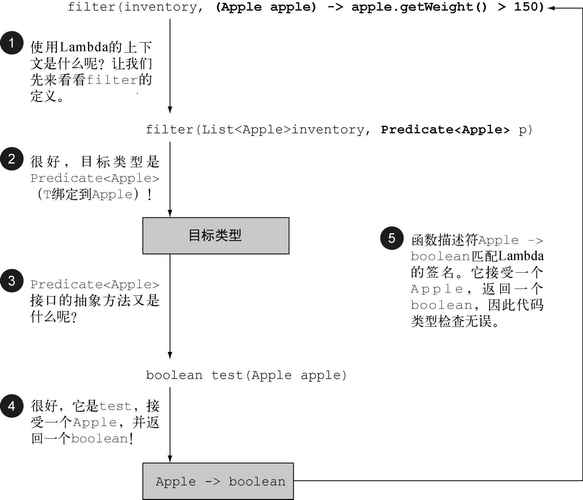
Deserialization (Reading an object):
 (图片来源网络,侵删)
- You create an
ObjectInputStreamfrom aFileInputStream. - You call
readObject()on the stream. - Java reads the data from the file, finds the class definition, and creates a new instance of that class, restoring the field values.
- You create an
The Problem: When is readObject Necessary?
The default deserialization process is simple, but it's not always secure or sufficient. You need to implement readObject in several key scenarios:
- Security: To prevent "Object Injection" attacks. An attacker could craft a stream that, when deserialized, executes malicious code (e.g., by calling a method on a
Fileobject to delete your files). This is the most critical reason. - Validation: To ensure the data being read is valid before reconstructing the object. For example, an age field shouldn't be negative, or a list shouldn't be
null. - Reconstructing Transient Fields: Fields marked as
transientare not serialized by default. If you need to re-initialize atransientfield after deserialization,readObjectis the perfect place to do it. - Backward Compatibility: If you change the structure of your class (e.g., add a new field),
readObjectcan handle older versions of the serialized data gracefully. - Defensive Copying: To ensure that mutable objects returned by getters are not modified directly from the deserialized object, which could corrupt its internal state.
How to Implement readObject
The readObject method is not an ordinary method. It has a special signature and is "private" for a reason: the JVM calls it directly during deserialization. You never call it yourself.
The Signature
private void readObject(java.io.ObjectInputStream in)
    throws IOException, ClassNotFoundException;
The Golden Rules of readObject
- It MUST be
private. This is non-negotiable. It prevents any other code from accidentally calling it and ensures only the JVM can invoke it during the deserialization process. - It MUST NOT be
staticorfinal. - You MUST call
in.defaultReadObject()as the FIRST LINE (unless you are doing a custom "externalizable" read, which is a more advanced topic). This is crucial becausedefaultReadObject()handles the standard deserialization of all non-transientand non-staticfields. If you don't call it, those fields will remain uninitialized (e.g.,null,0,false).
A Complete, Secure Example
Let's create a User class that demonstrates all the key principles of readObject.
Scenario:
- We have a
Userwith ausername,password, and alastLoginDate. - The
passwordis sensitive, so we'll mark ittransientand not serialize it directly. - The
lastLoginDateis alsotransientbecause we want to set it to the current time whenever the object is deserialized (i.e., when the user logs back in). - We need to validate that the
usernameis not null or empty.
import java.io.*;
import java.util.Date;
import java.util.Objects;
public class User implements Serializable {
    // The serialVersionUID is a unique identifier for a Serializable class.
    // It's used to verify that the sender and receiver of a serialized object
    // have loaded classes for that object that are compatible with respect to serialization.
    private static final long serialVersionUID = 1L;
    private String username;
    private transient String password; // 1. transient field - won't be serialized
    private transient Date lastLoginDate; // 2. transient field - we will set it manually
    // A constructor for creating a new user
    public User(String username, String password) {
        this.username = Objects.requireNonNull(username, "Username cannot be null");
        if (username.trim().isEmpty()) {
            throw new IllegalArgumentException("Username cannot be empty");
        }
        this.password = password;
        this.lastLoginDate = new Date(); // Set on creation
    }
    // --- THIS IS THE IMPORTANT PART ---
    private void readObject(ObjectInputStream in)
            throws IOException, ClassNotFoundException {
        // 3. ALWAYS call defaultReadObject() first to deserialize non-transient fields.
        in.defaultReadObject();
        // 4. VALIDATION: Now, we can validate the data that was read.
        //    The 'username' was deserialized by defaultReadObject(), so we can check it.
        if (username == null || username.trim().isEmpty()) {
            throw new InvalidObjectException("Username cannot be null or empty after deserialization");
        }
        // 5. RECONSTRUCT transient fields: Initialize fields that were not serialized.
        this.lastLoginDate = new Date(); // Set the login date to the current time
        // In a real app, you might re-hydrate the password from a secure store.
        // For this example, we'll just set a default.
        this.password = "[REDACTED]";
    }
    // Standard Getters
    public String getUsername() {
        return username;
    }
    public String getPassword() {
        // Defensive copying: return a copy to prevent external modification
        return new String(password);
    }
    public Date getLastLoginDate() {
        // Defensive copying: return a copy to prevent external modification
        return new Date(lastLoginDate.getTime());
    }
    @Override
    public String toString() {
        return "User{" +
                "username='" + username + '\'' +
                ", lastLoginDate=" + lastLoginDate +
                '}';
    }
}
Demonstration Code
Here's how you would serialize and deserialize this User object.
import java.io.*;
public class Main {
    public static void main(String[] args) {
        // 1. Create a User object
        User originalUser = new User("john_doe", "secret123");
        System.out.println("Original User: " + originalUser);
        System.out.println("Original Password: " + originalUser.getPassword());
        // 2. Serialize the object to a file
        try (ObjectOutputStream oos = new ObjectOutputStream(new FileOutputStream("user.ser"))) {
            oos.writeObject(originalUser);
            System.out.println("\nUser object has been serialized to user.ser");
        } catch (IOException e) {
            e.printStackTrace();
        }
        // 3. Deserialize the object from the file
        User deserializedUser = null;
        try (ObjectInputStream ois = new ObjectInputStream(new FileInputStream("user.ser"))) {
            deserializedUser = (User) ois.readObject();
        } catch (IOException | ClassNotFoundException e) {
            e.printStackTrace();
        }
        // 4. Verify the deserialized object
        if (deserializedUser != null) {
            System.out.println("\nDeserialized User: " + deserializedUser);
            System.out.println("Deserialized Password: " + deserializedUser.getPassword());
            // Check if the transient field was correctly re-initialized
            System.out.println("Original lastLoginDate: " + originalUser.getLastLoginDate());
            System.out.println("Deserialized lastLoginDate: " + deserializedUser.getLastLoginDate());
            System.out.println("Are they the same? " + originalUser.getLastLoginDate().equals(deserializedUser.getLastLoginDate()));
        }
    }
}
Expected Output
Original User: User{username='john_doe', lastLoginDate=Wed Oct 26 10:30:00 EDT 2025}
Original Password: secret123
User object has been serialized to user.ser
Deserialized User: User{username='john_doe', lastLoginDate=Wed Oct 26 10:30:01 EDT 2025}
Deserialized Password: [REDACTED]
Original lastLoginDate: Wed Oct 26 10:30:00 EDT 2025
Deserialized lastLoginDate: Wed Oct 26 10:30:01 EDT 2025
Are they the same? false
Notice how:
- The
usernamewas correctly restored. - The
lastLoginDateis a newDateobject (different from the original), showing our manual reconstruction worked. - The
passwordwas reset to[REDACTED], demonstrating that transient fields are not read from the stream.
Security: The ObjectInputFilter (Java 9+)
While readObject helps, the primary vulnerability is in the JVM's deep, recursive object graph resolution during readObject(). An attacker can craft a stream with thousands of nested objects to cause a Denial-of-Service (DoS) attack.
Since Java 9, you can register a filter to validate the entire object graph before it's fully constructed.
// In your deserialization code:
ObjectInputFilter filter = ObjectInputFilter.Config.createFilter("com.example.*;!*"); // Allow only my package, deny all others
try (ObjectInputStream ois = new ObjectInputStream(new FileInputStream("user.ser"))) {
    ois.setObjectInputFilter(filter); // Apply the filter
    User user = (User) ois.readObject();
    // ...
}
This is a critical layer of defense for modern Java applications.
Summary: readObject vs. writeObject
| Feature | writeObject |
readObject |
|---|---|---|
| Purpose | Customizes serialization. | Customizes deserialization. |
| Signature | private void writeObject(ObjectOutputStream out) |
private void readObject(ObjectInputStream in) |
| When Called | By ObjectOutputStream before writing the object. |
By ObjectInputStream after reading the object's class metadata. |
| First Line | out.defaultWriteObject(); |
in.defaultReadObject(); |
| Key Use Cases | Encrypting fields, filtering out sensitive data, calculating checksums. | Validating data, reconstructing transient fields, preventing object injection. |