Of course! Performing an LDAP search in Python is a common task for integrating with corporate directories, authentication systems, and other services. The most popular and robust library for this is python-ldap.

Here's a comprehensive guide, starting from installation to advanced examples.
Installation
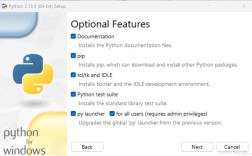
First, you need to install the python-ldap library. It's highly recommended to also install its dependencies, which often include necessary libraries for SSL/TLS connections.
pip install python-ldap
On some systems (like Debian/Ubuntu), you might also need to install development libraries for OpenLDAP:
sudo apt-get install libldap2-dev libsasl2-dev
Core Concepts
Before we dive into code, let's cover the key concepts you'll use in every LDAP search.
- LDAP URL: The address of your LDAP server.
ldap://: For unencrypted connections (not recommended for production).ldaps://: For SSL/TLS encrypted connections (standard and recommended).ldapi://: For local connections using a Unix socket (common on Linux servers).
- Connection: You need to establish a connection to the server. This often involves binding (authenticating) with a user and password.
- Base DN (Distinguished Name): The starting point for your search in the directory tree. It's like the root folder in a file system. For example:
ou=users,dc=example,dc=com. - Search Filter: This is the query. It specifies which entries you want to find. It uses a special syntax based on Boolean logic and attribute names.
objectClass=*: Find all entries.(cn=John Doe): Find an entry where thecn(Common Name) attribute is exactly "John Doe".(&(objectClass=user)(|(cn=John*)(cn=Jane*))): Find all user entries where the Common Name starts with "John" OR "Jane". The&is for AND, is for OR, and is for NOT.
- Search Scope: How deep to search from the Base DN.
ldap.SCOPE_BASE: Only the Base DN itself.ldap.SCOPE_ONELEVEL: Direct children of the Base DN.ldap.SCOPE_SUBTREE: The Base DN and all of its descendants (most common).
- Attributes: The specific attributes you want returned. If you don't specify any, you get all operational and user attributes. Specifying
['cn', 'mail']is more efficient.
Basic Example: Simple Search
This example connects to an LDAP server, performs a simple search, and prints the results.
import ldap
# --- Configuration ---
# Replace with your LDAP server details
SERVER = 'ldaps://ldap.example.com'  # Use 'ldaps://' for SSL
BASE_DN = 'ou=users,dc=example,dc=com'
SEARCH_FILTER = '(cn=John Doe)' # The LDAP search filter
# --- Connection and Search ---
try:
    # 1. Establish a connection
    # The third argument is the authentication method.
    # 'SIMPLE' means username/password.
    conn = ldap.initialize(SERVER)
    conn.protocol_version = ldap.VERSION3
    # 2. Bind (authenticate) to the server
    # You can bind as a specific user or anonymously.
    # For a bind, you provide a full DN and password.
    bind_dn = 'cn=admin,dc=example,dc=com'
    bind_pw = 'your_password'
    conn.simple_bind_s(bind_dn, bind_pw)
    print("Successfully connected and bound to the server.")
    # 3. Perform the search
    # The search_s() method performs a synchronous search.
    # It returns a list of 2-tuples: (dn, entry_dict)
    result = conn.search_s(
        base=BASE_DN,
        scope=ldap.SCOPE_SUBTREE,
        filterstr=SEARCH_FILTER,
        attrlist=['cn', 'mail', 'uid'] # Request specific attributes
    )
    # 4. Process the results
    if result:
        for dn, entry in result:
            print(f"--- Found Entry ---")
            print(f"Distinguished Name: {dn}")
            print("Attributes:")
            for attr_name, values in entry.items():
                # LDAP attributes can have multiple values (e.g., group memberships)
                print(f"  - {attr_name}: {', '.join(values)}")
    else:
        print("No entries found for the given filter.")
except ldap.LDAPError as e:
    print(f"An LDAP error occurred: {e}")
finally:
    # 5. Unbind to close the connection
    if 'conn' in locals() and conn:
        conn.unbind()
        print("Connection closed.")
Advanced Example: Searching with a "User" Filter
In real-world scenarios, you often want to find all "people" or "users". This is typically done by filtering on the objectClass attribute.
import ldap
# --- Configuration ---
SERVER = 'ldaps://ldap.example.com'
BASE_DN = 'ou=users,dc=example,dc=com'
# Find all entries that are a 'person' AND have a surname starting with 'S'
SEARCH_FILTER = '(&(objectClass=person)(sn=S*))'
ATTRIBUTES = ['cn', 'sn', 'givenName', 'mail']
try:
    conn = ldap.initialize(SERVER)
    conn.protocol_version = ldap.VERSION3
    # Bind anonymously if the server allows it, or with a service account
    conn.simple_bind_s('', '') # Anonymous bind
    print("Successfully connected and bound anonymously.")
    # Perform the search
    result = conn.search_s(
        base=BASE_DN,
        scope=ldap.SCOPE_SUBTREE,
        filterstr=SEARCH_FILTER,
        attrlist=ATTRIBUTES
    )
    print(f"\nFound {len(result)} users:")
    for dn, entry in result:
        print(f"  - DN: {dn}")
        # Use .get() for safe access to attributes that might not exist
        first_name = entry.get('givenName', ['N/A'])[0]
        last_name = entry.get('sn', ['N/A'])[0]
        email = entry.get('mail', ['N/A'])[0]
        print(f"    Name: {first_name} {last_name}, Email: {email}")
except ldap.LDAPError as e:
    print(f"An LDAP error occurred: {e}")
finally:
    if 'conn' in locals() and conn:
        conn.unbind()
Handling Authentication (Checking a User's Credentials)
A very common use case is to check if a user's username and password are correct. The trick is to try to bind as that user.
import ldap
def check_user_credentials(server, user_dn, password):
    """
    Checks if a user's credentials are valid by attempting to bind.
    """
    try:
        conn = ldap.initialize(server)
        conn.protocol_version = ldap.VERSION3
        # The simple_bind_s() will raise an exception if the credentials are wrong.
        conn.simple_bind_s(user_dn, password)
        # If bind is successful, unbind and return True
        conn.unbind()
        return True
    except ldap.INVALID_CREDENTIALS:
        print("Error: Invalid username or password.")
        return False
    except ldap.LDAPError as e:
        print(f"An LDAP error occurred: {e}")
        return False
    except Exception as e:
        print(f"A non-LDAP error occurred: {e}")
        return False
# --- Usage ---
SERVER = 'ldaps://ldap.example.com'
USERNAME_TO_CHECK = 'jdoe' # This is usually the user's sAMAccountName or uid
PASSWORD_TO_CHECK = 'user_secret_password'
# You need to construct the user's DN from their username.
# This format is common in Active Directory.
user_dn = f'cn={USERNAME_TO_CHECK},ou=users,dc=example,dc=com'
if check_user_credentials(SERVER, user_dn, PASSWORD_TO_CHECK):
    print(f"Authentication successful for {USERNAME_TO_CHECK}!")
else:
    print(f"Authentication failed for {USERNAME_TO_CHECK}.")
Important Considerations
- Security: Always use
ldaps://(SSL/TLS) for connections. Transmitting passwords and directory data over unencryptedldap://is a major security risk. - Error Handling: The
python-ldaplibrary raises specific exceptions (e.g.,ldap.NO_SUCH_OBJECT,ldap.INVALID_CREDENTIALS,ldap.OPERATIONS_ERROR). Always wrap your LDAP code in atry...exceptblock to handle these gracefully. - Connection Pooling: For applications that make frequent LDAP requests, creating a new connection for each request is inefficient. You can implement a simple connection pool to reuse connections.
- Time Limits: For large directories, searches can take a long time. Use the
timelimitparameter insearch_s()to prevent your application from hanging indefinitely.result = conn.search_s(..., timelimit=10) # Timeout after 10 seconds