It looks like you want to see how Python (Django) works together with HTML to create a web page.
(图片来源网络,侵删)
Here is a complete, step-by-step example of how to send data from a Django view to an HTML template.
The Concept
- Python (Django): Handles the logic and data.
- Template (HTML): Handles the presentation (what the user sees).
- The Context: A dictionary in Python that passes data to the HTML.
The Python Code (views.py)
In Django, we create a "View." This function takes a request and returns an HTML page along with some data (the context).
from django.shortcuts import render
def home_page(request):
    # 1. Create some data in Python
    site_name = "My Django Site"
    items_to_sell = ["Laptop", "Mouse", "Keyboard", "Monitor"]
    # 2. Put that data into a dictionary (Context)
    context = {
        'title': site_name,
        'products': items_to_sell,
        'is_logged_in': True
    }
    # 3. Return the HTML template and the data
    return render(request, 'home.html', context)
The HTML Code (templates/home.html)
Django uses a special syntax inside HTML called Django Template Language (DTL). It looks like this: {{ variable }}.
<!DOCTYPE html>
<html lang="en">
<head>
    <meta charset="UTF-8">{{ title }}</title>
</head>
<body>
    <!-- 1. Displaying a simple variable -->
    <h1>Welcome to {{ title }}!</h1>
    <!-- 2. Using Logic (If Statement) -->
    {% if is_logged_in %}
        <p>Hello, User! You are logged in.</p>
    {% else %}
        <p>Please log in.</p>
    {% endif %}
    <!-- 3. Using Loops (For Loop) -->
    <h3>Our Products:</h3>
    <ul>
        {% for item in products %}
            <!-- The 'forloop.counter' gives us the current iteration number -->
            <li>{{ forloop.counter }}. {{ item }}</li>
        {% endfor %}
    </ul>
</body>
</html>
Key Syntax Cheatsheet
Here is the difference between the two main types of tags in Django HTML:
(图片来源网络,侵删)
| Syntax | Name | Purpose | Example |
|---|---|---|---|
| Variable | Prints data from Python onto the page. | {{ user.name }} |
|
| Tag | Logic (Loops, If/Else, Blocks). | {% if user.is_admin %} |
How to run this?
If you have Django installed, the standard setup is:
- Create a project:
django-admin startproject myproject - Create an app:
python manage.py startapp myapp - Put the python code in
myapp/views.py. - Create a folder
templatesinside your app and save the HTML there ashome.html. - Define the URL in
myapp/urls.py.
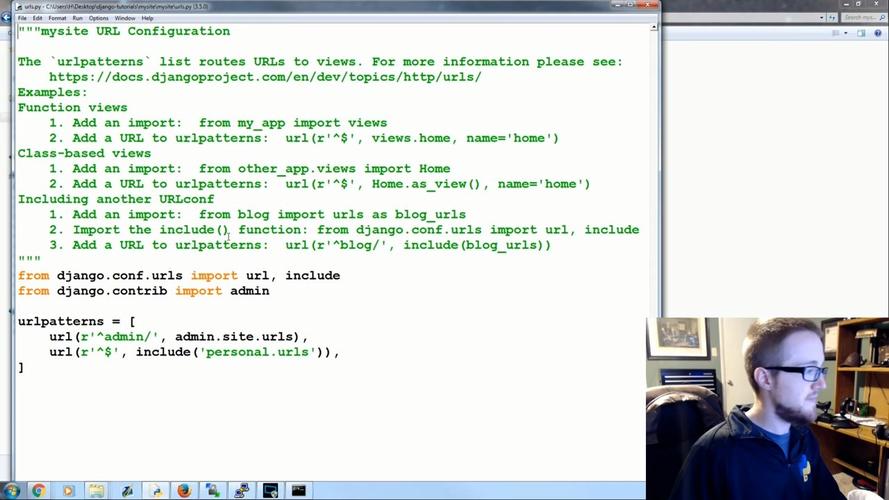
Would you like me to provide the full setup guide for urls.py and settings to make this code actually run?
(图片来源网络,侵删)