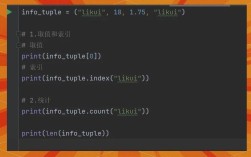
Of course! In Python, there isn't a built-in function called indexOf() like there is in JavaScript or Java. Instead, Python uses the string method .index().

Here’s a complete guide covering the standard method, common alternatives, and important error handling.
The Standard Method: .index()
The .index() method returns the lowest index in the string where the substring is found.
Syntax
string.index(substring, start, end)
substring: The substring you are searching for.start(optional): The index where the search begins. Defaults to0.end(optional): The index where the search ends. Defaults to the end of the string.
Basic Example
sentence = "Hello, welcome to the world of Python!"
# Find the index of the first occurrence of "world"
index = sentence.index("world")
print(f"The index of 'world' is: {index}")
# Output: The index of 'world' is: 21
Example with start and end
You can limit the search to a specific portion of the string.
sentence = "this is a test sentence, this is only a test."
# Find the second occurrence of "this" by starting the search after the first one
# We start searching from index 5.
index = sentence.index("this", 5)
print(f"The index of the second 'this' is: {index}")
# Output: The index of the second 'this' is: 31
Handling Errors: The Key Difference
This is the most important part to understand about .index(). If the substring is not found, it raises a ValueError.

# This will cause an error
try:
    sentence = "Hello World"
    not_found_index = sentence.index("Goodbye")
    print(not_found_index)
except ValueError as e:
    print(f"Error: {e}")
    # Output: Error: substring not found
This behavior is different from what some developers expect coming from other languages. For example, JavaScript's indexOf() returns -1 if the substring is not found.
The Best Alternative: .find()
If you want to avoid a ValueError and simply get a -1 when the substring isn't found (which is often more convenient), use the .find() method.
Syntax
The syntax for .find() is identical to .index().
string.find(substring, start, end)
Example
sentence = "Hello World"
# Using .find() with a substring that exists
index_found = sentence.find("World")
print(f".find() result for 'World': {index_found}")
# Output: .find() result for 'World': 6
# Using .find() with a substring that does NOT exist
index_not_found = sentence.find("Goodbye")
print(f".find() result for 'Goodbye': {index_not_found}")
# Output: .find() result for 'Goodbye': -1
Recommendation
Use .find() when you need to check if a substring exists and want to handle the "not found" case without a try...except block. This is generally safer and more Pythonic for this specific use case.
Use .index() when you expect the substring to be there and its absence is an exceptional condition that should stop the program (i.e., it's a bug if it's not found).
Other Common Scenarios
Finding the Last Occurrence
Both .index() and .find() only find the first occurrence. To find the last occurrence, you can use the .rindex() or .rfind() methods. The r stands for "right".
sentence = "this is a test, this is only a test."
# Find the last occurrence of "test"
last_index = sentence.rfind("test")
print(f"The last index of 'test' is: {last_index}")
# Output: The last index of 'test' is: 30
Checking for Substring Existence (The in Operator)
If you only need to know if a substring exists and don't need its index, the in operator is the most efficient and readable choice.
sentence = "Hello World"
if "World" in sentence:
    print("Found 'World' in the sentence.")
if "Goodbye" not in sentence:
    print("Did not find 'Goodbye' in the sentence.")
Summary Table
| Method | What it Does | If Substring is Not Found | Best For |
|---|---|---|---|
.index() |
Returns the index of the first occurrence. | Raises a ValueError. |
Cases where the substring must be present. Its absence is an error. |
.find() |
Returns the index of the first occurrence. | Returns -1. |
Cases where the substring might be absent. Safe for checking existence. |
.rindex() |
Returns the index of the last occurrence. | Raises a ValueError. |
Finding the last occurrence, expecting it to be there. |
.rfind() |
Returns the index of the last occurrence. | Returns -1. |
Finding the last occurrence, safely checking if it exists. |
in operator |
Returns True or False. |
N/A | A simple, readable check for substring existence. |
Quick Reference Cheat Sheet
my_string = "The quick brown fox jumps over the lazy dog."
# 1. Find the first index (raises error if not found)
try:
    pos = my_string.index("fox")
    print(f"Found 'fox' at index: {pos}") # Output: 16
except ValueError:
    print("Substring 'fox' not found.")
# 2. Find the first index (returns -1 if not found) - Often preferred
pos = my_string.find("fox")
if pos != -1:
    print(f"Found 'fox' at index: {pos}") # Output: 16
# 3. Find the last index (returns -1 if not found)
last_pos = my_string.rfind("the")
print(f"Last occurrence of 'the' is at index: {last_pos}") # Output: 31
# 4. Check for existence (most efficient for a simple yes/no)
if "dog" in my_string:
print("The string contains 'dog'.") # Output: The string contains 'dog.'