Of course! Converting a long to an int in Java is a common task, but it requires special attention because a long is a 64-bit integer, while an int is a 32-bit integer. This means a long can store numbers that are too large to fit into an int.
Here’s a complete guide covering the different methods, the potential problems, and best practices.
The Core Problem: Data Size Mismatch
- A
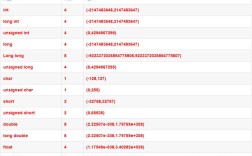
longuses 64 bits and can store values from -9,223,372,036,854,775,808 to 9,223,372,036,854,775,807. - An
intuses 32 bits and can store values from -2,147,483,648 to 2,147,483,647.
If the long value is outside the range of an int, you will lose data.
Method 1: Simple Casting (The Direct Way)
This is the most common method. You use the cast operator (int) to explicitly tell the compiler you want to convert the long to an int.
How it works: Java truncates the higher 32 bits of the long value to fit it into the 32-bit int. If the number is too large, this results in integer overflow, and the value wraps around.
Example 1: Value Fits in an int
long largeLong = 12345L;
int myInt = (int) largeLong;
System.out.println("Original long: " + largeLong);
System.out.println("Converted int: " + myInt);
// Output:
// Original long: 12345
// Converted int: 12345
This works perfectly because 12345 is well within the range of an int.
Example 2: Value is Too Large (Integer Overflow)
This is where you must be careful. Let's use a number that is larger than Integer.MAX_VALUE (2,147,483,647).
long longValueTooBig = 2147483650L; // This is > Integer.MAX_VALUE (2147483647)
// The cast will truncate the value
int truncatedInt = (int) longValueTooBig;
System.out.println("Original long: " + longValueTooBig);
System.out.println("Converted int (truncated): " + truncatedInt);
// Output:
// Original long: 2147483650
// Converted int (truncated): -2147483646  <-- The value has wrapped around!
The output -2147483646 is not a random number. It's the result of 2147483650 modulo 2^32 (the number of values a 32-bit integer can hold). This silent overflow is dangerous because it can lead to subtle and hard-to-find bugs.
Method 2: Safe Conversion with a Check (The Recommended Way)
To avoid silent overflow, you should first check if the long value is within the valid range for an int before casting.
The Range to Check:
longValue >= Integer.MIN_VALUE(which is -2,147,483,648)longValue <= Integer.MAX_VALUE(which is 2,147,483,647)
Example: Safe Conversion with an if Statement
public long safeLongToInt(long longValue) {
    // Check if the long value is within the int range
    if (longValue >= Integer.MIN_VALUE && longValue <= Integer.MAX_VALUE) {
        // It's safe to cast
        return (int) longValue;
    } else {
        // Handle the error: throw an exception or return a default value
        throw new IllegalArgumentException("Long value " + longValue + " is too large or too small to fit into an int.");
    }
}
// --- Usage ---
try {
    long goodLong = 150000L;
    int result1 = safeLongToInt(goodLong);
    System.out.println("Safe conversion: " + result1); // Output: 150000
    long badLong = 3000000000L;
    int result2 = safeLongToInt(badLong); // This will throw an exception
    System.out.println("This line will not be reached.");
} catch (IllegalArgumentException e) {
    System.err.println("Error: " + e.getMessage());
    // Output: Error: Long value 3000000000 is too large or too small to fit into an int.
}
This approach is safe and explicit. You decide what to do when the value is out of range (e.g., throw an exception, log a warning, or return a sentinel value like Integer.MIN_VALUE).
Method 3: For Non-Negative Numbers (Casting to long First)
This is a clever trick that works if you are certain your long value is non-negative. It avoids the overflow check by first casting the int to a long and then comparing.
public long safeLongToIntForNonNegative(long longValue) {
    if (longValue >= 0 && longValue <= (long) Integer.MAX_VALUE) {
        return (int) longValue;
    } else {
        throw new IllegalArgumentException("Long value " + longValue + " is out of the non-negative int range.");
    }
}
Why does (long) Integer.MAX_VALUE work here?
Without the cast, Java sees longValue <= Integer.MAX_VALUE as a comparison between a long and an int. It promotes Integer.MAX_VALUE to a long for the comparison. However, by explicitly writing (long) Integer.MAX_VALUE, you make the code's intent clearer and avoid any potential compiler warnings about "lossy conversion."
Summary: Which Method to Use?
| Method | When to Use | Pros | Cons |
|---|---|---|---|
**1. Simple Casting (int) myLong |
When you are 100% certain the long value will always be within the int range. |
Simple, concise. | Dangerous. Causes silent overflow and data corruption if the value is out of range. |
Safe Check with if |
Recommended for most cases. When the long value could potentially be out of range. |
Safe. Prevents silent errors. Allows you to handle the error gracefully (e.g., throw an exception). | Requires a few extra lines of code for the check. |
| Non-Negative Check | A specific optimization when you know the long value will never be negative. |
Slightly more efficient than the full range check. | Only works for non-negative numbers. Still requires a check. |
Key Takeaways
longis bigger thanint: Always remember the size difference.- Casting
(int)is truncating: It chops off the top bits of thelong. This is not rounding; it's a direct bit-for-bit conversion of the lower 32 bits. - Beware of Overflow: Casting a
longthat is too large for anintresults in silent, incorrect wrap-around. This is a common source of bugs. - Be Explicit and Safe: Unless you have a very specific guarantee, always perform a range check before casting. It's better to have your program fail with a clear error message than to continue with incorrect data.