Of course! Converting XML to JSON in Java is a common task, but it has nuances. The main challenge is that XML is inherently hierarchical and has attributes, while JSON is a key-value data structure. How you handle attributes, namespaces, and XML text content (mixed content) determines the quality of the resulting JSON.
Here’s a comprehensive guide covering the best libraries, a comparison, and detailed code examples.
The Core Challenge: XML vs. JSON Structure
- XML Attributes: An element like
<person id="123">John</person>has both attributes (id) and text content (John). How do you represent this in JSON?- Option A (Recommended): Put attributes in a special
@attributesobject:{"person": {"@attributes": {"id": "123"}, "#text": "John"}} - Option B: Put attributes at the same level as children:
{"person": {"id": "123", "#text": "John"}} - Option C: Ignore attributes or convert them to keys.
- Option A (Recommended): Put attributes in a special
- XML Namespaces:
ns:personadds complexity. Libraries can either ignore them, include them in the key (ns:person), or create a nested structure. - Mixed Content: XML like
<p>Hello <b>World</b>!</p>is hard to map cleanly to a simple JSON array.
Recommended Libraries
There are two excellent, widely-used libraries for this task:
- Jackson with
jackson-dataformat-xml: The most popular choice if you're already using Jackson for JSON processing. It's robust, performant, and part of a mature ecosystem. - org.json: A very lightweight and simple library. It's easy to use but less flexible than Jackson for complex scenarios.
Method 1: Using Jackson (Recommended)
This is the most robust and flexible solution. The key is to use XmlMapper, which is the Jackson equivalent of ObjectMapper for XML.
Add Dependency
Add the Jackson XML dataformat dependency to your pom.xml (Maven):
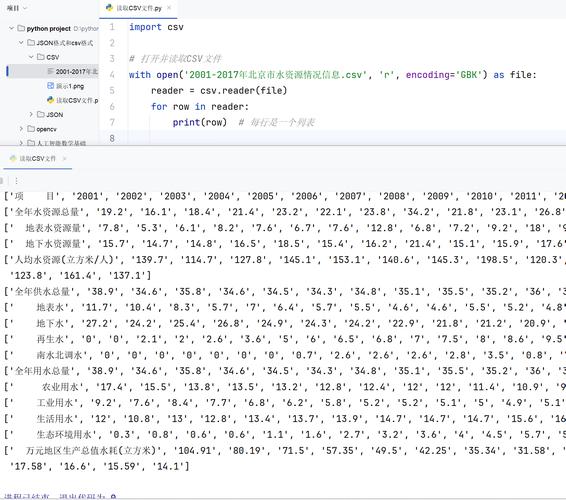
<dependency>
    <groupId>com.fasterxml.jackson.dataformat</groupId>
    <artifactId>jackson-dataformat-xml</artifactId>
    <version>2.15.2</version> <!-- Use the latest version -->
</dependency>
Or for Gradle (build.gradle):
implementation 'com.fasterxml.jackson.dataformat:jackson-dataformat-xml:2.15.2' // Use the latest version
Basic Conversion (Simple XML)
Let's start with a straightforward example.
XML (data.xml):
<root>
    <name>John Doe</name>
    <age>30</age>
    <city>New York</city>
</root>
Java Code:
import com.fasterxml.jackson.databind.ObjectMapper;
import com.fasterxml.jackson.dataformat.xml.XmlMapper;
import java.io.File;
import java.io.IOException;
public class JacksonXmlToJsonConverter {
    public static void main(String[] args) {
        try {
            // 1. Create an XmlMapper instance
            XmlMapper xmlMapper = new XmlMapper();
            // 2. Read the XML file into a JsonNode tree
            // You can also use xmlMapper.readValue(new URL("..."), JsonNode.class);
            JsonNode node = xmlMapper.readTree(new File("data.xml"));
            // 3. Create a standard ObjectMapper to write the JSON
            ObjectMapper jsonMapper = new ObjectMapper();
            // 4. Write the JsonNode to a JSON string
            // The 'prettyPrinter()' makes the output human-readable
            String jsonString = jsonMapper.writerWithDefaultPrettyPrinter().writeValueAsString(node);
            System.out.println(jsonString);
        } catch (IOException e) {
            e.printStackTrace();
        }
    }
}
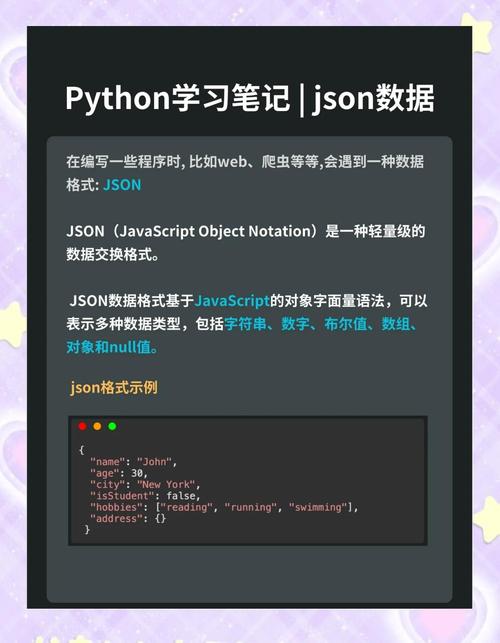
Output JSON:
{
  "root" : {
    "name" : "John Doe",
    "age" : 30,
    "city" : "New York"
  }
}
Handling Attributes and Complex XML
This is where Jackson shines. By default, it handles attributes using the @attributes convention.
XML (complex_data.xml):
<users>
    <user id="123" status="active">
        <name>Jane Doe</name>
        <email>jane.doe@example.com</email>
    </user>
    <user id="456" status="inactive">
        <name>Bob Smith</name>
        <email>bob.smith@example.com</email>
    </user>
</users>
Java Code:
// (Same setup as before, just reading a different file)
XmlMapper xmlMapper = new XmlMapper();
JsonNode node = xmlMapper.readTree(new File("complex_data.xml"));
ObjectMapper jsonMapper = new ObjectMapper();
String jsonString = jsonMapper.writerWithDefaultPrettyPrinter().writeValueAsString(node);
System.out.println(jsonString);
Output JSON:
{
  "users" : {
    "user" : [ {
      "@attributes" : {
        "id" : "123",
        "status" : "active"
      },
      "name" : "Jane Doe",
      "email" : "jane.doe@example.com"
    }, {
      "@attributes" : {
        "id" : "456",
        "status" : "inactive"
      },
      "name" : "Bob Smith",
      "email" : "bob.smith@example.com"
    } ]
  }
}
Notice how:
- Attributes are neatly placed in an
@attributesobject. - Repeated
<user>elements are automatically converted into a JSON array.
Method 2: Using org.json (Lightweight Alternative)
This library is simpler but requires more manual handling of complex structures like attributes.
Add Dependency
Add the org.json dependency to your pom.xml (Maven):
<dependency>
    <groupId>org.json</groupId>
    <artifactId>json</artifactId>
    <version>20251013</version> <!-- Use the latest version -->
</dependency>
Or for Gradle (build.gradle):
implementation 'org.json:json:20251013' // Use the latest version
Basic Conversion
The org.json library doesn't have a direct "XML to JSON" parser. The common approach is to first convert XML to a DOM (Document), then manually walk the DOM tree to build a JSONObject.
Java Code:
import org.json.JSONArray;
import org.json.JSONObject;
import org.w3c.dom.Document;
import org.w3c.dom.Element;
import org.w3c.dom.Node;
import org.w3c.dom.NodeList;
import javax.xml.parsers.DocumentBuilder;
import javax.xml.parsers.DocumentBuilderFactory;
import java.io.File;
public class OrgJsonXmlConverter {
    public static void main(String[] args) {
        try {
            // 1. Parse the XML file into a DOM Document
            File xmlFile = new File("data.xml");
            DocumentBuilderFactory factory = DocumentBuilderFactory.newInstance();
            DocumentBuilder builder = factory.newDocumentBuilder();
            Document document = builder.parse(xmlFile);
            // 2. Get the root element
            Element root = document.getDocumentElement();
            // 3. Convert the DOM Element to a JSONObject
            JSONObject jsonObject = xmlToJSONObject(root);
            // 4. Print the JSON string with indentation
            System.out.println(jsonObject.toString(2));
        } catch (Exception e) {
            e.printStackTrace();
        }
    }
    public static JSONObject xmlToJSONObject(Element element) {
        JSONObject jsonObject = new JSONObject();
        // 1. Handle attributes
        if (element.hasAttributes()) {
            JSONObject attributes = new JSONObject();
            for (int i = 0; i < element.getAttributes().getLength(); i++) {
                Node attr = element.getAttributes().item(i);
                attributes.put(attr.getNodeName(), attr.getNodeValue());
            }
            jsonObject.put("@attributes", attributes);
        }
        // 2. Handle child nodes
        NodeList nodeList = element.getChildNodes();
        for (int i = 0; i < nodeList.getLength(); i++) {
            Node node = nodeList.item(i);
            if (node.getNodeType() == Node.ELEMENT_NODE) {
                Element childElement = (Element) node;
                String childName = childElement.getNodeName();
                // If the child node already exists, create an array
                if (jsonObject.has(childName)) {
                    Object existing = jsonObject.get(childName);
                    JSONArray array;
                    if (existing instanceof JSONArray) {
                        array = (JSONArray) existing;
                    } else {
                        array = new JSONArray();
                        array.put(existing);
                        jsonObject.put(childName, array);
                    }
                    array.put(xmlToJSONObject(childElement));
                } else {
                    jsonObject.put(childName, xmlToJSONObject(childElement));
                }
            } else if (node.getNodeType() == Node.TEXT_NODE) {
                String textContent = node.getTextContent().trim();
                if (!textContent.isEmpty()) {
                    // This handles simple text content like <name>John</name>
                    // For mixed content, this logic needs to be more complex
                    jsonObject.put("#text", textContent);
                }
            }
        }
        return jsonObject;
    }
}
This org.json approach is more verbose because you have to implement the conversion logic yourself, but it gives you full control. The output will be very similar to Jackson's default format.
Comparison and Recommendation
| Feature | Jackson (XmlMapper) |
org.json |
|---|---|---|
| Ease of Use | Excellent. A single readTree call handles most cases. |
Fair. Requires manual DOM traversal and logic. |
| Performance | Excellent. Highly optimized. | Good. Slightly slower due to manual processing. |
| Flexibility | Excellent. Configurable via annotations and modules. | High. You control the logic, but it's more work. |
| Attribute Handling | Built-in & robust. Uses @attributes by default. |
Manual. You must write the logic to extract them. |
| Dependency | Larger, but often already in projects using Spring, etc. | Very small and lightweight. |
| Best For | Most use cases, especially in production applications or when using the Jackson ecosystem. | Simple scripts or when you want to avoid a larger dependency and need fine-grained control. |
Final Recommendation
For any serious project, use Jackson. It's the industry standard, more reliable, less error-prone, and significantly easier to use. The one-line xmlMapper.readTree() call is powerful and handles the complexities of XML (attributes, arrays, namespaces) gracefully.
Use the org.json library only if you have a very strict dependency constraint and need to perform a simple, one-off conversion where you don't want to add a larger library.