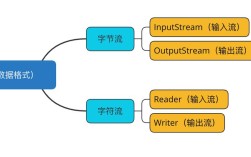
Of course! Let's break down the concept of a "Java Byte Object." This phrase can mean a few different things depending on the context, so I'll cover the most common interpretations.

The byte Primitive Type (The Most Literal Meaning)
This is the simplest and most direct answer. In Java, byte is a primitive data type.
- What it is: It's a basic building block for data, not an "object" in the object-oriented sense. It doesn't have methods or properties; it just holds a value.
- Size: It occupies 8 bits (1 byte) of memory.
- Range: It can store integer values from -128 to 127 (inclusive). This is because it's a signed type, using one bit to represent the sign (+ or -) and the remaining seven for the magnitude.
- Use Case: It's used primarily for saving memory when dealing with large arrays of data that are known to be within the
byterange, such as raw binary data from files, network streams, or image pixel data.
public class BytePrimitiveExample {
    public static void main(String[] args) {
        // Declaring and initializing a byte variable
        byte myByte = 100;
        // You can perform arithmetic, but be careful of overflow!
        byte anotherByte = 50;
        byte sum = (byte) (myByte + anotherByte); // Cast is needed because the result of + is an int
        System.out.println("Value of myByte: " + myByte);
        System.out.println("Sum: " + sum);
    }
}
The Byte Wrapper Class (The "Object" Version)
This is what most developers mean when they talk about a "Byte object." Since Java is an object-oriented language, it provides a wrapper class for every primitive type. The wrapper class for byte is java.lang.Byte.
- What it is: A
Byteobject is an object that encapsulates a single primitivebytevalue. - Why it exists:
- Object-Oriented Programming: To allow primitives to be used in contexts that require objects, such as collections (
ArrayList<Byte>,HashMap<String, Byte>). - Utility Methods: To provide useful static methods for converting, parsing, and manipulating byte values (e.g.,
Byte.parseByte()). - Constants: To hold useful constant values like
MAX_VALUEandMIN_VALUE.
- Object-Oriented Programming: To allow primitives to be used in contexts that require objects, such as collections (
Key Characteristics of the Byte Class:
- Implements Interfaces: It implements
Comparable<Byte>,Serializable, andConstable. - Constants:
Byte.MAX_VALUE->127Byte.MIN_VALUE->-128Byte.SIZE->8(in bits)Byte.TYPE-> thebyteclass literal
How to Create and Use a Byte Object:
public class ByteObjectExample {
    public static void main(String[] args) {
        // 1. Creating a Byte object from a primitive
        byte primitiveValue = 120;
        Byte byteObject1 = new Byte(primitiveValue); // The old way
        Byte byteObject2 = Byte.valueOf(primitiveValue); // The modern, preferred way
        // 2. Creating a Byte object from a String
        Byte byteObject3 = Byte.valueOf("125"); // Preferred way
        // Note: If the string is not a valid byte, this throws a NumberFormatException
        Byte byteObject4 = new Byte("98"); // Old way
        // 3. Getting the primitive value back from the object (unboxing)
        byte primitiveFromObject = byteObject1.byteValue();
        System.out.println("Primitive from object: " + primitiveFromObject);
        // 4. Using utility methods
        String byteString = "50";
        byte parsedByte = Byte.parseByte(byteString);
        System.out.println("Parsed byte: " + parsedByte);
        // 5. Using constants
        System.out.println("Max byte value: " + Byte.MAX_VALUE);
        System.out.println("Min byte value: " + Byte.MIN_VALUE);
        // 6. Using in Collections (a primary reason for wrapper classes)
        java.util.List<Byte> byteList = new java.util.ArrayList<>();
        byteList.add(byteObject1);
        byteList.add((byte) 10); // Autoboxing: Java automatically converts the primitive to a Byte object
        System.out.println("Byte list: " + byteList);
    }
}
An Array of Bytes (byte[])
Often, when people say "byte object," they are referring to a byte[], which is an array of byte primitives. This is extremely common in Java for handling binary data.
- What it is: A contiguous block of memory that holds multiple
bytevalues. - Use Cases:
- Reading the contents of a file into memory.
- Sending data over a network.
- Storing the raw pixel data of an image.
- Representing any binary format.
import java.io.FileInputStream;
import java.io.IOException;
public class ByteArrayExample {
    public static void main(String[] args) {
        // An array of 5 bytes
        byte[] byteArray = {10, 20, 30, 40, 50};
        // Accessing an element
        System.out.println("First element: " + byteArray[0]);
        // Modifying an element
        byteArray[2] = 35;
        System.out.println("Modified third element: " + byteArray[2]);
        // A very common use case: reading a file into a byte array
        String filePath = "myFile.txt";
        try (FileInputStream fis = new FileInputStream(filePath)) {
            // Create a byte array with the size of the file
            byte[] fileData = new byte[fis.available()];
            // Read the file's content into the byte array
            fis.read(fileData);
            System.out.println("Read " + fileData.length + " bytes from the file.");
        } catch (IOException e) {
            System.err.println("Error reading file: " + e.getMessage());
        }
    }
}
Serialization: Turning an Object into a Byte Stream
This is a more advanced concept where a whole Java object is converted into a sequence of bytes. This process is called Serialization, and the reverse is Deserialization.
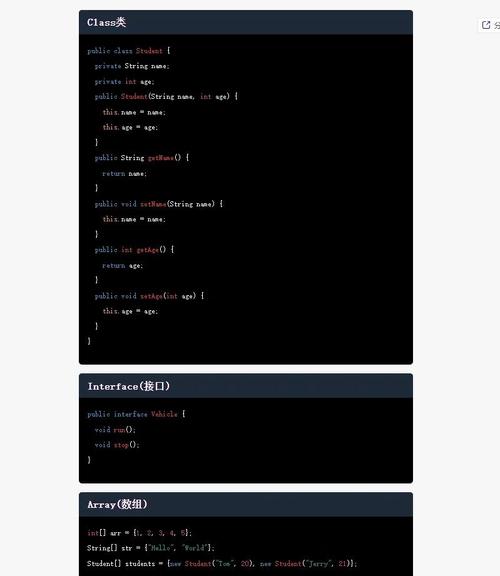
- What it is: A mechanism to convert the in-memory state of an object (its fields and values) into a byte stream so that it can be:
- Saved to a file.
- Sent over a network.
- Stored in a database.
- How it works: The object's class must implement the
java.io.Serializablemarker interface. This interface has no methods; it just tells the Java Virtual Machine (JVM) that the object can be serialized.
import java.io.*;
// A simple class that can be serialized
class MyData implements Serializable {
    private static final long serialVersionUID = 1L; // A version control ID for the class
    private String name;
    private transient int secretCode; // 'transient' means this field will NOT be serialized
    public MyData(String name, int secretCode) {
        this.name = name;
        this.secretCode = secretCode;
    }
    @Override
    public String toString() {
        return "MyData{name='" + name + "', secretCode=" + secretCode + "}";
    }
}
public class SerializationExample {
    public static void main(String[] args) {
        MyData originalObject = new MyData("Test Object", 12345);
        // 1. Serialize the object to a byte array
        byte[] serializedBytes = null;
        try (ByteArrayOutputStream bos = new ByteArrayOutputStream();
             ObjectOutputStream oos = new ObjectOutputStream(bos)) {
            oos.writeObject(originalObject);
            serializedBytes = bos.toByteArray();
            System.out.println("Object serialized into " + serializedBytes.length + " bytes.");
        } catch (IOException e) {
            e.printStackTrace();
        }
        // 2. Deserialize the byte array back into an object
        if (serializedBytes != null) {
            try (ByteArrayInputStream bis = new ByteArrayInputStream(serializedBytes);
                 ObjectInputStream ois = new ObjectInputStream(bis)) {
                MyData deserializedObject = (MyData) ois.readObject();
                System.out.println("Deserialized object: " + deserializedObject);
                // Note: The 'secretCode' will be 0 because it was 'transient'
            } catch (IOException | ClassNotFoundException e) {
                e.printStackTrace();
            }
        }
    }
}
Summary Table
| Term | What it is | Key Use Case |
|---|---|---|
byte |
A primitive data type holding an 8-bit integer value (-128 to 127). | Saving memory in large arrays of raw data. |
Byte |
A wrapper class that encapsulates a byte primitive into an object. |
Using bytes in collections, and for utility methods (parseByte, etc.). |
byte[] |
An array (a collection) of byte primitives. |
Handling binary data like files, network packets, images. |
| Serialized Object | A byte stream that represents the state of a whole Java object. | Saving objects to disk or sending them over a network. |