Of course! Using JSON Schema with Python is a powerful way to validate data, ensuring it conforms to a specific structure and format. This is incredibly useful for APIs, configuration files, and data processing pipelines.
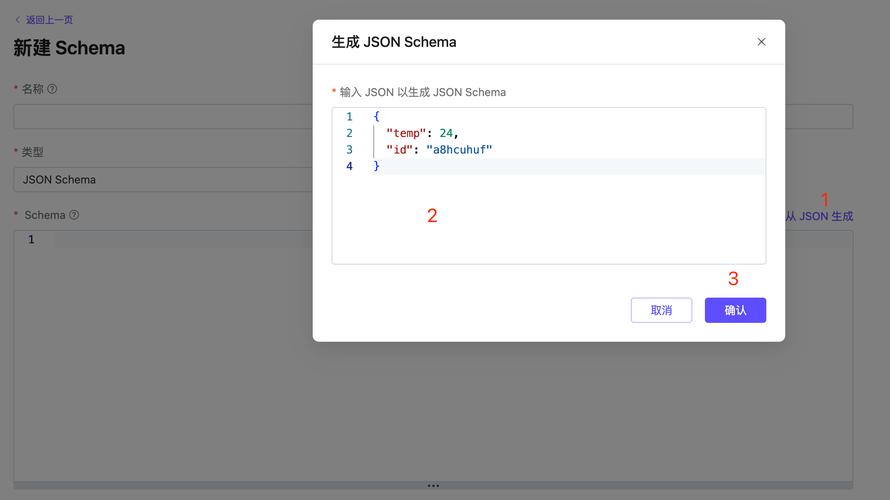
Here's a comprehensive guide covering the core concepts, popular libraries, and practical examples.
What is JSON Schema?
Think of it as a blueprint or a contract for your JSON data. It's a JSON document itself that describes the expected data:
- Data Types:
string,number,integer,boolean,array,object,null. - Structure: Required properties, optional properties, nested objects, and arrays.
- Format: Email addresses, URLs, date-time patterns.
- Constraints: Minimum/maximum values, string lengths, regular expressions.
The Key Python Libraries
There are two main libraries you'll encounter:
jsonschema: The most popular and feature-rich library. It's the de-facto standard for validation. It uses the "JSON Schema Validation" specification.pydantic: A modern library for data validation using Python type annotations. While it's more than just a JSON Schema validator, it has excellent support for generating and validating against schemas, making it a favorite for building APIs (especially with FastAPI).
The jsonschema Library
This is the go-to for pure JSON Schema validation.

Installation
pip install jsonschema
Basic Example: Validation
Let's validate a simple user object.
Step 1: Define your JSON Schema
This schema describes a user object that must have firstName and lastName (both strings) and an optional age (which must be a non-negative integer).
{
  "$schema": "http://json-schema.org/draft-07/schema#",: "User",
  "type": "object",
  "properties": {
    "firstName": {
      "type": "string"
    },
    "lastName": {
      "type": "string"
    },
    "age": {
      "description": "Age in years",
      "type": "integer",
      "minimum": 0
    }
  },
  "required": ["firstName", "lastName"]
}
Step 2: Write the Python Code
import json
from jsonschema import validate
from jsonschema.exceptions import ValidationError
# --- Your JSON Schema (as a Python dict) ---
user_schema = {: "User",
    "type": "object",
    "properties": {
        "firstName": {"type": "string"},
        "lastName": {"type": "string"},
        "age": {
            "description": "Age in years",
            "type": "integer",
            "minimum": 0
        }
    },
    "required": ["firstName", "lastName"]
}
# --- Data to validate ---
# A valid user
valid_user = {
    "firstName": "John",
    "lastName": "Doe",
    "age": 30
}
# An invalid user (missing 'lastName')
invalid_user_1 = {
    "firstName": "Jane",
    "age": 25
}
# Another invalid user (age is a negative number)
invalid_user_2 = {
    "firstName": "Peter",
    "lastName": "Jones",
    "age": -5
}
def validate_user(data, schema):
    """Validates data against a schema."""
    try:
        validate(instance=data, schema=schema)
        print("Validation successful!")
        return True
    except ValidationError as e:
        print(f"Validation failed: {e.message}")
        # You can get more details about the error
        # print(f"Path to error: {e.path}")
        # print(f"Validator: {e.validator}")
        # print(f"Validator value: {e.validator_value}")
        return False
# --- Run the validations ---
print("--- Testing valid_user ---")
validate_user(valid_user, user_schema)
print("\n--- Testing invalid_user_1 ---")
validate_user(invalid_user_1, user_schema)
print("\n--- Testing invalid_user_2 ---")
validate_user(invalid_user_2, user_schema)
Output:
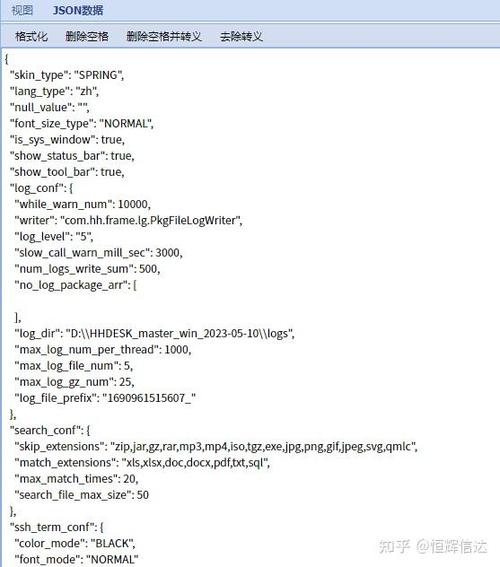
--- Testing valid_user ---
Validation successful!
--- Testing invalid_user_1 ---
Validation failed: 'lastName' is a required property
--- Testing invalid_user_2 ---
Validation failed: -5 is less than the minimum of 0
Common Schema Keywords
| Keyword | Description | Example |
|---|---|---|
type |
The data type. | "type": "string" |
properties |
Defines the properties of an object. A dictionary of key-schema pairs. | "properties": { "name": { "type": "string" } } |
required |
An array of strings listing the required properties for an object. | "required": ["id", "name"] |
items |
Defines the schema for items in an array. Can be a single schema (all items same type) or an array of schemas (for tuples). | "items": { "type": "string" } |
additionalProperties |
If false, no extra properties are allowed in an object. |
"additionalProperties": false |
minimum / maximum |
For numbers. The inclusive minimum/maximum value. | "minimum": 0 |
exclusiveMinimum / exclusiveMaximum |
For numbers. The exclusive minimum/maximum value. | "exclusiveMinimum": 18 |
minLength / maxLength |
For strings. The minimum/maximum length. | "minLength": 5 |
pattern |
For strings. A regular expression the string must match. | "pattern": "^[a-zA-Z0-9_.+-]+@[a-zA-Z0-9-]+\\.[a-zA-Z0-9-.]+$" |
format |
A predefined format for common types. email, uri, date-time, etc. |
"format": "email" |
enum |
The value must be equal to one of the elements in the given array. | "enum": ["pending", "shipped", "delivered"] |
oneOf |
The value must validate against exactly one of the given subschemas. | "oneOf": [{ "type": "string" }, { "type": "boolean" }] |
anyOf |
The value must validate against at least one of the given subschemas. | "anyOf": [{ "type": "string" }, { "type": "number" }] |
allOf |
The value must validate against all of the given subschemas. | "allOf": [{ "minimum": 10 }, { "maximum": 20 }] |
The pydantic Library
pydantic uses Python's type hints to define data models. It then generates a JSON Schema from these models and validates data against them. This is often more "Pythonic".
Installation
pip install pydantic
Basic Example: Model Definition and Validation
Step 1: Define your Model using Python Type Hints
from pydantic import BaseModel, Field, ValidationError
from typing import Optional
class User(BaseModel):
    # Field is used to add constraints like min_length, description, etc.
    first_name: str = Field(..., min_length=1, description="The user's first name")
    last_name: str = Field(..., min_length=1, description="The user's last name")
    # Optional[T] means the field can be None. It's equivalent to Union[T, None].
    # Use `...` to make a field required, even if it's Optional (e.g., it must be provided but can be None).
    age: Optional[int] = Field(None, ge=0, description="The user's age in years, must be non-negative")
    # You can add methods to your model
    def full_name(self) -> str:
        return f"{self.first_name} {self.last_name}"
- in
Field(..., ...)makes the field required. Optional[int]makes the field optional (can beNone).ge=0is a shorthand forgreater_than_or_equal=0.
Step 2: Validate Data
Pydantic models act as data validators. When you create an instance, validation happens automatically.
# --- Data to validate ---
# A valid user
valid_user_data = {
    "first_name": "Jane",
    "last_name": "Doe",
    "age": 28
}
# An invalid user (first_name is empty)
invalid_user_data_1 = {
    "first_name": "", # Fails min_length=1
    "last_name": "Smith",
    "age": 40
}
# Another invalid user (age is a string)
invalid_user_data_2 = {
    "first_name": "John",
    "last_name": "Connor",
    "age": "thirty" # Fails type check for int
}
# --- Run the validations ---
try:
    # Creating an instance of the model validates the data
    user = User(**valid_user_data)
    print("--- Valid user created ---")
    print(f"Name: {user.full_name()}")
    print(f"Age: {user.age}")
    print(f"Model as JSON Schema: \n{user.model_json_schema(indent=2)}")
except ValidationError as e:
    print(f"Validation failed: {e}")
print("-" * 20)
try:
    user = User(**invalid_user_data_1)
    print("This should not be printed.")
except ValidationError as e:
    print("--- Validation failed for invalid_user_data_1 ---")
    # Pydantic errors are very detailed
    print(e)
print("-" * 20)
try:
    user = User(**invalid_user_data_2)
    print("This should not be printed.")
except ValidationError as e:
    print("--- Validation failed for invalid_user_data_2 ---")
    print(e)
Output:
--- Valid user created ---
Name: Jane Doe
Age: 28
Model as JSON Schema:
{: "User",
  "description": "A model for a user",
  "type": "object",
  "properties": {
    "first_name": {
      "title": "First Name",
      "description": "The user's first name",
      "type": "string",
      "minLength": 1
    },
    "last_name": {
      "title": "Last Name",
      "description": "The user's last name",
      "type": "string",
      "minLength": 1
    },
    "age": {
      "title": "Age",
      "description": "The user's age in years, must be non-negative",
      "type": "integer",
      "minimum": 0
    }
  },
  "required": [
    "first_name",
    "last_name"
  ]
}
--------------------
--- Validation failed for invalid_user_data_1 ---
1 validation error for User
first_name
  String should be at least 1 character long [type=string_too_short, input_value='', input_type=str]
--------------------
--- Validation failed for invalid_user_data_2 ---
1 validation error for User
age
  Input should be a valid integer [type=int_type, input_value='thirty', input_type=str]
When to Use Which?
| Feature | jsonschema |
pydantic |
|---|---|---|
| Primary Use Case | Validating arbitrary JSON data against a standard schema. | Creating data models with validation, type safety, and serialization. |
| Definition Style | Schema is defined in JSON (or a Python dict). | Schema is defined with Python type hints. |
| Integration | Generic. Works with any JSON data source. | Excellent integration with the Python ecosystem (FastAPI, Typer, etc.). |
| Error Reporting | Good, but can be less specific than Pydantic's. | Excellent, detailed error messages with location of the error. |
| Beyond Validation | Only validation. | Data parsing, serialization, settings management, ORM-like features. |
| Learning Curve | Learn JSON Schema specification. | Learn Python type hints and Pydantic's Field and decorators. |
Recommendation:
- If you are building an API or a data processing pipeline in Python and want type safety and rich models, use
pydantic. It's the modern standard. - If you need to validate data from an external source that provides a JSON Schema file, or if you are working in a language-agnostic environment where the schema is the source of truth, use
jsonschema.