
Of course! Here is a complete, well-commented, and runnable Python game source code.
This guide will provide:
- A Complete Game: A classic "Snake" game using the built-in
turtlemodule. This is perfect for beginners as it doesn't require any external installations. - A Breakdown: A detailed explanation of how the code works.
- How to Run: Simple instructions on how to execute the game.
- Variations & Next Steps: Links to other game types and ideas for expanding this one.
The Complete Snake Game Source Code (using turtle)
This game is self-contained. You just need to copy the code, save it as a .py file (e.g., snake_game.py), and run it.
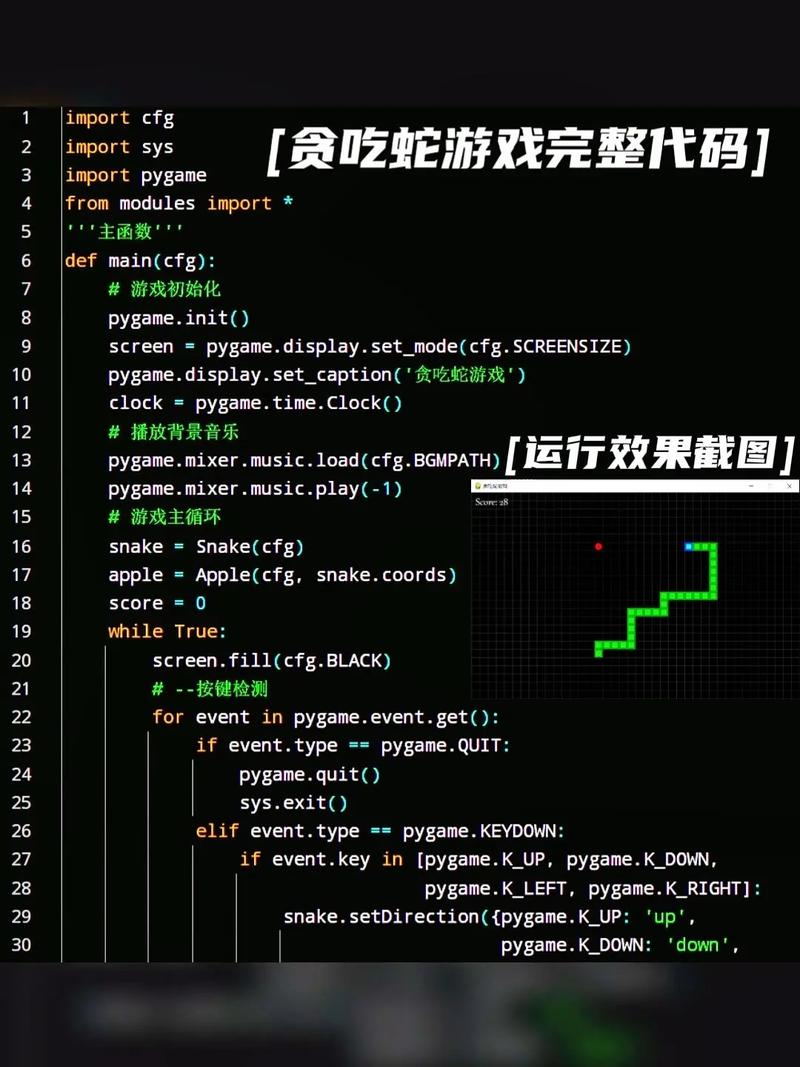
import turtle
import time
import random
# --- Setup the Screen ---
screen = turtle.Screen()
screen.title("Snake Game by Python")
screen.bgcolor("green")
screen.setup(width=600, height=600)
screen.tracer(0)  # Turns off the screen updates
# --- Create the Snake Head ---
head = turtle.Turtle()
head.speed(0)
head.shape("square")
head.color("black")
head.penup()
head.goto(0, 0)
head.direction = "Stop"
# --- Create the Snake Food ---
food = turtle.Turtle()
food.speed(0)
food.shape("circle")
food.color("red")
food.penup()
food.goto(0, 100)
# --- Lists for Segments and Pen ---
segments = []
pen = turtle.Turtle()
pen.speed(0)
pen.shape("square")
pen.color("white")
pen.penup()
pen.hideturtle()
pen.goto(0, 250)
pen.write("Score: 0  High Score: 0", align="center", font=("Courier", 24, "bold"))
# --- Functions for Movement ---
def go_up():
    if head.direction != "down":
        head.direction = "up"
def go_down():
    if head.direction != "up":
        head.direction = "down"
def go_left():
    if head.direction != "right":
        head.direction = "left"
def go_right():
    if head.direction != "left":
        head.direction = "right"
def move():
    if head.direction == "up":
        y = head.ycor()
        head.sety(y + 20)
    if head.direction == "down":
        y = head.ycor()
        head.sety(y - 20)
    if head.direction == "left":
        x = head.xcor()
        head.setx(x - 20)
    if head.direction == "right":
        x = head.xcor()
        head.setx(x + 20)
# --- Keyboard Bindings ---
screen.listen()
screen.onkeypress(go_up, "w")
screen.onkeypress(go_down, "s")
screen.onkeypress(go_left, "a")
screen.onkeypress(go_right, "d")
# --- Main Game Loop ---
segments = []
score = 0
high_score = 0
while True:
    screen.update()  # Update the screen
    # --- Check for collision with the border ---
    if head.xcor() > 290 or head.xcor() < -290 or head.ycor() > 290 or head.ycor() < -290:
        time.sleep(1)
        head.goto(0, 0)
        head.direction = "Stop"
        # Hide the segments
        for segment in segments:
            segment.goto(1000, 1000)
        # Clear the segments list
        segments.clear()
        # Reset the score
        score = 0
        pen.clear()
        pen.write("Score: 0  High Score: 0", align="center", font=("Courier", 24, "bold"))
    # --- Check for collision with the food ---
    if head.distance(food) < 20:
        # Move the food to a random spot
        x = random.randint(-270, 270)
        y = random.randint(-270, 270)
        food.goto(x, y)
        # Add a new segment to the snake
        new_segment = turtle.Turtle()
        new_segment.speed(0)
        new_segment.shape("square")
        new_segment.color("grey")
        new_segment.penup()
        segments.append(new_segment)
        # Increase the score
        score += 10
        # Update the high score if necessary
        if score > high_score:
            high_score = score
        pen.clear()
        pen.write(f"Score: {score}  High Score: {high_score}", align="center", font=("Courier", 24, "bold"))
    # --- Move the segments ---
    for index in range(len(segments)-1, 0, -1):
        x = segments[index-1].xcor()
        y = segments[index-1].ycor()
        segments[index].goto(x, y)
    # Move segment 0 to where the head is
    if len(segments) > 0:
        x = head.xcor()
        y = head.ycor()
        segments[0].goto(x, y)
    move()
    # --- Check for collision with self ---
    for segment in segments:
        if segment.distance(head) < 20:
            time.sleep(1)
            head.goto(0, 0)
            head.direction = "Stop"
            # Hide the segments
            for segment in segments:
                segment.goto(1000, 1000)
            # Clear the segments list
            segments.clear()
            # Reset the score
            score = 0
            pen.clear()
            pen.write("Score: 0  High Score: 0", align="center", font=("Courier", 24, "bold"))
    time.sleep(0.1) # Control the game speed
Code Breakdown
Let's break down the code into logical sections.
Imports
import turtle
import time
import random
turtle: A built-in Python library for creating graphics and simple games. We use it for the snake, food, and score display.time: Used to add delays, making the game playable and pausing it after a game-over.random: Used to place the food at a random location on the screen.
Screen Setup
screen = turtle.Screen()
# ... screen configuration ...
screen.tracer(0) # IMPORTANT: This turns off automatic screen refreshing.
- We create a
Screenobject, which is our game window. tracer(0)is crucial. It tellsturtlenot to redraw the screen on every small change. Instead, we'll manually update the screen withscreen.update(). This makes the animation much smoother and faster.
Creating Game Objects
# Snake Head
head = turtle.Turtle()
# ... head properties ...
# Food
food = turtle.Turtle()
# ... food properties ...
# Score Display
pen = turtle.Turtle()
# ... pen properties ...
- We create three turtle objects:
head(the player),food(the goal), andpen(for displaying text). speed(0)makes the objects move instantly, which is what we want for game objects.penup()lifts the "pen" so that drawing commands don't leave a trail.
Movement Functions
def go_up(): ... def go_down(): ... etc.
def move():
    if head.direction == "up":
        head.sety(head.ycor() + 20)
- The
go_up,go_down, etc., functions change thehead.directionvariable. They also prevent the snake from immediately reversing into itself (e.g., you can't goupif you're already movingdown). - The
move()function actually changes the head's coordinates based on its currentdirection.
Keyboard Input
screen.listen()
screen.onkeypress(go_up, "w")
screen.onkeypress(go_down, "s")
# ... etc.
screen.listen()tells the window to listen for keyboard events.onkeypress()links a key press (like "w") to a function call (likego_up).
The Main Game Loop
This is the heart of the game, where everything happens repeatedly.
while True:
    screen.update() # Manually refresh the screen
    # 1. Border Collision Check
    if head.xcor() > 290 or ...:
        # ... game over logic ...
    # 2. Food Collision Check
    if head.distance(food) < 20:
        # ... eat food logic ...
    # 3. Move Body Segments
    for index in range(len(segments)-1, 0, -1):
        # ... make each segment follow the one in front of it ...
    # 4. Move Head
    move()
    # 5. Self Collision Check
    for segment in segments:
        if segment.distance(head) < 20:
            # ... game over logic ...
    time.sleep(0.1) # Control game speed
- Border Check: If the head's
xorycoordinate goes beyond the screen limits, the game resets. - Food Check: If the head gets close enough to the food (
distance < 20), the food moves, a new body segment is added, and the score increases. - Move Segments: This is the key to the snake's body movement. We loop backward through the list of segments. Each segment takes the position of the segment in front of it. This creates a smooth "following" effect.
- Move Head: We call the
move()function to update the head's position. - Self Collision Check: We loop through all body segments. If any segment is too close to the head, the game is over.
time.sleep(0.1): This slows down thewhileloop, controlling the overall speed of the game.
How to Run the Game
- Save the Code: Copy the code above and paste it into a text editor. Save the file with a
.pyextension, for example,snake_game.py. - Open a Terminal/Command Prompt:
- Windows: Open Command Prompt or PowerShell.
- macOS/Linux: Open Terminal.
- Navigate to the File: Use the
cd(change directory) command to go to the folder where you saved your file. For example:cd Documents/PythonGames. - Run the Script: Type the following command and press Enter:
python snake_game.py
A new window should pop up with your Snake game!
Variations & Next Steps
Once you're comfortable with this Snake game, here are some ideas and other game types to explore.
Expanding the Snake Game:
- Different Controls: Change the
onkeypresscalls to use arrow keys (Up,Down,Left,Right). - Obstacles: Add static turtles on the screen that end the game if the snake hits them.
- Levels: Increase the game speed (
time.sleep()value) as the score gets higher. - Graphics: Use
.shape("turtle")or even.gifimages if you want to get more advanced.
Other Popular Python Games (using pygame)
For more complex games with better graphics and sound, the pygame library is the standard. It's not built-in, so you'll need to install it first:
pip install pygame
Here are some classic game ideas you can build with pygame:
-
Pong: A two-player or vs-AI paddle game. Great for learning collision detection and game physics.
- Concepts: Rectangles, collision detection,
forloops for AI, scoring.
- Concepts: Rectangles, collision detection,
-
Breakout / Arkanoid: A single-player game where you bounce a ball to break bricks.
- Concepts: Paddle and ball physics, brick grid creation, collision detection with different surfaces (top, bottom, sides of bricks).
-
Space Invaders: The player moves a ship at the bottom and shoots aliens at the top.
- Concepts: Player movement, shooting mechanics (bullets), enemy movement patterns, lists to manage multiple enemies/bullets.
-
Minesweeper: A logic puzzle game where you click to reveal cells without hitting mines.
- Concepts: 2D arrays (lists of lists) to represent the game board, mouse click events, calculating adjacent mine counts.
-
Simple RPG / Text Adventure: A game based on user input and text descriptions.
- Concepts:
input()function,if/elif/elselogic for branching storylines, dictionaries to store player stats and item inventories.
- Concepts:
To find source code for these, you can search on GitHub or Google using terms like:
pygame pong source codepython breakout game tutorialpygame space invaders github











