
核心概念
在开始之前,先理解几个核心概念:
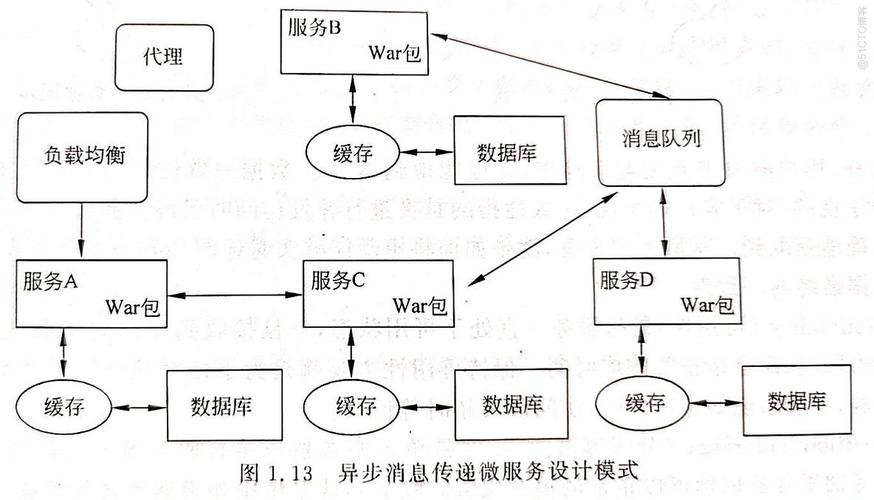
- WebService: 一种跨编程语言、跨操作系统平台的远程调用技术,它使用 XML 格式进行数据交换,并遵循 SOAP (Simple Object Access Protocol) 协议。
- WSDL (Web Services Description Language): 一个 XML 文件,它描述了 WebService 的所有信息,包括:
- 服务的地址
- 可用的方法(操作)
- 每个方法的参数和返回值的类型
- 使用的协议(如 SOAP/HTTP)
- WSDL WebService 的“说明书”或“API文档”。
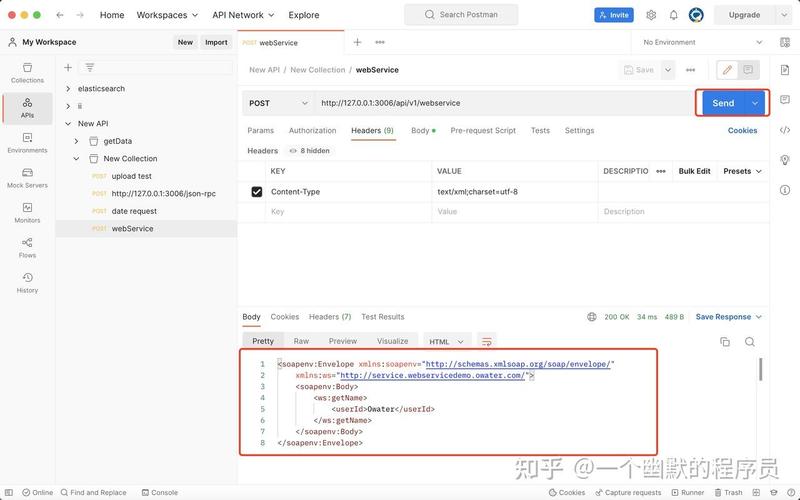
- SOAP (Simple Object Access Protocol): 一种基于 XML 的协议,用于在 Web 上交换结构化的信息,SOAP 消息是一个包含
Envelope、Header和Body的 XML 文档。
使用 JDK 自带的 javax.xml.ws (JAX-WS API)
这是 Java 标准库提供的方式,无需额外引入第三方库,非常适合学习和简单的调用。
场景:调用一个公共的天气查询 WebService
我们以一个公共的 WebService 为例(这个地址是常用的示例,请确保其可用性):
- WSDL 地址:
http://www.webxml.com.cn/WebServices/WeatherWebService.asmx?wsdl - 服务端点:
http://www.webxml.com.cn/WebServices/WeatherWebService.asmx
步骤 1:生成客户端代码
直接在 Java 代码中调用会很复杂,因为需要手动构建 SOAP 请求、解析 SOAP 响应,最佳实践是使用 WSDL 文件自动生成客户端代理类。
下载 WSDL 文件
将 http://www.webxml.com.cn/WebServices/WeatherWebService.asmx?wsdl 的内容保存为一个本地文件,WeatherWebService.wsdl。
使用 wsimport 工具生成代码
wsimport 是 JDK 自带的命令行工具,位于 JAVA_HOME/bin 目录下。
打开命令行(CMD 或 PowerShell),执行以下命令:
# -keep: 生成后保留源文件
# -d: 指定 class 文件的输出目录
# -p: 指定生成的包名
# wsdlLocation: 指定 WSDL 文件的路径(可以是本地文件或网络URL)
wsimport -keep -d ./src -p com.example.weather.client http://www.webxml.com.cn/WebServices/WeatherWebService.asmx?wsdl
执行成功后,你会在 com.example.weather.client 包下看到一堆生成的 .java 文件,这些就是客户端代理类。
步骤 2:编写 Java 调用代码
在项目中引入生成的代码,然后就可以像调用本地方法一样调用 WebService 了。
package com.example.weather;
import com.example.weather.client.WeatherWebService;
import com.example.weather.client.WeatherWebServiceSoap;
public class WeatherClient {
    public static void main(String[] args) {
        // 1. 创建服务 Service 实例
        // WeatherWebService 是生成的类,代表整个 WSDL 服务
        WeatherWebService service = new WeatherWebService();
        // 2. 获取服务端点接口
        // WeatherWebServiceSoap 是生成的接口,代表具体的 SOAP 端点
        WeatherWebServiceSoap port = service.getWeatherWebServiceSoap();
        // 3. 调用方法
        // getWeather 是 WSDL 中定义的一个操作
        // 参数 "北京" 是要查询的城市
        String result = port.getWeather("北京", "");
        // 4. 打印结果
        System.out.println("查询结果:");
        System.out.println(result);
    }
}
运行结果: 你会得到一个包含北京天气信息的 XML 字符串。
使用 Spring Boot + WebServiceTemplate
在现代 Spring Boot 项目中,更推荐使用 Spring 提供的 WebServiceTemplate,它封装了底层的调用细节,使用起来更加方便和灵活。
步骤 1:添加 Maven 依赖
在你的 pom.xml 文件中添加 Spring Web 和 WebService 相关的依赖。
<dependencies>
    <!-- Spring Boot Starter Web -->
    <dependency>
        <groupId>org.springframework.boot</groupId>
        <artifactId>spring-boot-starter-web</artifactId>
    </dependency>
    <!-- Spring Web Services -->
    <dependency>
        <groupId>org.springframework.boot</groupId>
        <artifactId>spring-boot-starter-web-services</artifactId>
    </dependency>
    <!-- 用于生成客户端代码的库 (可选,但推荐) -->
    <dependency>
        <groupId>org.springframework.ws</groupId>
        <artifactId>spring-ws-support</artifactId>
    </dependency>
</dependencies>
步骤 2:生成客户端代码 (推荐)
和第一种方法一样,使用 wsimport 生成客户端代码,并将其放入项目的 src/main/java 目录下,这能让你使用强类型接口,避免手动处理 XML。
步骤 3:配置 WebServiceTemplate
在 Spring Boot 的配置类中,配置一个 WebServiceTemplate Bean。
package com.example.weather.config;
import org.springframework.context.annotation.Bean;
import org.springframework.context.annotation.Configuration;
import org.springframework.oxm.jaxb.Jaxb2Marshaller;
import org.springframework.ws.client.core.WebServiceTemplate;
@Configuration
public class WeatherWebServiceConfig {
    @Bean
    public Jaxb2Marshaller marshaller() {
        Jaxb2Marshaller marshaller = new Jaxb2Marshaller();
        // 设置要生成的包名,必须和 wsimport 生成的包名一致
        marshaller.setPackagesToScan("com.example.weather.client");
        return marshaller;
    }
    @Bean
    public WebServiceTemplate webServiceTemplate(Jaxb2Marshaller marshaller) {
        WebServiceTemplate webServiceTemplate = new WebServiceTemplate();
        // 设置 WSDL 的地址
        webServiceTemplate.setDefaultUri("http://www.webxml.com.cn/WebServices/WeatherWebService.asmx");
        // 设置消息转换器
        webServiceTemplate.setMarshaller(marshaller);
        webServiceTemplate.setUnmarshaller(marshaller);
        return webServiceTemplate;
    }
}
步骤 4:创建 Service 层进行调用
创建一个 Service 来封装 WebService 的调用逻辑。
package com.example.weather.service;
import com.example.weather.client.ArrayOfString;
import com.example.weather.client.WeatherWebServiceSoap;
import org.springframework.beans.factory.annotation.Autowired;
import org.springframework.stereotype.Service;
@Service
public class WeatherService {
    // 注入由 wsimport 生成的客户端接口
    // 注意:这里不能直接注入 WeatherWebServiceSoap,因为它没有 @Component 注解
    // 我们需要通过另一种方式获取,例如直接 new 一个 Service 实例
    public String getWeather(String city) {
        // 1. 创建服务实例
        com.example.weather.client.WeatherWebService service = new com.example.weather.client.WeatherWebService();
        // 2. 获取端口
        WeatherWebServiceSoap port = service.getWeatherWebServiceSoap();
        // 3. 调用方法
        ArrayOfString result = port.getWeather(city, "");
        // 4. 处理结果
        // 返回的结果是一个字符串列表
        return result.getString().toString();
    }
}
步骤 5:创建 Controller 暴露接口
package com.example.weather.controller;
import com.example.weather.service.WeatherService;
import org.springframework.beans.factory.annotation.Autowired;
import org.springframework.web.bind.annotation.GetMapping;
import org.springframework.web.bind.annotation.RequestParam;
import org.springframework.web.bind.annotation.RestController;
@RestController
public class WeatherController {
    @Autowired
    private WeatherService weatherService;
    @GetMapping("/weather")
    public String getWeather(@RequestParam String city) {
        return weatherService.getWeather(city);
    }
}
你可以启动 Spring Boot 应用,然后访问 http://localhost:8080/weather?city=上海 来获取上海的天气信息。
手动构建 SOAP 请求 (不依赖 WSDL)
如果某些 WebService 没有 WSDL 文件,或者你不想生成客户端代码,可以手动构建 SOAP 请求并发送。
这种方法最灵活,但也最繁琐,需要你了解 SOAP 消息的结构。
示例:调用上面的天气服务
import org.springframework.ws.client.core.support.WebServiceGatewaySupport;
import org.springframework.ws.soap.client.core.SoapActionCallback;
public class ManualWeatherClient extends WebServiceGatewaySupport {
    public String getWeather(String city) {
        // 1. 构建 SOAP 请求体 (XML)
        String soapRequestXml = "<soap:Envelope xmlns:xsi=\"http://www.w3.org/2001/XMLSchema-instance\" xmlns:xsd=\"http://www.w3.org/2001/XMLSchema\" xmlns:soap=\"http://schemas.xmlsoap.org/soap/envelope/\">\n" +
                "  <soap:Body>\n" +
                "    <getWeather xmlns=\"http://WebXml.com.cn/\">\n" +
                "      <theCityCode>" + city + "</theCityCode>\n" +
                "      <theUserID></theUserID>\n" +
                "    </getWeather>\n" +
                "  </soap:Body>\n" +
                "</soap:Envelope>";
        // 2. 创建 WebServiceTemplate (需要先在配置类中定义)
        // WebServiceTemplate template = getWebServiceTemplate();
        // 3. 发送请求并获取响应
        // 注意:这里直接使用字符串作为请求和响应,需要手动处理 XML
        // 实际项目中,通常会配合 Jaxb2Marshaller 来处理对象和XML的转换
        String response = (String) getWebServiceTemplate().marshalSendAndReceive(
                soapRequestXml,
                new SoapActionCallback("http://WebXml.com.cn/getWeather") // SOAPAction 头
        );
        // 4. 返回响应
        return response;
    }
}
注意:
- 手动构建 XML 容易出错,且难以维护。
- 需要仔细阅读 WebService 的文档,了解请求的命名空间、方法名、参数名等。
- 响应的解析也需要手动进行。
总结与对比
| 特性 | 方法一 (JAX-WS wsimport) |
方法二 (Spring Boot WebServiceTemplate) |
方法三 (手动构建 SOAP) |
|---|---|---|---|
| 依赖 | JDK 自带,无额外依赖 | spring-boot-starter-web-services |
spring-ws-core |
| 易用性 | 中等,需要生成代码 | 高,与 Spring 生态无缝集成 | 低,繁琐且容易出错 |
| 灵活性 | 低,依赖生成的代码 | 中等,可以结合手动和自动 | 高,完全可控 |
| 适用场景 | 简单的 Java 项目、快速原型 | 现代 Spring Boot 项目 | 没有 WSDL、需要特殊定制、或学习底层原理 |
| 代码风格 | 传统 Java 调用 | 现代 Spring 风格 (DI, AOP) | 手动处理 XML 字符串 |
推荐选择:
- 如果你在使用 Spring Boot,强烈推荐 方法二,它最符合现代开发的习惯,代码清晰、易于维护。
- 如果你在做一个简单的、非 Spring 的项目,或者只是临时调用一下,方法一 是最快的选择。
- 只有在万不得已,没有 WSDL 或需要对 SOAP 消息进行精细控制时,才考虑 方法三。


