Of course! This is a fundamental concept in Python for writing robust and debuggable code. Let's break down try, except, and traceback in detail.
The try...except Block: Handling Errors Gracefully
When you write code, things can go wrong. A file might not exist, a user might enter text instead of a number, or you might try to divide by zero. These errors are called exceptions. If an exception is not handled, your program will crash with an error message.
The try...except block allows you to "try" a block of code that might raise an exception and "catch" that exception to handle it, preventing your program from crashing.
Basic Syntax
try:
    # Code that might raise an exception
    risky_operation()
except SpecificError as e:
    # Code to run if SpecificError occurs
    handle_the_error(e)
try: You place the "risky" code inside thetryblock.except: If an exception occurs inside thetryblock, Python immediately jumps to theexceptblock.as e: This is optional but highly recommended. It assigns the exception object to a variable (in this case,e), which you can then inspect or print.
A Simple Example: Division by Zero
Let's start with a classic example: division by zero.
def divide_numbers(numerator, denominator):
    print(f"Attempting to divide {numerator} by {denominator}...")
    try:
        result = numerator / denominator
        print(f"The result is: {result}")
    except ZeroDivisionError as e:
        # This block only runs if a ZeroDivisionError occurs
        print(f"Error: Cannot divide by zero! The error was: {e}")
    print("--- Operation finished ---\n")
# --- Let's test it ---
divide_numbers(10, 2)   # This will work fine
divide_numbers(5, 0)    # This will trigger the ZeroDivisionError
Output:
Attempting to divide 10 by 2...
The result is: 5.0
--- Operation finished ---
Attempting to divide 5 by 0...
Error: Cannot divide by zero! The error was: division by zero
--- Operation finished ---
In the second call, the line result = numerator / denominator raised a ZeroDivisionError. Python skipped the rest of the try block and executed the code inside the except ZeroDivisionError block. The program did not crash.
The traceback Module: Getting the Full Error Story
While the except block is great for handling the error, sometimes you need more information to debug it. This is where the traceback module comes in. It gives you a detailed report of the error, known as a stack trace or traceback.
The traceback shows:
- The sequence of function calls that led to the error.
- The exact line number where the error occurred.
- The type of error and the error message.
How to Use traceback
The most common function is traceback.print_exc(). It prints the full traceback to the standard error (usually your console).
Let's modify the previous example to use traceback.
import traceback
def divide_with_traceback(numerator, denominator):
    print(f"Attempting to divide {numerator} by {denominator}...")
    try:
        result = numerator / denominator
        print(f"The result is: {result}")
    except ZeroDivisionError:
        # Instead of just printing a message, let's print the full traceback
        print("\n--- A detailed traceback was generated ---")
        traceback.print_exc()
        print("--- End of traceback ---\n")
    print("--- Operation finished ---\n")
# --- Let's test it ---
divide_with_traceback(10, 2)   # This will work fine
divide_with_traceback(5, 0)    # This will trigger the traceback
Output:
Attempting to divide 10 by 2...
The result is: 5.0
--- Operation finished ---
Attempting to divide 5 by 0...
--- A detailed traceback was generated ---
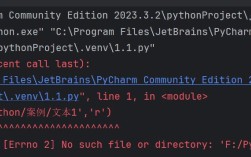
Traceback (most recent call last):
  File "your_script_name.py", line 10, in divide_with_traceback
    result = numerator / denominator
ZeroDivisionError: division by zero
--- End of traceback ---
--- Operation finished ---
This output is much more useful for debugging because it tells you the exact file and line number (File "your_script_name.py", line 10, ...) where the problem happened.
Advanced try...except Features
Catching Multiple Exceptions
You can handle different types of errors in different ways.
try:
    value = int("hello") # This will raise a ValueError
    # risky_file_operation() # This might raise a FileNotFoundError
except ValueError:
    print("Could not convert the string to an integer.")
except FileNotFoundError:
    print("The file was not found.")
except Exception as e:
    # A good catch-all for any other unexpected errors
    print(f"An unexpected error occurred: {e}")
The finally Block
The finally block, if used, will always be executed, regardless of whether an exception occurred or not. It's typically used for cleanup actions, like closing files or network connections.
try:
    f = open("myfile.txt", "r")
    # Do something with the file
    content = f.read()
    print(content)
except FileNotFoundError:
    print("Error: The file does not exist.")
finally:
    # This code runs no matter what
    print("Executing the 'finally' block for cleanup.")
    if 'f' in locals(): # Check if the file object was created
        f.close()
Raising Exceptions Yourself
You can also intentionally raise exceptions using the raise keyword. This is useful for enforcing rules in your code.
def set_age(age):
    if not isinstance(age, int):
        raise TypeError("Age must be an integer.")
    if age < 0 or age > 120:
        raise ValueError("Age is out of the valid range (0-120).")
    print(f"Age set to: {age}")
try:
    set_age(-5)
except (TypeError, ValueError) as e:
    print(f"Invalid age provided: {e}")
Summary: When to Use What
| Concept | Purpose | Example |
|---|---|---|
try...except |
Handle an expected error to prevent program crashes. | try: open('data.txt') except FileNotFoundError: ... |
traceback |
Debug an error by printing the full stack trace to understand the cause. | import traceback; traceback.print_exc() |
finally |
Clean up resources (e.g., close a file) that must be released, no matter what. | try: ... finally: f.close() |
raise |
Intentionally create an error to signal that something is wrong. | if age < 0: raise ValueError("Age cannot be negative") |