Of course! Working with MySQL TIMESTAMP and Java is a very common task, but it has some nuances that can lead to bugs if not handled correctly. This guide will cover everything you need to know, from the data types to best practices with JDBC and JPA.
Understanding the MySQL TIMESTAMP Data Type
First, it's crucial to understand what MySQL's TIMESTAMP actually is. It's not just a simple "point in time" like Java's java.util.Date.
- Storage: It's stored as a 4-byte integer, representing the number of seconds since the Unix epoch ('1970-01-01 00:00:01' UTC).
- Time Zone Awareness: This is the most important feature. When you store a
TIMESTAMP, MySQL converts it from the connection's time zone to UTC before saving. When you retrieve it, MySQL converts it from UTC back to the connection's time zone before sending it to the client. - Range:
1970-01-01 00:00:01UTC to2038-01-19 03:14:07UTC.
Contrast with DATETIME:
DATETIMEis "naive." It stores the exact value you give it, without any time zone conversion. It's just a string of "YYYY-MM-DD HH:MM:SS".DATETIMEhas a much larger range:1000-01-01 00:00:00to9999-12-31 23:59:59.
Recommendation: For applications that might be used in different time zones, TIMESTAMP is generally preferred because it normalizes all data to UTC, preventing ambiguity. For purely date/time data without a time zone context (e.g., a scheduled event that always happens in local time), DATETIME can be simpler.
Mapping MySQL TIMESTAMP to Java Types
There isn't one single "correct" Java type. The best choice depends on your application's requirements.

| Java Type | Pros | Cons | Best For |
|---|---|---|---|
java.sql.Timestamp |
- Direct JDBC mapping. - Designed to match SQL TIMESTAMP precision (nanoseconds).- Simple to use with plain JDBC. |
- Clunky API (part of java.sql).- Mutable. - Can be confusing with java.util.Date. |
Direct JDBC operations. When you want the most straightforward, low-level mapping to the SQL type. |
java.time.Instant |
- Modern, immutable API (Java 8+). - Represents an exact point on the timeline, independent of time zones. - Perfect for storing UTC time. |
- Not directly mappable via JDBC setTimestamp() without conversion. |
The recommended choice for new applications. It's the clearest representation of a UTC point in time. |
java.time.LocalDateTime |
- Modern, immutable API. - Represents a date and time without a time zone. |
- Loses time zone information. If you retrieve a TIMESTAMP and convert it to LocalDateTime, you're getting the time in the JVM's default time zone, which can be misleading. |
When you specifically want to work with a "wall-clock" time in a known time zone and don't need to store the zone itself. |
java.util.Date |
- Familiar to many developers. | - Deprecated. - Mutable. - Confusing mix of date and time (milliseconds since epoch). - Lacks precision for nanoseconds. |
Legacy codebases. Avoid in new projects. |
Practical Code Examples
Let's assume you have a simple table:
CREATE TABLE events (
    id INT AUTO_INCREMENT PRIMARY KEY,
    event_name VARCHAR(100),
    created_at TIMESTAMP NOT NULL DEFAULT CURRENT_TIMESTAMP
);
Example 1: Using java.sql.Timestamp (The Classic JDBC Way)
This is the most direct approach.
import java.sql.Connection;
import java.sql.DriverManager;
import java.sql.PreparedStatement;
import java.sql.ResultSet;
import java.sql.SQLException;
import java.sql.Timestamp;
public class JdbcTimestampExample {
    private static final String DB_URL = "jdbc:mysql://localhost:3306/your_database";
    private static final String USER = "user";
    private static final String PASS = "password";
    public static void main(String[] args) {
        // 1. INSERT a new record
        try (Connection conn = DriverManager.getConnection(DB_URL, USER, PASS)) {
            String sql = "INSERT INTO events (event_name) VALUES (?)";
            try (PreparedStatement pstmt = conn.prepareStatement(sql, PreparedStatement.RETURN_GENERATED_KEYS)) {
                pstmt.setString(1, "My First Event");
                pstmt.executeUpdate();
                try (ResultSet rs = pstmt.getGeneratedKeys()) {
                    if (rs.next()) {
                        int id = rs.getInt(1);
                        System.out.println("Inserted event with ID: " + id);
                    }
                }
            }
        } catch (SQLException e) {
            e.printStackTrace();
        }
        // 2. SELECT records and retrieve the timestamp
        try (Connection conn = DriverManager.getConnection(DB_URL, USER, PASS)) {
            String sql = "SELECT id, event_name, created_at FROM events";
            try (PreparedStatement pstmt = conn.prepareStatement(sql);
                 ResultSet rs = pstmt.executeQuery()) {
                while (rs.next()) {
                    int id = rs.getInt("id");
                    String name = rs.getString("event_name");
                    // --- THIS IS THE KEY PART ---
                    // Retrieve the TIMESTAMP as a java.sql.Timestamp
                    Timestamp createdAt = rs.getTimestamp("created_at");
                    System.out.println("ID: " + id + ", Name: " + name + ", Created At: " + createdAt);
                }
            }
        } catch (SQLException e) {
            e.printStackTrace();
        }
    }
}
Example 2: Using java.time.Instant (The Modern, Recommended Way)
This requires a bit of conversion but gives you a much better, type-safe object to work with.
import java.sql.*;
import java.time.Instant;
public class JdbcInstantExample {
    // ... (DB_URL, USER, PASS from above) ...
    public static void main(String[] args) {
        // 1. INSERT using Instant
        try (Connection conn = DriverManager.getConnection(DB_URL, USER, PASS)) {
            String sql = "INSERT INTO events (event_name) VALUES (?)";
            try (PreparedStatement pstmt = conn.prepareStatement(sql, PreparedStatement.RETURN_GENERATED_KEYS)) {
                pstmt.setString(1, "Modern Event with Instant");
                // Get the current time as an Instant (UTC)
                Instant now = Instant.now();
                // Convert Instant to java.sql.Timestamp for JDBC
                Timestamp timestamp = Timestamp.from(now);
                pstmt.setTimestamp(2, timestamp); // Note: added a parameter for created_at
                pstmt.executeUpdate();
                System.out.println("Inserted event with current time: " + now);
            }
        } catch (SQLException e) {
            e.printStackTrace();
        }
        // 2. SELECT and convert to Instant
        try (Connection conn = DriverManager.getConnection(DB_URL, USER, PASS)) {
            String sql = "SELECT id, event_name, created_at FROM events";
            try (PreparedStatement pstmt = conn.prepareStatement(sql);
                 ResultSet rs = pstmt.executeQuery()) {
                while (rs.next()) {
                    int id = rs.getInt("id");
                    String name = rs.getString("event_name");
                    // --- THIS IS THE KEY PART ---
                    // Retrieve as Timestamp, then convert to Instant
                    Timestamp timestamp = rs.getTimestamp("created_at");
                    Instant instant = timestamp.toInstant();
                    System.out.println("ID: " + id + ", Name: " + name + ", Created At (Instant): " + instant);
                }
            }
        } catch (SQLException e) {
            e.printStackTrace();
        }
    }
}
Best Practices and Common Pitfalls
Pitfall 1: The Time Zone "Gotcha"
Remember that MySQL TIMESTAMP is time-zone-aware. The conversion happens based on the session's time zone.
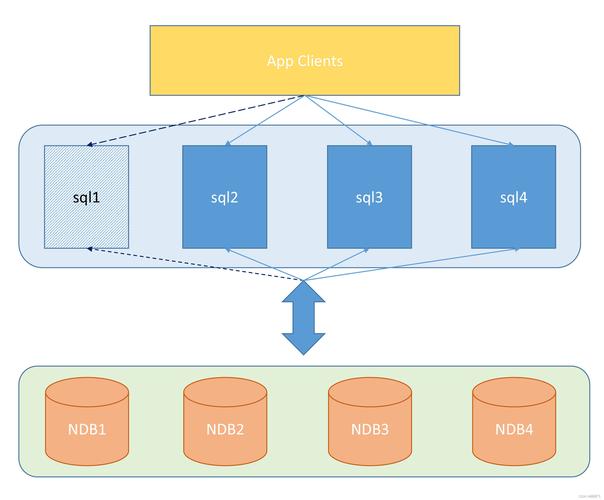
- Problem: You set your server's JVM time zone to
America/New_York. You insert a record. The value is stored in UTC. A user inEurope/Berlinconnects to the database and retrieves the value. MySQL converts it from UTC toEurope/Berlintime. The same timestamp in the database shows different times to different users. - Solution (Best Practice): Always work in UTC internally.
- Set the MySQL Session Time Zone: When your application connects to the database, set the session time zone to UTC. This ensures all conversions are predictable.
// Add this right after getting the connection try (Connection conn = DriverManager.getConnection(DB_URL, USER, PASS)) { // Set the session time zone to UTC! try (Statement stmt = conn.createStatement()) { stmt.execute("SET time_zone = '+00:00'"); } // ... rest of your code } - Store/Retrieve as
Instant: Usejava.time.Instantin your Java application. AnInstantis, by definition, in
- Set the MySQL Session Time Zone: When your application connects to the database, set the session time zone to UTC. This ensures all conversions are predictable.