Of course! This is a fundamental concept in Java, and understanding the difference between Unicode and UTF-8 is key to writing robust, internationalized applications.
Let's break it down.
The Core Idea: Analogy
Think of it like this:
- Unicode is a giant catalog. It assigns a unique number (a "code point") to every character in every language, emoji, and symbol in the world. For example, the letter 'A' is assigned
U+0041, the Chinese character '中' isU+4E2D, and the smiley emoji isU+1F600. This catalog is the universal standard. - UTF-8 is a shipping box. It's a specific set of rules for how to pack those catalog numbers (code points) into bytes for storage or transmission over a network. UTF-8 is a "variable-width" encoding, meaning it uses 1, 2, 3, or 4 bytes to represent a character, which makes it very efficient for English text (which mostly fits in 1 byte) while still supporting the full range of Unicode.
Unicode in Java
In Java, char is the primitive data type for a single character. This is where Unicode comes into play at the language level.
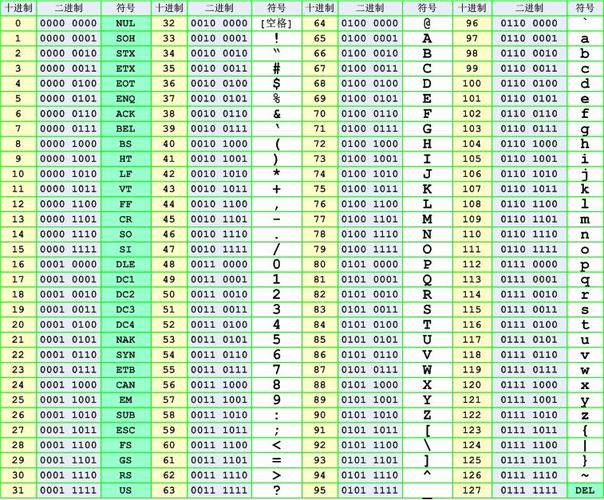
charis a 16-bit unsigned integer. It was designed to hold one character from the Basic Multilingual Plane (BMP) of the Unicode standard.- The BMP covers the first 65,536 characters (code points from
U+0000toU+FFFF). This includes all common scripts like Latin, Cyrillic, Greek, and many East Asian characters like Chinese, Japanese, and Korean. - Historical Context: Java was created in the mid-90s when Unicode 2.0 was the standard, and the 16-bit
charwas sufficient for the vast majority of characters at the time.
The Problem:
The Unicode standard grew. It now has over 150,000 characters, and many of them are outside the BMP (e.g., many emojis, rare historical scripts). These characters have code points from U+10000 to U+10FFFF. A single 16-bit char in Java cannot hold these characters.
The Solution:
To represent these "supplementary" characters, Java uses a surrogate pair. This is a clever trick using two char values:
- A high surrogate (in the range
\uD800to\uDBFF) - A low surrogate (in the range
\uDC00to\uDFFF)
When Java sees a high surrogate followed by a low surrogate, it combines them to form a single 32-bit code point, which can represent any character in the full Unicode set.
Example: char and Surrogate Pairs
public class UnicodeExample {
    public static void main(String[] args) {
        // A standard character within the BMP (fits in one char)
        char letterA = 'A';
        System.out.println("Letter A: " + letterA); // Prints 65
        System.out.println("Letter A as hex: " + Integer.toHexString(letterA)); // Prints 41
        // A character outside the BMP (e.g., the grinning face emoji: U+1F600)
        // This MUST be represented as a surrogate pair in Java source code.
        char emojiHigh = '\uD83D';
        char emojiLow = '\uDE00';
        String emoji = new String(new char[]{emojiHigh, emojiLow});
        System.out.println("Emoji string: " + emoji); // Prints 😀
        // The length of the string is 2 because it's made of two char values.
        System.out.println("Length of emoji string: " + emoji.length()); // Prints 2
        // To get the actual number of Unicode code points, use codePointCount()
        System.out.println("Number of code points: " + emoji.codePointCount(0, emoji.length())); // Prints 1
    }
}
UTF-8 in Java
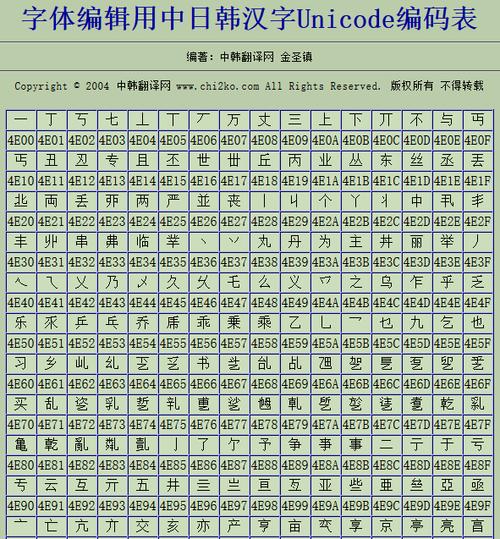
UTF-8 is an encoding, not a data type. It's how you serialize Unicode strings into a sequence of bytes.
- Why use UTF-8?
- Compatibility: It's 100% backward compatible with ASCII. The first 128 characters (U+0000 to U+007F) are encoded as a single byte with the same value as their ASCII code.
- Efficiency: For texts dominated by Latin characters (like English code), it's very compact. For other languages, it uses 2 or 3 bytes per character.
- Dominance: It is the de-facto standard for the web (HTML, JSON, XML), databases (PostgreSQL, MySQL), and most modern systems.
How Java Handles UTF-8
Java provides several ways to work with UTF-8, especially from Java 7 onwards.
String.getBytes(StandardCharsets.UTF_8)
This is the standard way to convert a String into a byte array using UTF-8 encoding.
import java.nio.charset.StandardCharsets;
public class Utf8Example {
    public static void main(String[] args) {
        String text = "Hello 你好 😀"; // English, Chinese, Emoji
        // Convert the String to a UTF-8 byte array
        byte[] utf8Bytes = text.getBytes(StandardCharsets.UTF_8);
        System.out.println("Original String: " + text);
        System.out.println("UTF-8 Bytes: " + java.util.Arrays.toString(utf8Bytes));
        // Output will be: [72, 101, 108, 108, 111, 32, -28, -72, -83, -27, -101, -67, 0, 32, -16, -97, -96, -128]
        // H e l l o [space] 你 好 [space] 😀 (as 4 bytes: F0 9F 98 80)
    }
}
new String(byte[], StandardCharsets.UTF_8)
This is the reverse operation: converting a UTF-8 byte array back into a String.
byte[] utf8Bytes = {(byte) 72, (byte) 101, (byte) 108, (byte) 108, (byte) 111, (byte) 32, (byte) -28, (byte) -72, (byte) -83, (byte) -27, (byte) -101, (byte) -67};
String decodedString = new String(utf8Bytes, StandardCharsets.UTF_8);
System.out.println("Decoded String: " + decodedString); // Prints "Hello 你好"
Reading/Writing Files (UTF-8 by default in Java 11+)
Starting with Java 11, the Files class has convenient methods that use UTF-8 by default, making your life much easier.
import java.nio.file.Files;
import java.nio.file.Path;
import java.nio.file.Paths;
import java.io.IOException;
public class FileUtf8Example {
    public static void main(String[] args) throws IOException {
        Path path = Paths.get("test.txt");
        String content = "This is a test with UTF-8: 你好";
        // Write a String to a file using UTF-8 encoding (Java 11+)
        Files.writeString(path, content);
        // Read a String from a file using UTF-8 encoding (Java 11+)
        String readContent = Files.readString(path);
        System.out.println("Read from file: " + readContent);
    }
}
Summary Table
| Concept | Role in Java | Key Points |
|---|---|---|
| Unicode | The character set or "catalog". | Defines a unique number (code point) for every character. Java's char type is 16-bit and holds one BMP character.* Characters outside the BMP require a surrogate pair (two chars). |
| UTF-8 | The encoding or "shipping format". | A variable-width encoding to represent Unicode code points as bytes. Highly efficient and backward-compatible with ASCII. The standard for web, databases, and files. Used with String.getBytes(StandardCharsets.UTF_8) and new String(byte[], ...).* Default for file I/O in Java 11+. |
Best Practices
-
Internal Representation: Always treat
Stringas your internal, in-memory representation of text. Don't worry about the underlyingcharor surrogate pairs. Java'sStringclass handles this complexity for you. -
External Communication: Whenever you need to serialize a
String(for a file, a network request, a database), always use UTF-8 unless you have a very specific, compelling reason not to. -
Be Explicit: Always specify the charset explicitly when converting between bytes and strings. Never rely on the platform's default charset, as it can vary and cause bugs on different machines (e.g., Windows might use
CP1252by default, while Linux usesUTF-8).// Good byte[] bytes = myString.getBytes(StandardCharsets.UTF_8); // Bad (platform-dependent, unsafe!) byte[] bytes = myString.getBytes();