Of course! Let's dive deep into Python's splitlines() method.
What is splitlines()?
The splitlines() method is a built-in string method in Python that splits a string into a list of lines. It breaks the string at line boundaries and returns the lines as a list.
This is the most reliable way to handle text that comes from different operating systems, as it automatically handles different line endings.
Syntax
string.splitlines(keepends=False)
string: The input string you want to split.keepends(optional): This is a boolean parameter.- If
False(the default), the line breaks (\n,\r, etc.) are not included in the resulting list items. - If
True, the line breaks are included at the end of each line in the list.
- If
How It Works: Line Breaks
The magic of splitlines() is that it recognizes a wide variety of line boundary characters, not just \n. These include:
| Character(s) | Name | Common Use Case |
|---|---|---|
\n |
Line Feed (LF) | Linux, macOS, modern Windows |
\r |
Carriage Return (CR) | Classic Mac OS (pre-OS X) |
\r\n |
Carriage Return + Line Feed | Windows |
\v or \x0b |
Vertical Tab | Less common |
\f or \x0c |
Form Feed | Less common |
\x1c |
File Separator | ASCII control character |
\x1d |
Group Separator | ASCII control character |
\x1e |
Record Separator | ASCII control character |
\x85 |
Next Line (C1 Control Code) | Used in EBCDIC and some text files |
\u2028 |
Line Separator | Unicode line terminator |
\u2029 |
Paragraph Separator | Unicode paragraph terminator |
Key Point: splitlines() treats all of these as valid line boundaries.

Examples
Let's see splitlines() in action with different scenarios.
Example 1: Basic Usage (Default keepends=False)
This is the most common use case. You just want the lines of text, without the extra newline characters.
text = "This is the first line.\nThis is the second line.\nThis is the third."
lines = text.splitlines()
print(lines)
Output:
['This is the first line.', 'This is the second line.', 'This is the third.']Example 2: Including Line Breaks (keepends=True)
Sometimes you might need to process the line break itself. This is where keepends=True is useful.

text = "First line.\nSecond line.\r\nThird line."
lines_with_breaks = text.splitlines(keepends=True)
print(lines_with_breaks)
Output: Notice how the line break character is preserved at the end of each string in the list.
['First line.\n', 'Second line.\r\n', 'Third line.']Example 3: Handling Mixed Line Endings
This is the primary strength of splitlines(). It correctly splits a string that has been created by concatenating text from different operating systems.
# A string with Windows (\r\n), Linux/macOS (\n), and old Mac (\n) endings
mixed_text = "Line 1\r\nLine 2\nLine 3\rLine 4"
lines = mixed_text.splitlines()
print(lines)
Output: It correctly identifies all four lines, regardless of the different line endings used.
['Line 1', 'Line 2', 'Line 3', 'Line 4']Example 4: Empty String and Edge Cases
- Empty String: Returns an empty list.
- String with only a line break: Returns a list with one empty string.
# Empty string
print("".splitlines())
# Output: []
# String with just a line break
print("\n".splitlines())
# Output: ['']
# String ending with a line break
print("hello\nworld\n".splitlines())
# Output: ['hello', 'world']
splitlines() vs. split('\n')
This is a very common point of confusion. Here’s the key difference:
| Feature | str.splitlines() |
str.split('\n') |
|---|---|---|
| Purpose | Splits on any standard line boundary. | Splits only on the literal \n character. |
| Portability | High. Works on text from any OS. | Low. Will fail to correctly split text from Windows (\r\n) or old Macs (\r). |
| Behavior | More intelligent and robust. | Simpler, but less flexible. |
| Empty Line | "\n\n".splitlines() -> ['', ''] |
"\n\n".split('\n') -> ['', '', ''] |
When to use which?
- Use
splitlines()when you are working with text files, user input, or any string that might contain lines. It's the correct, safe, and Pythonic way to do it. - Use
split('\n')only if you are 100% certain your string was generated by your own code on a Linux/macOS system and you explicitly need to split on\nand nothing else. This is rare.
Summary
| Method | Purpose | Key Feature |
|---|---|---|
str.splitlines() |
Split a string into a list of lines. | Robust and portable. Handles all common line endings (\n, \r\n, \r, etc.). |
str.split('\n') |
Split a string by the newline character. | Simple but fragile. Only splits on \n and will not correctly handle text from other operating systems. |
str.split() |
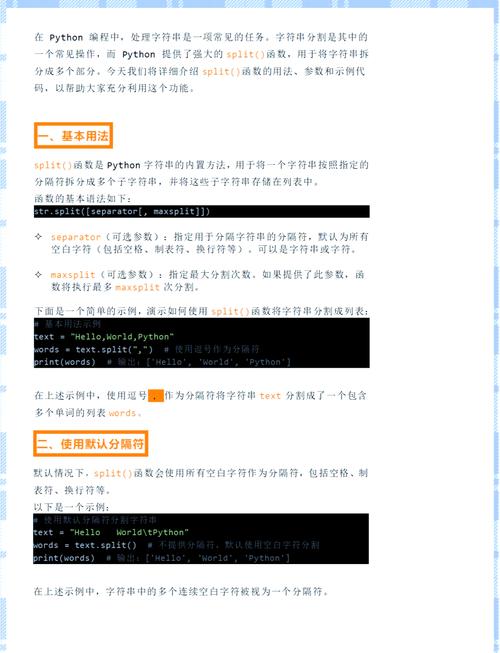
Split a string by any whitespace (space, tab, newline, etc.). | For word/token separation, not for line separation. |