在Java中创建和使用Properties文件
Properties文件是Java中常用的配置文件格式,它存储键值对数据,以下是几种在Java中创建和使用Properties文件的方法:
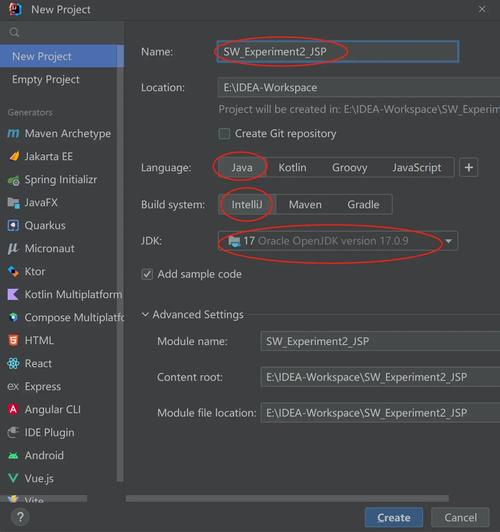
(图片来源网络,侵删)
方法1:创建并写入Properties文件
import java.io.FileOutputStream;
import java.io.IOException;
import java.util.Properties;
public class CreatePropertiesFile {
    public static void main(String[] args) {
        // 创建Properties对象
        Properties properties = new Properties();
        // 设置键值对
        properties.setProperty("database.url", "jdbc:mysql://localhost:3306/mydb");
        properties.setProperty("database.user", "root");
        properties.setProperty("database.password", "password");
        properties.setProperty("app.name", "My Application");
        properties.setProperty("app.version", "1.0.0");
        try (FileOutputStream output = new FileOutputStream("config.properties")) {
            // 将Properties对象写入文件
            properties.store(output, "Application Configuration");
            System.out.println("Properties文件创建成功!");
        } catch (IOException e) {
            System.err.println("创建Properties文件时出错: " + e.getMessage());
        }
    }
}
方法2:从类路径加载Properties文件
import java.io.IOException;
import java.io.InputStream;
import java.util.Properties;
public class LoadPropertiesFromClasspath {
    public static void main(String[] args) {
        // 创建Properties对象
        Properties properties = new Properties();
        try (InputStream input = LoadPropertiesFromClasspath.class.getClassLoader()
                .getResourceAsStream("config.properties")) {
            if (input == null) {
                System.out.println("无法找到config.properties文件");
                return;
            }
            // 加载Properties文件
            properties.load(input);
            // 读取属性值
            String dbUrl = properties.getProperty("database.url");
            String dbUser = properties.getProperty("database.user");
            String appName = properties.getProperty("app.name");
            System.out.println("数据库URL: " + dbUrl);
            System.out.println("数据库用户: " + dbUser);
            System.out.println("应用名称: " + appName);
        } catch (IOException e) {
            System.err.println("加载Properties文件时出错: " + e.getMessage());
        }
    }
}
方法3:使用ResourceBundle加载Properties文件
import java.util.ResourceBundle;
public class LoadPropertiesWithResourceBundle {
    public static void main(String[] args) {
        // 加载位于类路径下的messages.properties文件
        ResourceBundle bundle = ResourceBundle.getBundle("messages");
        // 读取属性值
        String greeting = bundle.getString("greeting.message");
        String farewell = bundle.getString("farewell.message");
        System.out.println("问候语: " + greeting);
        System.out.println("告别语: " + farewell);
    }
}
方法4:创建并写入XML格式的Properties文件
import java.io.FileOutputStream;
import java.io.IOException;
import java.util.Properties;
public class CreateXmlPropertiesFile {
    public static void main(String[] args) {
        Properties properties = new Properties();
        properties.setProperty("server.port", "8080");
        properties.setProperty("server.host", "localhost");
        properties.setProperty("debug.mode", "true");
        try (FileOutputStream output = new FileOutputStream("config.xml")) {
            // 以XML格式存储Properties
            properties.storeToXML(output, "Server Configuration");
            System.out.println("XML格式的Properties文件创建成功!");
        } catch (IOException e) {
            System.err.println("创建XML Properties文件时出错: " + e.getMessage());
        }
    }
}
注意事项
- Properties文件中的键值对都是字符串类型
- Properties文件中的注释以或开头
- Properties文件中的特殊字符需要进行转义
- 从类路径加载文件时,确保文件位于
src/main/resources目录下(Maven项目) - 使用
try-with-resources语句确保流正确关闭
方法提供了在Java中创建和使用Properties文件的不同方式,您可以根据具体需求选择最适合的方法。
(图片来源网络,侵删)