Of course! This is a very common point of confusion for Python beginners. The key difference between list.append() and list.extend() is what they add to the end of a list.

Let's break it down with clear definitions, examples, and a summary table.
list.append()
The append() method adds a single item to the end of a list. No matter what you pass to it (a number, a string, a tuple, or even another list), it treats that entire thing as one single element.
Analogy
Think of append() as putting one item into a shopping cart. You can put an apple, a banana, or even a pre-packaged bag of apples into the cart. To you, it's just "one thing" you added to the cart.
Syntax
my_list.append(item_to_add)
Examples
Example 1: Appending a single number
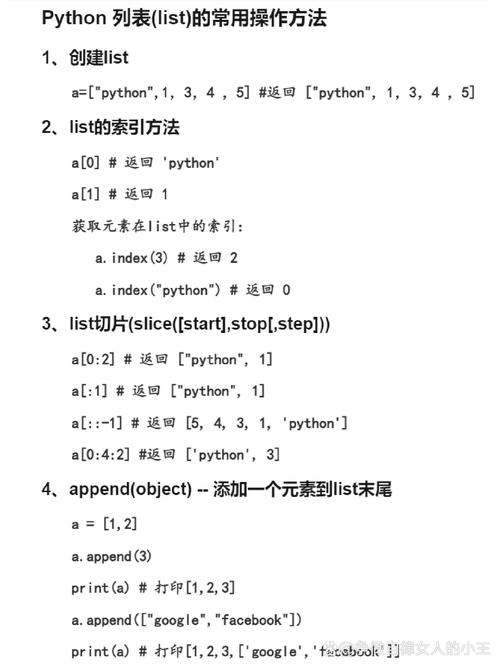
numbers = [1, 2, 3]
numbers.append(4)
print(numbers)
# Output: [1, 2, 3, 4]
The integer 4 is added as a new element.
Example 2: Appending a string
fruits = ['apple', 'banana']
fruits.append('cherry')
print(fruits)
# Output: ['apple', 'banana', 'cherry']
The string 'cherry' is added as a new element.
Example 3: Appending a list (This is where it gets tricky!)
list_a = [1, 2, 3]
list_b = [4, 5, 6]
list_a.append(list_b)
print(list_a)
# Output: [1, 2, 3, [4, 5, 6]]
Notice the result! The entire list_b was added as a single nested element inside list_a. The length of list_a increased by only 1.
list.extend()
The extend() method adds all items from an iterable (like a list, tuple, or set) to the end of the list. It "unpacks" the iterable and adds each of its elements individually.
Analogy
Think of extend() as emptying a whole bag of groceries into your shopping cart. If the bag has 3 apples and 2 oranges, you don't add the "bag" to the cart; you add the 5 individual fruits.
Syntax
my_list.extend(iterable_to_add)
Examples
Example 1: Extending with a list
numbers = [1, 2, 3]
# We are extending with the list [4, 5, 6]
numbers.extend([4, 5, 6])
print(numbers)
# Output: [1, 2, 3, 4, 5, 6]
Each element from the [4, 5, 6] list was added individually to numbers.
Example 2: Extending with a tuple
fruits = ['apple', 'banana']
# We are extending with a tuple ('cherry', 'date')
fruits.extend(('cherry', 'date'))
print(fruits)
# Output: ['apple', 'banana', 'cherry', 'date']
Even though we used a tuple, extend() unpacked it and added its elements one by one.
Example 3: Extending with a set
letters = ['a', 'b']
# We are extending with a set {'c', 'd'}
letters.extend({'c', 'd'})
print(letters)
# Output: ['a', 'b', 'c', 'd']  (or ['a', 'b', 'd', 'c'] - order is not guaranteed with sets)
The set is unpacked, and its elements are added.
Key Differences at a Glance
| Feature | list.append() |
list.extend() |
|---|---|---|
| Purpose | Adds a single item to the end of a list. | Adds all items from an iterable to the end of a list. |
| Input | A single object (any type). | An iterable (list, tuple, set, string, etc.). |
| Effect on List | Increases the list's length by 1. | Increases the list's length by the length of the iterable. |
| Example | my_list = [1, 2]my_list.append([3, 4])print(my_list)# Output: [1, 2, [3, 4]] |
my_list = [1, 2]my_list.extend([3, 4])print(my_list)# Output: [1, 2, 3, 4] |
Common Pitfall: The Operator vs. extend()
People often wonder about the difference between extend() and the operator.
list1 = [1, 2]
list2 = [3, 4]
# Using the + operator
list3 = list1 + list2
print(list3)
# Output: [1, 2, 3, 4]
# Using extend()
list1 = [1, 2] # Reset list1
list1.extend(list2)
print(list1)
# Output: [1, 2, 3, 4]
The crucial difference is memory and performance:
list1 + list2: Creates a brand new list in memory and returns it. The originallist1andlist2are unchanged.list1.extend(list2): Modifieslist1in-place. It does not create a new list. It is generally more memory-efficient, especially when dealing with large lists, because it doesn't require allocating memory for a whole new list.
Summary
- Use
.append()when you want to add one thing to your list. - Use
.extend()when you want to add many things (from another list, tuple, etc.) to your list, adding each one individually.