Java 选择路径导出 Excel 的实现方法
在 Java 中实现选择路径导出 Excel 文件,通常需要以下几个步骤:
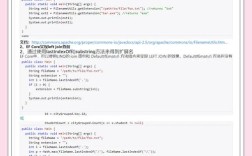
(图片来源网络,侵删)
使用 JFileChooser 让用户选择保存路径
import javax.swing.JFileChooser;
import javax.swing.filechooser.FileNameExtensionFilter;
public class ExcelExporter {
    public static String chooseSavePath() {
        JFileChooser fileChooser = new JFileChooser();
        fileChooser.setDialogTitle("选择保存位置");
        // 设置文件过滤器,只显示.xlsx和.xls文件
        FileNameExtensionFilter filter = new FileNameExtensionFilter(
            "Excel文件 (*.xlsx, *.xls)", "xlsx", "xls");
        fileChooser.setFileFilter(filter);
        // 设置默认文件名
        fileChooser.setSelectedFile(new File("导出数据.xlsx"));
        int userSelection = fileChooser.showSaveDialog(null);
        if (userSelection == JFileChooser.APPROVE_OPTION) {
            File fileToSave = fileChooser.getSelectedFile();
            // 确保文件扩展名正确
            String path = fileToSave.getAbsolutePath();
            if (!path.endsWith(".xlsx") && !path.endsWith(".xls")) {
                path += ".xlsx";
            }
            return path;
        }
        return null; // 用户取消了操作
    }
}
使用 Apache POI 导出 Excel
import org.apache.poi.ss.usermodel.*;
import org.apache.poi.xssf.usermodel.XSSFWorkbook;
import java.io.FileOutputStream;
import java.io.IOException;
import java.util.List;
import java.util.Map;
public class ExcelExporter {
    // ... 之前的 chooseSavePath 方法 ...
    public static void exportToExcel(List<Map<String, Object>> data, String filePath) {
        try (Workbook workbook = new XSSFWorkbook()) {
            Sheet sheet = workbook.createSheet("数据");
            // 创建标题行
            Row headerRow = sheet.createRow(0);
            int headerIndex = 0;
            for (String key : data.get0().keySet()) {
                Cell cell = headerRow.createCell(headerIndex++);
                cell.setCellValue(key);
            }
            // 填充数据
            int rowIndex = 1;
            for (Map<String, Object> rowData : data) {
                Row row = sheet.createRow(rowIndex++);
                int cellIndex = 0;
                for (Object value : rowData.values()) {
                    Cell cell = row.createCell(cellIndex++);
                    if (value instanceof String) {
                        cell.setCellValue((String) value);
                    } else if (value instanceof Number) {
                        cell.setCellValue(((Number) value).doubleValue());
                    } else if (value instanceof Boolean) {
                        cell.setCellValue((Boolean) value);
                    } else if (value instanceof java.util.Date) {
                        cell.setCellValue((java.util.Date) value);
                    }
                }
            }
            // 自动调整列宽
            for (int i = 0; i < headerRow.getLastCellNum(); i++) {
                sheet.autoSizeColumn(i);
            }
            // 保存文件
            try (FileOutputStream outputStream = new FileOutputStream(filePath)) {
                workbook.write(outputStream);
            }
            System.out.println("Excel文件已成功导出到: " + filePath);
        } catch (IOException e) {
            e.printStackTrace();
            System.err.println("导出Excel时出错: " + e.getMessage());
        }
    }
}
完整使用示例
import java.util.ArrayList;
import java.util.HashMap;
import java.util.List;
import java.util.Map;
public class Main {
    public static void main(String[] args) {
        // 1. 让用户选择保存路径
        String filePath = ExcelExporter.chooseSavePath();
        if (filePath == null) {
            System.out.println("用户取消了导出操作");
            return;
        }
        // 2. 准备示例数据
        List<Map<String, Object>> data = new ArrayList<>();
        Map<String, Object> row1 = new HashMap<>();
        row1.put("姓名", "张三");
        row1.put("年龄", 25);
        row1.put("工资", 5000.50);
        row1.put("入职日期", new java.util.Date());
        data.add(row1);
        Map<String, Object> row2 = new HashMap<>();
        row2.put("姓名", "李四");
        row2.put("年龄", 30);
        row2.put("工资", 6000.75);
        row2.put("入职日期", new java.util.Date());
        data.add(row2);
        // 3. 导出Excel
        ExcelExporter.exportToExcel(data, filePath);
    }
}
其他注意事项
-
依赖管理:如果使用 Maven,需要添加 Apache POI 依赖:
<dependency> <groupId>org.apache.poi</groupId> <artifactId>poi</artifactId> <version>5.2.3</version> </dependency> <dependency> <groupId>org.apache.poi</groupId> <artifactId>poi-ooxml</artifactId> <version>5.2.3</version> </dependency> -
性能考虑:对于大数据量,考虑使用 SXSSFWorkbook (流式API) 来避免内存问题。
-
错误处理:在实际应用中,应该添加更完善的错误处理和用户提示。
-
UI集成:如果是在 Swing 或 JavaFX 应用中使用,可以将 JFileChooser 集成到你的主界面中。
 (图片来源网络,侵删)
 -
文件格式:根据需求选择 .xlsx (Office 2007+) 或 .xls (Office 2003) 格式。
(图片来源网络,侵删)