Of course! String formatting in Java is a common task that allows you to create dynamic, readable strings by inserting variables into predefined templates. Java provides several ways to do this, with the most modern and recommended approach being String.formatted().
Here’s a comprehensive guide, starting from the most current method and covering the legacy ones for context.
The Modern Way: String.formatted() (Java 15+)
This is the cleanest and most readable method introduced as a preview feature in Java 15 and finalized in Java 21. It's a static method on the String class that takes a format string and a list of arguments.
How it Works
The format string contains placeholders (like %s, %d, %f) that are replaced by the corresponding arguments in the list.
Placeholders
%s: String%d: Decimal integer (forint,long, etc.)%f: Floating-point number (forfloat,double)%c: Character%b: Boolean- A literal percent sign
Example
public class StringFormatExample {
    public static void main(String[] args) {
        String name = "Alice";
        int age = 30;
        double score = 95.75;
        boolean isStudent = true;
        // Using String.formatted()
        String message = "Hello, %s! You are %d years old. Your score is %.2f. Are you a student? %b."
                .formatted(name, age, score, isStudent);
        System.out.println(message);
        // Output: Hello, Alice! You are 30 years old. Your score is 95.75. Are you a student? true.
    }
}
Advanced Formatting Options
You can add additional flags between the and the type specifier for more control.
-
Width and Alignment
%10s: String with a minimum width of 10, right-aligned.%-10s: String with a minimum width of 10, left-aligned.%10d: Integer with a minimum width of 10, right-aligned.
-
Precision
%.2f: Floating-point number with 2 digits after the decimal point.
-
Number Formatting
- Use commas as a thousands separator.
0: Pad with leading zeros.
Example with Advanced Options
public class AdvancedFormatExample {
    public static void main(String[] args) {
        String product = "Laptop";
        int quantity = 1500;
        double price = 1299.99;
        // Using advanced formatting flags
        String receipt = "| %-15s | %,10d | %,010.2f |"
                .formatted(product, quantity, price);
        System.out.println(receipt);
        // Output: | Laptop          |       1,500 | 001299.99 |
    }
}
The Classic Way: String.format()
This method has been available since Java 5. It's very similar to String.formatted() but is an instance method. It returns a new, formatted string instead of applying the format to the string it's called on.
How it Works
String.format(formatString, args...)
Example
public class StringFormatClassic {
    public static void main(String[] args) {
        String city = "New York";
        int population = 8400000;
        // Using String.format()
        String output = String.format("The population of %s is %,d.", city, population);
        System.out.println(output);
        // Output: The population of New York is 8,400,000.
    }
}
The syntax and flags are identical to String.formatted(). The choice between them is often a matter of style. String.formatted() can sometimes be more readable as it's a direct application of the format to a string literal.
The Older Way: System.out.printf()
This method is for printing formatted strings directly to the console (System.out). It does not return a string; it just prints to the standard output stream.
How it Works
System.out.printf(formatString, args...)
Example
public class PrintfExample {
    public static void main(String[] args) {
        String planet = "Earth";
        int moons = 1;
        // Using System.out.printf() - directly prints to console
        System.out.printf("Planet: %s, Moons: %d\n", planet, moons);
        // Output: Planet: Earth, Moons: 1
    }
}
Note the \n at the end of the format string. Unlike println(), printf() does not automatically add a newline character at the end of the output.
The "Old School" Way: Concatenation and StringBuilder
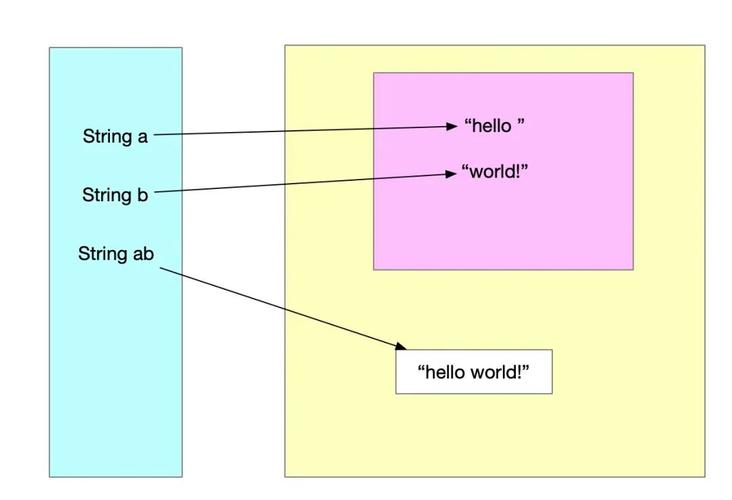
Before Java 5, the primary way to build strings was by using the operator. While simple, this method is inefficient for building strings in a loop because it creates a new String object in memory for every concatenation.
For better performance, developers used StringBuffer (thread-safe) or StringBuilder (not thread-safe, but faster).
Example with Concatenation (Not Recommended for loops)
// Inefficient for loops
String s = "Hello";
s = s + ", ";
s = s + "world!";
System.out.println(s); // Output: Hello, world!
Example with StringBuilder (Good for performance)
// Efficient for building strings, especially in loops
StringBuilder sb = new StringBuilder();
sb.append("Hello");
sb.append(", ");
sb.append("world!");
String result = sb.toString();
System.out.println(result); // Output: Hello, world!
Summary: Which One Should I Use?
| Method | When to Use | Key Feature |
|---|---|---|
String.formatted() |
(Recommended) When you need to create a new formatted string variable. It's modern, clean, and highly readable. | Returns a new formatted string. |
String.format() |
When you need to create a new formatted string variable. It's the classic, universally available method. | Returns a new formatted string. |
System.out.printf() |
When you want to print a formatted string directly to the console. | Prints to standard output, does not return a string. |
StringBuilder |
When you are building a string dynamically, especially in a loop, and performance is critical. | Mutable, avoids creating many intermediate String objects. |
| Concatenation | For very simple, one-off string combinations where readability is the absolute top priority. | Simple but inefficient for complex or repeated operations. |
For most new Java code, String.formatted() is the best choice for its clarity and modern syntax.