Of course! Calling a function in Python is a fundamental concept. Here’s a comprehensive guide, starting from the basics and moving to more advanced topics.

The Basic Idea: Definition vs. Call
First, it's crucial to understand the difference between defining a function and calling it.
- Defining a function is like creating a blueprint or a recipe. You use the
defkeyword to give the function a name and specify what it should do. This block of code is not executed on its own. - Calling a function is like actually using the recipe to bake a cake. You use the function's name followed by parentheses to tell Python to execute the code inside the function.
How to Call a Function (The Basics)
Let's start with a simple function definition and then call it.
Step 1: Define the Function
Here, we define a function named greet that takes one argument, name.
def greet(name):
    """This function prints a greeting."""
    print(f"Hello, {name}! Welcome to Python.")
Step 2: Call the Function
To call this function, you simply write its name followed by parentheses . If the function requires arguments, you pass them inside the parentheses.
# --- Call the function ---
greet("Alice")
# You can call it multiple times with different arguments
greet("Bob")
Output:
Hello, Alice! Welcome to Python.
Hello, Bob! Welcome to Python.
Functions with Different Types of Arguments
Functions can be called with different kinds of arguments.
A. No Arguments
A function can be defined without any parameters.
def say_hello():
    """This function prints a simple greeting."""
    print("Hello, World!")
# --- Call the function ---
say_hello()
Output:
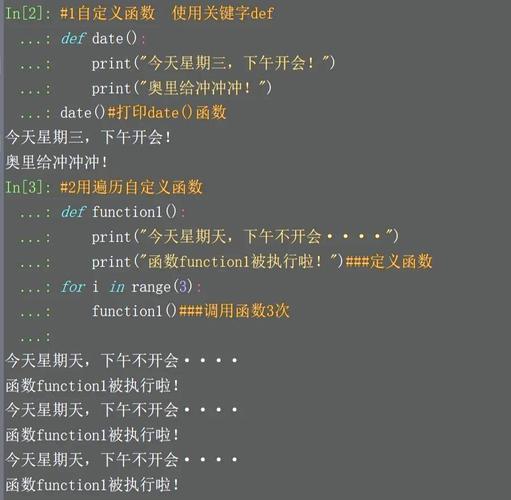
Hello, World!B. Multiple Arguments
You can pass multiple arguments to a function. The order matters.
def add_numbers(a, b):
    """This function adds two numbers and prints the result."""
    result = a + b
    print(f"The sum of {a} and {b} is {result}")
# --- Call the function ---
add_numbers(5, 10)
Output:
The sum of 5 and 10 is 15C. Keyword Arguments (Named Arguments)
You can specify arguments by their parameter name. This makes the code more readable and allows you to pass arguments in any order.
def describe_person(name, age, city):
    """This function describes a person using keyword arguments."""
    print(f"{name} is {age} years old and lives in {city}.")
# --- Call the function using keyword arguments ---
describe_person(name="Charlie", age=30, city="New York")
# The order doesn't matter when using keywords
describe_person(city="London", age=25, name="Diana")
Output:
Charlie is 30 years old and lives in New York.
Diana is 25 years old and lives in London.
D. Default Arguments
You can provide a default value for a parameter. If the caller doesn't provide a value for that argument, the default is used.
def power(base, exponent=2):
    """This function raises a base to a given power (default is 2)."""
    result = base ** exponent
    print(f"{base} to the power of {exponent} is {result}.")
# --- Call the function ---
# Only providing the base, so exponent uses its default value (2)
power(4)
# Providing both arguments
power(4, 3)
Output:
4 to the power of 2 is 16.
4 to the power of 3 is 64.
Handling Return Values
Some functions perform a calculation and need to send a value back to the caller. This is done with the return statement. The function call itself then evaluates to the returned value.
def get_greeting(name):
    """This function returns a greeting string instead of printing it."""
    return f"Welcome, {name}!"
# --- Call the function and store the returned value ---
message = get_greeting("Eve")
# Now you can use the 'message' variable
print(message)
print(message.upper())
Output:
Welcome, Eve!
WELCOME, EVE!
Advanced: *args and **kwargs
Sometimes you don't know how many arguments a function will receive. Python provides special syntax for this.
A. *args (Arbitrary Positional Arguments)
*args allows a function to accept any number of positional arguments. These arguments are collected into a tuple.
def sum_all_numbers(*args):
    """This function sums all the numbers passed to it."""
    print(f"Arguments received: {args}") # args is a tuple
    total = 0
    for number in args:
        total += number
    return total
# --- Call the function with different numbers of arguments ---
total1 = sum_all_numbers(1, 2, 3)
print(f"Sum 1: {total1}")
total2 = sum_all_numbers(10, 20, 30, 40, 50)
print(f"Sum 2: {total2}")
Output:
Arguments received: (1, 2, 3)
Sum 1: 6
Arguments received: (10, 20, 30, 40, 50)
Sum 2: 150
B. **kwargs (Arbitrary Keyword Arguments)
**kwargs allows a function to accept any number of keyword arguments. These are collected into a dictionary.
def print_details(**kwargs):
    """This function prints all the keyword arguments it receives."""
    print(f"Details received: {kwargs}") # kwargs is a dictionary
    for key, value in kwargs.items():
        print(f"{key}: {value}")
# --- Call the function with arbitrary keyword arguments ---
print_details(name="Frank", job="Engineer", age=40, city="Tokyo")
Output:
Details received: {'name': 'Frank', 'job': 'Engineer', 'age': 40, 'city': 'Tokyo'}
name: Frank
job: Engineer
age: 40
city: Tokyo
Calling Functions from Other Files (Modules)
When your code gets larger, you'll organize it into different files (modules). To call a function from another file, you first need to import it.
File: my_module.py
# This is the file containing the function
def calculate_area(width, height):
    """Calculates the area of a rectangle."""
    return width * height
File: main.py
# This is the file where you want to use the function
import my_module  # Import the entire module
# To call the function, use the module_name.function_name() syntax
area = my_module.calculate_area(10, 5)
print(f"The area is: {area}")
# You can also import the function directly from the module
from my_module import calculate_area
# Now you can call it directly
area2 = calculate_area(8, 3)
print(f"The second area is: {area2}")
Output (from running main.py):
The area is: 50
The second area is: 24