
Of course! Let's dive deep into Java method invocation. This is a fundamental concept, but it has several layers, from the basic syntax to more advanced dynamic invocation.
The Basics: Static vs. Instance Method Invocation
This is the most common way you'll call methods in Java.
A. Invoking an Instance Method
Instance methods operate on an instance (an object) of a class. You must first create an object and then use the dot () operator to call the method.
Syntax:
objectReference.methodName(argument1, argument2, ...);
Example:
public class Car {
    // Instance field
    private String model;
    // Constructor
    public Car(String model) {
        this.model = model;
    }
    // Instance method
    public void start() {
        System.out.println("The " + model + " is starting.");
    }
    // Instance method with parameters and a return value
    public String getDetails(int year) {
        return model + " from " + year;
    }
    public static void main(String[] args) {
        // 1. Create an instance of the Car class
        Car myCar = new Car("Tesla Model S");
        // 2. Invoke the instance method 'start()' on the 'myCar' object
        myCar.start(); // Output: The Tesla Model S is starting.
        // 3. Invoke the instance method 'getDetails()' with an argument
        String details = myCar.getDetails(2025);
        System.out.println(details); // Output: Tesla Model S from 2025
    }
}
B. Invoking a Static Method
Static methods belong to the class itself, not to any specific instance. You don't need to create an object to call them. You use the class name followed by the dot operator.
Syntax:
ClassName.methodName(argument1, argument2, ...);
Example:
public class MathUtils {
    // A static method (utility method)
    public static int add(int a, int b) {
        return a + b;
    }
    // The main method is also static!
    public static void main(String[] args) {
        // Invoke the static method 'add()' using the class name
        int sum = MathUtils.add(10, 5);
        System.out.println("The sum is: " + sum); // Output: The sum is: 15
        // You *can* also call it using an object reference, but it's bad practice
        MathUtils utils = new MathUtils();
        int sum2 = utils.add(20, 30);
        System.out.println("The sum is: " + sum2); // Output: The sum is: 50
    }
}
Advanced Method Invocation: Method.invoke()
Sometimes, you don't know the method name at compile time. For these dynamic scenarios, Java provides the Java Reflection API. The core of this is the java.lang.reflect.Method class and its invoke() method.
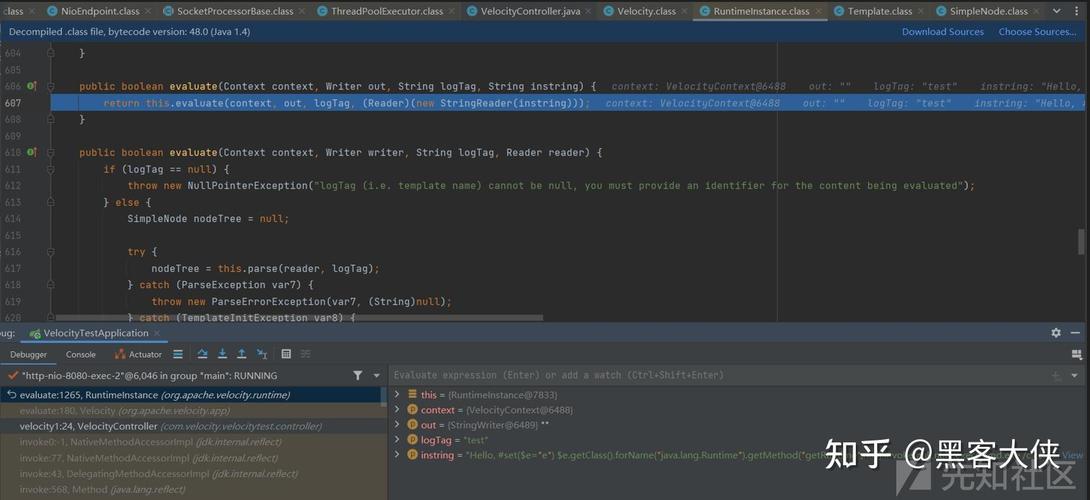
This is extremely powerful but should be used sparingly as it's slower than direct calls and can bypass access controls.
A. The Method.invoke() Syntax
The Method object represents a method from a class. The invoke() method executes this method.
Syntax:
// For instance methods
Object result = method.invoke(objectInstance, argument1, argument2, ...);
// For static methods (the objectInstance is null)
Object result = method.invoke(null, argument1, argument2, ...);
Parameters:
objectInstance: The object on which to call the instance method. For static methods, this isnull.argument1, argument2, ...: The arguments to pass to the method. These are passed as a variable-length argument list (Object...).
Return Value:
- If the invoked method has a return type,
invoke()returns that result as anObject. You will need to cast it. - If the invoked method has a
voidreturn type,invoke()returnsnull.
B. Step-by-Step Example of Using Method.invoke()
Let's use the Car class from before and call its methods using reflection.
import java.lang.reflect.Method;
public class ReflectionInvoker {
    public static void main(String[] args) throws Exception {
        // 1. Get the Class object for the target class
        Class<?> carClass = Class.forName("Car");
        // 2. Create an instance of the class (using its default constructor)
        Object carInstance = carClass.getDeclaredConstructor().newInstance();
        // 3. Get the Method object for the method we want to call
        //    We need to specify the exact parameter types (Class objects)
        Method startMethod = carClass.getMethod("start");
        // 4. Invoke the method
        //    The first argument is the object instance (carInstance).
        //    The second argument is 'null' because 'start' takes no arguments.
        System.out.println("--- Invoking start() ---");
        startMethod.invoke(carInstance); // Output: The null is starting. (Because model wasn't set)
        // Let's try the getDetails() method
        System.out.println("\n--- Invoking getDetails() ---");
        Method getDetailsMethod = carClass.getMethod("getDetails", int.class);
        // 5. Invoke the method with arguments
        //    The first argument is the object instance.
        //    The subsequent arguments are the actual arguments for the method.
        Object result = getDetailsMethod.invoke(carInstance, 2025);
        // 6. The result is an Object, so we cast it to the expected type (String)
        String details = (String) result;
        System.out.println("Result from getDetails: " + details); // Output: Result from getDetails: null from 2025
    }
}
C. Handling Exceptions with invoke()
The invoke() method can throw several checked exceptions, so you must handle them. The most common are:
IllegalAccessException: If the method is not accessible (e.g., private, and you haven't made it accessible).IllegalArgumentException: If the number or type of arguments passed is wrong.InvocationTargetException**: This is a crucial one. If the invoked method itself throws an exception,invoke()wraps that exception in anInvocationTargetException. You must get the cause usinggetCause()`.
Example of InvocationTargetException:
public class MyClass {
    public void myMethod() {
        throw new RuntimeException("Something went wrong inside!");
    }
}
// In another class...
try {
    Method m = MyClass.class.getMethod("myMethod");
    m.invoke(myObjectInstance); // This will throw InvocationTargetException
} catch (InvocationTargetException e) {
    // The actual exception thrown by myMethod() is the cause
    Throwable actualException = e.getCause();
    System.out.println("The method threw: " + actualException.getMessage());
} catch (Exception e) {
    // Handle other reflection exceptions
    e.printStackTrace();
}
Summary: Direct Call vs. Method.invoke()
| Feature | Direct Method Call (object.method()) |
Method.invoke() (Reflection) |
|---|---|---|
| When to Use | The standard, 99% of the time. Use when you know the method name and signature at compile time. | When you need dynamic behavior: plugins, serialization frameworks, ORMs, testing libraries. |
| Performance | Very Fast. The JVM optimizes these calls heavily. | Slow. Involves lookups, security checks, and is not JIT-optimized as effectively. |
| Type Safety | High. The compiler checks types and method existence. | Low. Types are checked at runtime, leading to potential ClassCastException or NoSuchMethodError. |
| Readability | Excellent. Code is clean and easy to understand. | Poor. Code is verbose and harder to read/maintain. |
| Security | Respects access modifiers (private, protected). |
Can bypass access modifiers if setAccessible(true) is used. |
| Use Cases | Application logic, business logic, standard APIs. | Frameworks, dependency injection, serialization, testing (Mockito), dynamic proxies. |
Conclusion
- For everyday Java programming, always use direct method calls. They are faster, safer, and more readable.
- Use the
Method.invoke()reflection API only when you absolutely need to determine the method to call at runtime. It's a powerful tool for building frameworks and highly dynamic systems, but it comes with significant performance and safety trade-offs.


