Of course! This is a fundamental concept in Java, especially when dealing with Reflection.
Let's break down what "Java type to class" means, why it's important, and how to do it.
The Core Idea: Type vs. Class
In Java, there's a subtle but crucial distinction between a type and a class.
-
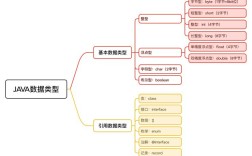
Type: This is a general term for any kind of data in Java. It can be a:
- Primitive type (
int,double,boolean) - Reference type (a class, an interface, an enum, an annotation, an array)
- Type variable (a generic parameter, like
TinList<T>) - Parameterized type (like
List<String>) - Wildcard type (like
? extends Number)
- Primitive type (
-
Class: This is a specific, concrete implementation of a reference type that you define in a
.javafile. When you compile your code, the Java compiler turns your class definition into aClassobject at runtime. (图片来源网络,侵删)
The java.lang.Class object is the gateway to reflection. It contains information about a specific class or interface, such as its methods, fields, constructors, and annotations.
So, "Java type to class" usually means: "Given a type, how do I get its corresponding Class object?"
The Main Method: .class
The most direct and common way to get a Class object is by appending .class to the type name.
For Primitive Types
For primitive types, you use the wrapper class's .TYPE field or, more simply, the primitive type followed by .class.

// Get the Class object for the int primitive type
Class<?> intClass = int.class;
System.out.println(intClass); // prints "int"
// This is the same as using the wrapper class's TYPE field
// Class<?> intClass2 = Integer.TYPE;
// System.out.println(intClass2); // also prints "int"
For Reference Types (Classes, Interfaces, Enums, Arrays)
For any reference type, you can simply append .class to its name.
// For a regular class
String myString = "hello";
Class<?> stringClass = String.class;
System.out.println(stringClass); // prints "class java.lang.String"
// For an interface
Class<?> listClass = List.class;
System.out.println(listClass); // prints "interface java.util.List"
// For an enum
Class<?> dayClass = Day.class; // enum Day { MONDAY, TUESDAY, ... }
System.out.println(dayClass); // prints "class Day"
// For an array
Class<?> stringArrayClass = String[].class;
System.out.println(stringArrayClass); // prints "class [Ljava.lang.String;" (e.g., [L = array of object reference)
For a Primitive Wrapper Class
This is just like a regular class.
Class<?> integerClass = Integer.class;
System.out.println(integerClass); // prints "class java.lang.Integer"
The Dynamic Method: Class.forName()
Sometimes, you don't have the type available at compile time. You might have its name as a String. In this case, you can use the static method Class.forName().
This method is the cornerstone of Java Reflection.
Important Note: The class name must be the fully qualified name (including its package).
// The name of the class as a String
String className = "java.util.ArrayList";
// Dynamically load the class
try {
    Class<?> listClass = Class.forName(className);
    // You can now use the Class object for reflection
    System.out.println("Successfully loaded class: " + listClass);
    System.out.println("Is it a List? " + java.util.List.class.isAssignableFrom(listClass));
} catch (ClassNotFoundException e) {
    System.err.println("Could not find the class: " + className);
}
Use Case: This is extremely useful in frameworks like Spring or JPA (Hibernate), where you might read a configuration file that specifies the name of a class to load and instantiate.
The Instance Method: .getClass()
If you have an instance of an object, you can call the .getClass() method on it to get its Class object.
String myString = "hello world";
// Get the Class object from an instance
Class<?> stringClass = myString.getClass();
System.out.println(stringClass); // prints "class java.lang.String"
System.out.println(stringClass == String.class); // prints "true" (they are the same object)
Important: Handling Generics (Parameterized Types)
This is where it gets tricky and a common point of confusion. Generics are a compile-time feature. At runtime, type information about generic parameters (like String in List<String>) is erased.
This means that List.class and List<String>.class are the same thing.
List<String> stringList = new ArrayList<>();
List<Integer> intList = new ArrayList<>();
// Both will be the same Class object
System.out.println(stringList.getClass()); // prints "class java.util.ArrayList"
System.out.println(intList.getClass());    // prints "class java.util.ArrayList"
System.out.println(stringList.getClass() == intList.getClass()); // prints "true"
// The following line will NOT compile!
// Class<List<String>> stringListClass = List<String>.class;
If you need to work with generic type information at runtime, you must use the java.lang.reflect package, specifically ParameterizedType.
Summary Table
| Your Goal | Method to Use | Example | Notes |
|---|---|---|---|
Get Class object when you know the type at compile time. |
.class syntax |
Class<?> c = String.class; |
The most common, safest, and most efficient method. |
Get Class object from an existing object instance. |
.getClass() method |
Class<?> c = myObject.getClass(); |
Useful when you only have a reference to an object. |
Get Class object from a String name at runtime. |
Class.forName() |
Class<?> c = Class.forName("java.util.Date"); |
Core of dynamic class loading. Can throw ClassNotFoundException. |
Get Class object for a primitive type. |
PrimitiveType.class |
Class<?> c = int.class; |
Works for all 8 primitive types. |