Of course! Handling JSON responses in Java is a fundamental task for any modern application that communicates with web services, APIs, or other systems. Here’s a comprehensive guide covering the most popular and effective methods.

The Big Picture: Why JSON in Java?
When a client (like a Java application) requests data from a server, the server often sends the data back in a structured format. JSON (JavaScript Object Notation) is the de facto standard for this because it's:
- Human-readable
- Lightweight (less data overhead than XML)
- Easy for machines to parse and generate
In Java, JSON doesn't have a built-in, native library. You need to use a third-party library to parse a JSON string into Java objects (deserialization) or convert Java objects into a JSON string (serialization).
Here are the most popular libraries, ranked by current popularity and community support:
- Jackson: The most widely used, powerful, and feature-rich library. It's the default choice for many frameworks (like Spring Boot).
- Gson: Developed by Google, it's extremely easy to use and very popular, especially for simpler use cases.
- org.json: A lightweight, simple library. Good for quick, one-off parsing tasks but less powerful than Jackson or Gson.
- JSON-P & JSON-B: These are Java EE standards (now Jakarta EE). JSON-P is for parsing/manipulating JSON objects, and JSON-B is for binding between JSON and Java objects. Jackson and Gson are generally preferred for their superior performance and features.
Method 1: Jackson (Recommended)
Jackson is the industry standard. It's fast, flexible, and deeply integrated into the Java ecosystem.
Step 1: Add the Dependency
If you're using a build tool like Maven, add this to your pom.xml:
<dependency>
    <groupId>com.fasterxml.jackson.core</groupId>
    <artifactId>jackson-databind</artifactId>
    <version>2.15.2</version> <!-- Use the latest version -->
</dependency>
Step 2: Create a Java Model Class
You need a Java class that mirrors the structure of your JSON. Jackson will map the JSON fields to the class fields.
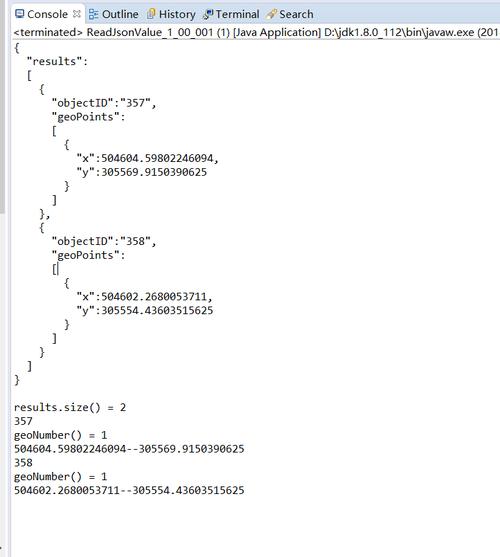
Let's say this is your JSON response:
{
  "userId": 1,
  "id": 101,: "Learning Java JSON",
  "completed": false
}
Create a corresponding Java class:
// Note: Field names must match the JSON keys (case-sensitive).
// You can use annotations for more control.
public class Todo {
    private int userId;
    private int id;
    private String title;
    private boolean completed;
    // Jackson requires a no-arg constructor to create an instance of the object.
    public Todo() {
    }
    // Getters and Setters are required for Jackson to access and set the fields.
    public int getUserId() { return userId; }
    public void setUserId(int userId) { this.userId = userId; }
    public int getId() { return id; }
    public void setId(int id) { this.id = id; }
    public String getTitle() { return title; }
    public void setTitle(String title) { this.title = title; }
    public boolean isCompleted() { return completed; }
    public void setCompleted(boolean completed) { this.completed = completed; }
    @Override
    public String toString() {
        return "Todo{" +
                "userId=" + userId +
                ", id=" + id +
                ", title='" + title + '\'' +
                ", completed=" + completed +
                '}';
    }
}
Step 3: Parse JSON to Java Object (Deserialization)
Use ObjectMapper to convert the JSON string into a Todo object.
import com.fasterxml.jackson.core.JsonProcessingException;
import com.fasterxml.jackson.databind.ObjectMapper;
public class JacksonExample {
    public static void main(String[] args) {
        String jsonResponse = "{\"userId\":1,\"id\":101,\"title\":\"Learning Java JSON\",\"completed\":false}";
        ObjectMapper objectMapper = new ObjectMapper();
        try {
            // The second argument tells Jackson to map the JSON to a Todo object.
            Todo todo = objectMapper.readValue(jsonResponse, Todo.class);
            // Now you can work with the Java object
            System.out.println("Title: " + todo.getTitle());
            System.out.println("Is Completed: " + todo.isCompleted());
            System.out.println("Full Object: " + todo);
        } catch (JsonProcessingException e) {
            System.err.println("Failed to parse JSON: " + e.getMessage());
            e.printStackTrace();
        }
    }
}
Step 4: Convert Java Object to JSON (Serialization)
It's just as easy to go the other way.
import com.fasterxml.jackson.core.JsonProcessingException;
import com.fasterxml.jackson.databind.ObjectMapper;
public class JacksonSerializationExample {
    public static void main(String[] args) {
        // Create a Java object
        Todo todo = new Todo();
        todo.setUserId(1);
        todo.setId(101);
        todo.setTitle("Learning Java JSON");
        todo.setCompleted(true);
        ObjectMapper objectMapper = new ObjectMapper();
        try {
            // Convert the Java object to a JSON string
            String jsonString = objectMapper.writeValueAsString(todo);
            System.out.println(jsonString);
        } catch (JsonProcessingException e) {
            System.err.println("Failed to serialize object: " + e.getMessage());
            e.printStackTrace();
        }
    }
}
Method 2: Gson (Google's Library)
Gson is another excellent choice, known for its simplicity.
Step 1: Add the Dependency
Maven:
<dependency>
    <groupId>com.google.code.gson</groupId>
    <artifactId>gson</artifactId>
    <version>2.10.1</version> <!-- Use the latest version -->
</dependency>
Step 2: Create the Java Model Class
The Todo class from the Jackson example works perfectly with Gson as well, as it follows standard Java Bean conventions (no-arg constructor, getters, setters).
Step 3: Parse JSON to Java Object (Deserialization)
import com.google.gson.Gson;
public class GsonExample {
    public static void main(String[] args) {
        String jsonResponse = "{\"userId\":1,\"id\":101,\"title\":\"Learning Java JSON\",\"completed\":false}";
        Gson gson = new Gson();
        // The second argument is the target class.
        Todo todo = gson.fromJson(jsonResponse, Todo.class);
        System.out.println("Title: " + todo.getTitle());
        System.out.println("Full Object: " + todo);
    }
}
Step 4: Convert Java Object to JSON (Serialization)
import com.google.gson.Gson;
public class GsonSerializationExample {
    public static void main(String[] args) {
        Todo todo = new Todo();
        todo.setUserId(1);
        todo.setId(101);
        todo.setTitle("Learning Java JSON");
        todo.setCompleted(true);
        Gson gson = new Gson();
        // Convert the Java object to a JSON string
        String jsonString = gson.toJson(todo);
        System.out.println(jsonString);
    }
}
Method 3: org.json (Lightweight)
This library is great if you don't want to create a full Java model class and just want to read values directly from a JSON string.
Step 1: Add the Dependency
Maven:
<dependency>
    <groupId>org.json</groupId>
    <artifactId>json</artifactId>
    <version>20251013</version> <!-- Use the latest version -->
</dependency>
Step 2: Parse JSON and Read Values
import org.json.JSONObject;
public class OrgJsonExample {
    public static void main(String[] args) {
        String jsonResponse = "{\"userId\":1,\"id\":101,\"title\":\"Learning Java JSON\",\"completed\":false}";
        // Create a JSONObject from the string
        JSONObject jsonObject = new JSONObject(jsonResponse);
        // Get values by key. You need to know the type (e.g., getString, getInt, getBoolean)
        int userId = jsonObject.getInt("userId");
        String title = jsonObject.getString("title");
        boolean completed = jsonObject.getBoolean("completed");
        System.out.println("User ID: " + userId);
        System.out.println("Title: " + title);
        System.out.println("Completed: " + completed);
    }
}
Handling JSON Arrays
What if your response is an array of objects?
JSON Response:
[
  {"userId":1,"id":1,"title":"delectus aut autem","completed":false},
  {"userId":1,"id":2,"title":"quis ut nam facilis et officia qui","completed":false}
]
With Jackson
You can use List<Todo>. Jackson is smart enough to handle this.
import com.fasterxml.jackson.core.type.TypeReference;
import com.fasterxml.jackson.databind.ObjectMapper;
import java.util.List;
public class JacksonArrayExample {
    public static void main(String[] args) {
        String jsonArrayResponse = "[{\"userId\":1,\"id\":1,\"title\":\"delectus aut autem\",\"completed\":false},{\"userId\":1,\"id\":2,\"title\":\"quis ut nam facilis et officia qui\",\"completed\":false}]";
        ObjectMapper objectMapper = new ObjectMapper();
        try {
            // Use TypeReference to tell Jackson to deserialize into a List of Todo objects
            List<Todo> todoList = objectMapper.readValue(jsonArrayResponse, new TypeReference<List<Todo>>() {});
            todoList.forEach(System.out::println);
        } catch (JsonProcessingException e) {
            e.printStackTrace();
        }
    }
}
With Gson
Gson handles this even more simply.
import com.google.gson.Gson;
import com.google.gson.reflect.TypeToken;
import java.lang.reflect.Type;
import java.util.List;
public class GsonArrayExample {
    public static void main(String[] args) {
        String jsonArrayResponse = "[{\"userId\":1,\"id\":1,\"title\":\"delectus aut autem\",\"completed\":false},{\"userId\":1,\"id\":2,\"title\":\"quis ut nam facilis et officia qui\",\"completed\":false}]";
        Gson gson = new Gson();
        Type listType = new TypeToken<List<Todo>>() {}.getType();
        List<Todo> todoList = gson.fromJson(jsonArrayResponse, listType);
        todoList.forEach(System.out::println);
    }
}
Summary and Recommendation
| Feature | Jackson | Gson | org.json |
|---|---|---|---|
| Ease of Use | Very Good | Excellent | Good (for simple tasks) |
| Performance | Excellent | Very Good | Good |
| Features | Most Powerful (Streaming, tree model, etc.) | Very Good | Basic |
| Ecosystem | Industry Standard, deeply integrated | Widely used, especially with Google | Niche, lightweight |
| Best For | Production applications, large projects, performance-critical systems. | Quick projects, simplicity-focused work, Google ecosystem. | Quick parsing, simple scripts, avoiding model classes. |
Final Recommendation:
- For any serious project, start with Jackson. It's the most robust, performant, and widely supported library.
- If you value absolute simplicity above all else and your project isn't performance-critical, Gson is a fantastic choice.
- Use
org.jsonfor quick-and-dirty tasks where you don't want the overhead of a full model class or a larger dependency.