在 Python 中,可以使用正则表达式来匹配回车符(\r),以下是几种常见的方法:
(图片来源网络,侵删)
直接匹配回车符 \r
回车符(Carriage Return, \r)在正则表达式中直接用 \r 表示:
import re
text = "Hello\rWorld"
pattern = r"\r"
matches = re.findall(pattern, text)
print(matches)  # 输出: ['\r']
匹配回车符或换行符(\r 或 \n)
如果需要匹配回车符 \r 或换行符 \n,可以使用字符集 [\r\n]:
text = "Line1\rLine2\nLine3"
pattern = r"[\r\n]"
matches = re.findall(pattern, text)
print(matches)  # 输出: ['\r', '\n']
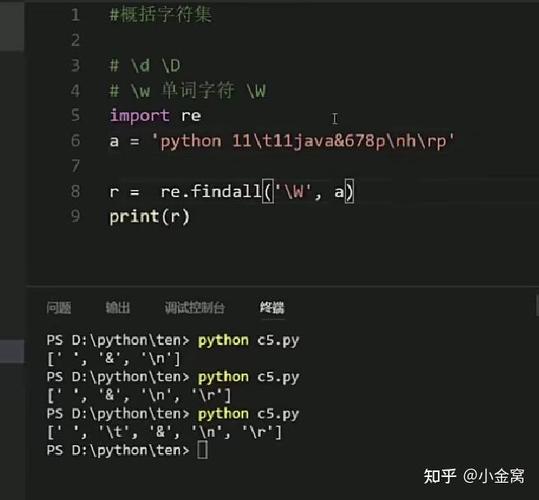
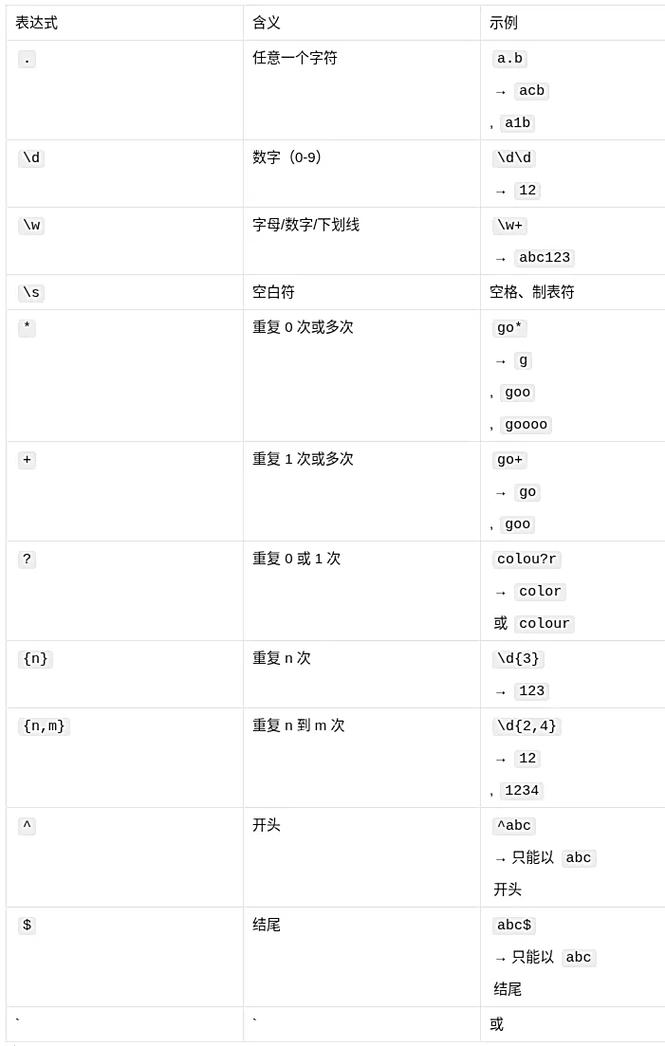
匹配任意空白字符(包括 \r、\n、\t 等)
如果需要匹配所有空白字符(包括回车、换行、制表符等),可以使用 \s:
text = "Hello\r\nWorld\tPython"
pattern = r"\s"
matches = re.findall(pattern, text)
print(matches)  # 输出: ['\r', '\n', '\t']
匹配 Windows 风格的换行符 \r\n
Windows 系统通常使用 \r\n 表示换行,可以显式匹配:
(图片来源网络,侵删)
text = "Line1\r\nLine2"
pattern = r"\r\n"
matches = re.findall(pattern, text)
print(matches)  # 输出: ['\r\n']
替换回车符
如果需要移除或替换回车符,可以使用 re.sub():
text = "Hello\rWorld"
cleaned_text = re.sub(r"\r", "", text)
print(cleaned_text)  # 输出: "HelloWorld"
注意事项
\r的含义:回车符(\r)会将光标移动到行首,而换行符(\n)会换到下一行,在 Windows 中,\r\n组合表示换行,而在 Unix/Linux 中仅用\n。- 正则表达式中的转义:在 Python 字符串中,
\r需要写成r"\r"(原始字符串)或"\\r"(转义字符),否则\r可能会被解释为其他控制字符。
示例:匹配并删除所有回车符
import re
text = "This is a test.\rAnother line.\nFinal line."
cleaned_text = re.sub(r"\r", "", text)
print(cleaned_text)
# 输出: "This is a test.Another line.\nFinal line."
| 需求 | 正则表达式 | 说明 |
|---|---|---|
匹配单个 \r |
\r |
直接匹配回车符 |
匹配 \r 或 \n |
[\r\n] |
匹配回车或换行 |
| 匹配所有空白字符 | \s |
包括 \r, \n, \t, \f 等 |
| 匹配 Windows 换行符 | \r\n |
匹配 \r\n 组合 |
| 删除回车符 | re.sub(r"\r", "", text) |
移除所有 \r |
根据具体需求选择合适的正则表达式即可。
(图片来源网络,侵删)