Of course! The toString() method is a fundamental concept in Java. Here’s a comprehensive breakdown covering what it is, why it's important, how to use it, and best practices.
What is toString()?
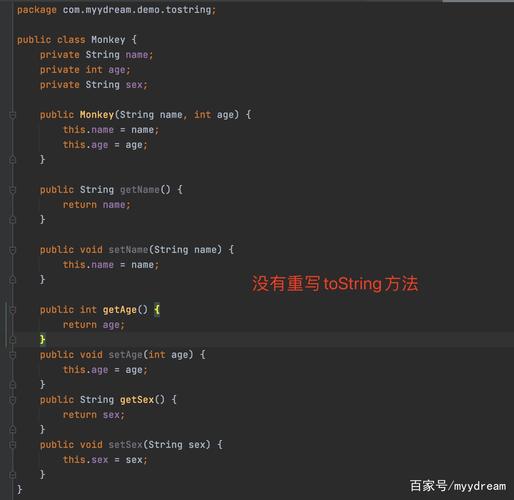
In Java, toString() is a method defined in the Object class, which is the root class for all classes in Java. This means every object in Java inherits a toString() method from Object.
The default implementation of toString() in the Object class returns a string that consists of:
- The name of the class (e.g.,
com.example.MyClass) - The '@' symbol
- The hexadecimal representation of the object's hash code (e.g.,
1a2b3c)
Example of the default behavior:
public class Person {
    private String name;
    private int age;
    public Person(String name, int age) {
        this.name = name;
        this.age = age;
    }
    public static void main(String[] args) {
        Person person = new Person("Alice", 30);
        // The default toString() is called implicitly
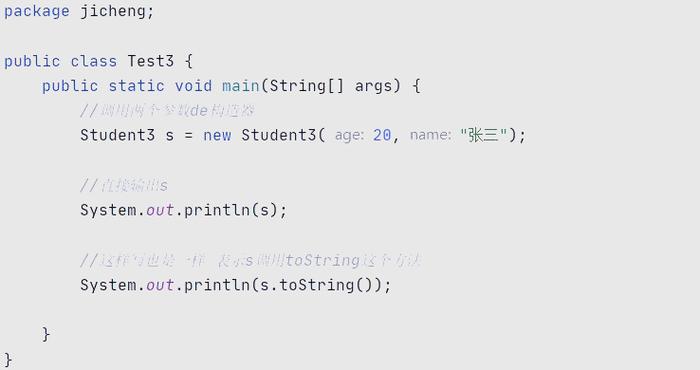
        System.out.println(person);
    }
}
Output:
Person@15db9742 // The exact hash code will varyThis default output is not very useful for humans. It tells us the class and a memory address, but nothing about the object's actual state (its data).
Why Override toString()?
You override the toString() method to provide a human-readable, meaningful string representation of your object. This is incredibly useful for:
- Debugging: When you print an object to the console, you see its actual values, which helps you understand its state.
- Logging: Logging frameworks often call
toString()automatically to log object information. - User Interfaces: Displaying object information in a UI.
- Testing: Asserting that an object has the expected state.
By overriding toString(), you control how your object is represented as a string.
How to Override toString()?
You override the method in your custom class. The signature must be exactly:
public String toString()
Inside the method, you construct and return a String that represents your object's state. The easiest and most recommended way to do this is by using string concatenation () or StringBuilder.
Example: Overriding toString() for the Person class
Let's improve the Person class by overriding toString().
public class Person {
    private String name;
    private int age;
    public Person(String name, int age) {
        this.name = name;
        this.age = age;
    }
    // Override the toString() method
    @Override
    public String toString() {
        return "Person[name=" + this.name + ", age=" + this.age + "]";
    }
    public static void main(String[] args) {
        Person person1 = new Person("Alice", 30);
        Person person2 = new Person("Bob", 25);
        // Now, when you print the object, your custom toString() is called!
        System.out.println(person1);
        System.out.println(person2);
    }
}
Output:
Person[name=Alice, age=30]
Person[name=Bob, age=25]
Notice the @Override annotation. This is a best practice. It tells the compiler that you intend to override a method from a superclass. If you make a typo in the method signature (e.g., public String toString), the compiler will give an error, preventing a subtle bug.
Modern Alternatives to Manual toString()
Manually writing toString() can be tedious and error-prone, especially for classes with many fields. Modern Java offers excellent alternatives.
a) Using StringBuilder
For complex objects or in performance-critical code, StringBuilder is more efficient than repeated string concatenation (), as it avoids creating multiple intermediate String objects.
@Override
public String toString() {
    return new StringBuilder()
        .append("Person[name=")
        .append(this.name)
        .append(", age=")
        .append(this.age)
        .append("]")
        .toString();
}
b) Using String.format()
This can make the code cleaner and more readable, especially for formatted output.
@Override
public String toString() {
    return String.format("Person[name=%s, age=%d]", this.name, this.age);
}
c) Using IDE Generation (Most Common)
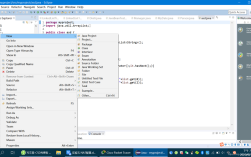
Most modern IDEs (IntelliJ IDEA, Eclipse, VS Code) can automatically generate a toString() method for you. This is the fastest and most reliable way.
In IntelliJ IDEA:
- Right-click inside your class.
- Go to
Generate...(or pressAlt + Insert). - Select
toString().
The IDE will generate a method like this:
@Override
public String toString() {
    return "Person{" +
           "name='" + name + '\'' +
           ", age=" + age +
           '}';
}
d) Using Lombok's @ToString Annotation
If you use the Lombok library, you can eliminate the boilerplate code entirely. Just add the @ToString annotation to your class.
Maven Dependency:
<dependency>
    <groupId>org.projectlombok</groupId>
    <artifactId>lombok</artifactId>
    <version>1.18.30</version>
    <scope>provided</scope>
</dependency>
Java Code:
import lombok.ToString;
@ToString // Lombok generates the toString() method for you!
public class Person {
    private String name;
    private int age;
    public Person(String name, int age) {
        this.name = name;
        this.age = age;
    }
    public static void main(String[] args) {
        Person person = new Person("Charlie", 40);
        System.out.println(person);
    }
}
Output:
Person(name=Charlie, age=40)Lombok is extremely popular in the Java community for reducing boilerplate.
Best Practices for toString()
- Be Informative: Include the most important fields that help identify the object's state.
- Be Consistent: The format should be predictable and easy to parse, both by humans and by machines (e.g., for logging).
- Handle
nullFields: If a field can benull, decide how to represent it. A common approach is to print"null"or use a placeholder like"N/A".return "Person[name=" + (this.name != null ? this.name : "null") + ... ]";
- Don't Include Sensitive Information: Never include passwords, credit card numbers, or other sensitive data in a
toString()method. This data can easily end up in logs or console output, creating a security risk. - Use
@Override: Always use this annotation to prevent typos. - Consider Performance: For objects that will be printed frequently or are part of a performance-critical path, be mindful of performance. However, for most applications, the simplicity of a manual or IDE-generated method is perfectly fine.
When is toString() Automatically Called?
You don't always have to call toString() explicitly. It's called automatically in several situations:
- In
System.out.println(obj): Theprintlnmethod callsobj.toString()internally to get the string representation to print. - In String Concatenation: When you use the operator with a string and any other object, Java automatically calls the object's
toString()method.System.out.println("My person is: " + person); // person.toString() is called - In Exception Messages: When you throw an exception with a message, the message is often built using
toString(). - In Logging: As mentioned, logging frameworks like SLF4J or Log4j call
toString()on objects passed to logging methods. - In Debuggers: When you inspect an object in a debugger, it often uses
toString()to display its value.