Of course! This is a very common point of confusion for people new to programming. The names are similar, but the technologies are fundamentally different.
(图片来源网络,侵删)
Here’s a breakdown of Java and JavaScript, comparing them on key points.
The Core Difference: An Analogy
Think of it like this:
- Java is like a Factory. It's a powerful, structured system for building large, independent applications (like cars or heavy machinery). These applications run on their own, often in a specialized environment (like the Java Virtual Machine - JVM).
- JavaScript is like the remote control for your Smart TV. It's designed to bring life and interactivity to an existing environment (a web page in a browser). It makes things happen on the screen in real-time.
At a Glance: Comparison Table
| Feature | Java | JavaScript |
|---|---|---|
| Primary Use | Building large-scale, backend enterprise applications, Android apps, and desktop software. | Making web pages interactive. The "third pillar" of web development (alongside HTML & CSS). |
| Type of Language | Compiled, Statically Typed | Interpreted, Dynamically Typed |
| Runtime Environment | Java Virtual Machine (JVM) | Web Browser Engine (e.g., V8 in Chrome), or Node.js (for server-side) |
| Paradigm | Object-Oriented Programming (OOP) is the primary focus. | Multi-paradigm: Supports OOP, but also functional and imperative styles. |
| Concurrency | Uses threads. Can be complex to manage. | Uses an Event Loop, which is non-blocking and highly efficient for I/O operations. |
| Performance | Generally faster for CPU-intensive tasks due to its Just-In-Time (JIT) compilation. | Very fast for web tasks. V8 compiles JS to native machine code for performance. |
| Syntax | Verbose and strict. Requires you to define data types for variables. | Concise and flexible. Data types are determined at runtime. |
| Platform Dependency | "Write once, run anywhere" (WORA). Compiled bytecode runs on any device with a JVM. | Runs in any modern web browser. With Node.js, it can run on a server. |
Detailed Breakdown
Java
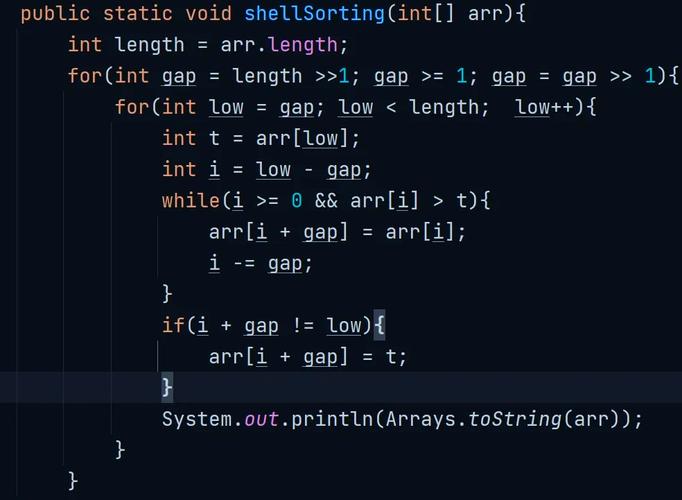
Java is a general-purpose, class-based, object-oriented programming language designed for portability and performance.
- How it Works: You write your code (
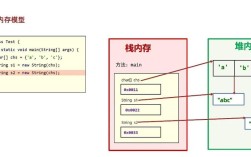
.javafiles). A compiler translates this human-readable code into bytecode (.classfiles). This bytecode is not machine code; it's a set of instructions for the Java Virtual Machine (JVM). The JVM is a program that runs on your operating system (Windows, macOS, Linux) and translates the bytecode into native machine code that your computer can execute. - Key Characteristics:
- Statically Typed: You must declare the data type of a variable (e.g.,
String name = "Alice";orint age = 30;). The compiler checks for type errors before you even run the code. - Verbose: You have to write more code to accomplish the same task compared to JavaScript. For example, you need to create a
mainmethod to start a program. - Strongly Object-Oriented: Almost everything in Java is an object. It's built around the concept of classes and objects.
- Statically Typed: You must declare the data type of a variable (e.g.,
- Where You'll Find It:
- Enterprise Backend: Massive systems like banking platforms, e-commerce sites, and financial services often use Java frameworks like Spring.
- Android Development: For many years, Java was the official language for building Android apps (though Kotlin is now the preferred choice).
- Desktop Applications: Some desktop applications, like parts of the IntelliJ IDEA editor, are written in Java.
- Big Data: Frameworks like Hadoop and Spark are heavily based on Java.
JavaScript
JavaScript is a high-level, interpreted programming language that is the language of the web.
(图片来源网络,侵删)
- How it Works: JavaScript code is typically included directly in an HTML file. When a user visits a webpage, the browser's JavaScript engine (like V8 in Chrome or SpiderMonkey in Firefox) reads the code line by line and executes it immediately. This is called interpretation. Modern engines also use a form of compilation (JIT) to speed things up.
- Key Characteristics:
- Dynamically Typed: You don't declare variable types. The type is determined based on the value assigned. (
let name = "Bob";can later becomename = 100;). This is flexible but can lead to runtime errors. - Concise: The syntax is simpler and less wordy than Java.
- Event-Driven: JavaScript is designed to react to events, like a user clicking a button, a form being submitted, or data being loaded from a server. This makes it perfect for interactivity.
- Runs Everywhere: Originally just for browsers, the creation of Node.js allowed JavaScript to be run on servers, opening up a world of possibilities for full-stack development.
- Dynamically Typed: You don't declare variable types. The type is determined based on the value assigned. (
- Where You'll Find It:
- Frontend Web Development: This is its home. It powers all interactive elements: validating forms, creating animations, updating content without reloading the page (AJAX), and building complex web applications (like Google Docs or Gmail).
- Backend Web Development: With Node.js and frameworks like Express.js or Next.js, you can build entire web servers and APIs with JavaScript.
- Mobile Apps: Frameworks like React Native and Ionic use JavaScript to build cross-platform mobile apps.
- Desktop Applications: Frameworks like Electron (used by VS Code, Slack, Discord) allow you to build desktop apps using web technologies.
Can They Work Together?
Yes! In fact, they often do in a modern web application.
Imagine an e-commerce website:
- Java (Backend): The server-side Java code (running on a server) handles the heavy lifting. It manages the product database, processes payments, and secures user data. It exposes an API (Application Programming Interface) that the frontend can talk to.
- JavaScript (Frontend): The JavaScript code running in the user's browser fetches product data from the Java backend's API. It then dynamically displays the products on the page. When you add an item to your cart, JavaScript sends that information to the Java backend to be saved.
Summary
| Java | JavaScript | |
|---|---|---|
| Relationship | None. They are completely separate languages with different histories and purposes. The name "JavaScript" was a marketing choice by Netscape to capitalize on Java's popularity. | |
| Core Philosophy | Build robust, scalable, independent applications. | Bring interactivity to web pages and run on any device with a browser. |
| Analogy | A Factory that builds cars. | The remote control that makes the TV smart. |
In short: Choose Java for building large, self-contained systems. Choose JavaScript for building anything that runs in a browser or needs to be interactive.
(图片来源网络,侵删)