Of course! In Python, the term "addhandler" is not a built-in keyword or function. It's a concept borrowed from other languages, most notably Java and JavaScript, where you "add an event handler" to an element (like a button click).
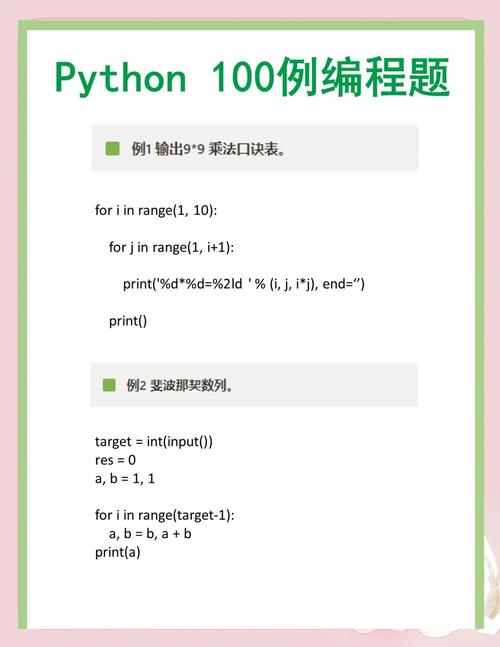
In Python, the same concept is achieved in several ways, depending on the context. The most common and Pythonic way is to use functions or methods as callbacks.
Let's break down the different scenarios where you would "add a handler" in Python.
The Core Concept: Callbacks
At its heart, "adding a handler" means telling a piece of code: "When a specific event happens, please run this other piece of code for me."
- The Event: Something that happens (e.g., a timer finishes, a button is clicked, data is received).
- The Handler (or Callback): The function you want to execute when the event happens.
You "add" the handler by passing the function as an argument to another function or method.
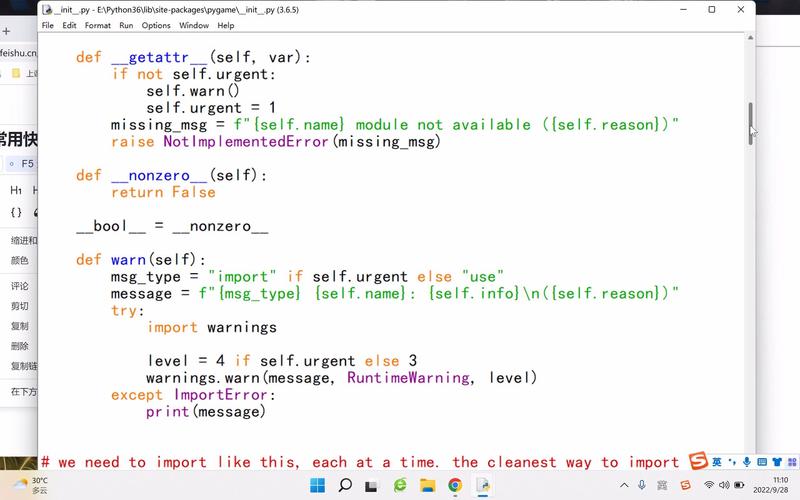
Simple Example: A Timer
Imagine you want to print a message after 2 seconds. The threading.Timer class is a perfect example.
import threading
import time
def my_handler():
    """This is our 'handler' function."""
    print("Hello! The 2-second timer has finished.")
print("Starting a 2-second timer...")
# 'Adding the handler': We pass the function `my_handler` to the Timer.
# The Timer will call `my_handler` after 2 seconds.
timer = threading.Timer(2.0, my_handler)
timer.start()
# The main program can continue doing other things
print("Main program is running...")
time.sleep(1)
print("Main program is still running...")
time.sleep(1.5)
print("Main program is done.")
# Output will be:
# Starting a 2-second timer...
# Main program is running...
# Main program is still running...
# Main program is done.
# Hello! The 2-second timer has finished. (This appears ~2 seconds after start)
GUI Programming (Adding Event Handlers)
This is where the "addhandler" concept is most directly relevant. You add a handler to a UI element (like a button) to respond to user actions.
Example using Tkinter (Python's built-in GUI library)
In Tkinter, you use the command option to specify which function to call when a widget is used.
import tkinter as tk
from tkinter import messagebox
# This function is our 'handler' for the button click
def handle_button_click():
    """This function runs when the button is clicked."""
    messagebox.showinfo("Hello!", "Button was clicked!")
# Create the main window
window = tk.Tk()
window.title("Handler Example")
window.geometry("300x200")
# Create a button and 'add the handler' using the 'command' option
# The button will call handle_button_click() when it's pressed.
action_button = tk.Button(
    window,
    text="Click Me!",
    command=handle_button_click, # <-- This is how you "add the handler"
    font=("Arial", 14)
)
action_button.pack(pady=50)
# Run the application
window.mainloop()
When you click the "Click Me!" button, the handle_button_click function is automatically executed.
Example using PyQt (a popular third-party GUI library)
PyQt uses a different syntax, connecting signals to slots (which can be methods).
import sys
from PyQt5.QtWidgets import QApplication, QWidget, QPushButton, QVBoxLayout, QMessageBox
class MyWindow(QWidget):
    def __init__(self):
        super().__init__()
        self.initUI()
    def initUI(self):
        self.setWindowTitle("PyQt Handler Example")
        self.setGeometry(300, 300, 300, 200)
        # Create a button
        self.button = QPushButton('Click Me', self)
        # 'Add the handler' by connecting the button's 'clicked' signal
        # to our custom 'handle_click' method (the slot).
        self.button.clicked.connect(self.handle_click)
        layout = QVBoxLayout()
        layout.addWidget(self.button)
        self.setLayout(layout)
    # This is our handler method (the slot)
    def handle_click(self):
        QMessageBox.information(self, 'Hello!', 'Button was clicked!')
if __name__ == '__main__':
    app = QApplication(sys.argv)
    window = MyWindow()
    window.show()
    sys.exit(app.exec_())
Web Frameworks (Adding Request Handlers)
In web development, you "add a handler" by defining a function that responds to a specific URL (a route).
Example using Flask (a lightweight web framework)
In Flask, you use decorators to map a URL to a handler function.
from flask import Flask
app = Flask(__name__)
# 'Add the handler' for the root URL '/'
# When a user visits the homepage, the home_page function is called.
@app.route('/')
def home_page():
    return "<h1>Welcome to the Homepage!</h1>"
# 'Add the handler' for the '/about' URL
@app.route('/about')
def about_page():
    return "<h1>About this site</h1>"
# 'Add the handler' for dynamic URLs, like /user/John
@app.route('/user/<username>')
def show_user_profile(username):
    return f'<h1>Profile for {username}</h1>'
if __name__ == '__main__':
    app.run(debug=True)
Asynchronous Programming (Adding Callbacks)
When you make an asynchronous request, you provide a handler (a callback) to process the result once it's ready.
Example using requests with a callback
This is a simulated example. The requests library itself is synchronous, but we can simulate the pattern.
import requests
import time
def handle_api_response(response):
    """This is our handler for the API response."""
    if response.status_code == 200:
        data = response.json()
        print(f"Handler: Received data - {data['message']}")
    else:
        print("Handler: Failed to get data.")
def fetch_data(url, callback):
    """Simulates an async request. In a real async library, this would be non-blocking."""
    print(f"Fetching data from {url}...")
    time.sleep(2) # Simulate network delay
    # Mock a successful response
    mock_response = type('MockResponse', (object,), {
        'status_code': 200,
        'json': lambda: {'message': 'Hello from the server!'}
    })()
    # Call the 'handler' with the response
    callback(mock_response)
# --- Main Program ---
print("Starting the process...")
fetch_data("https://api.example.com/data", handle_api_response)
print("Request sent. Main program is not blocked.")
# Output:
# Starting the process...
# Fetching data from https://api.example.com/data...
# Request sent. Main program is not blocked.
# (after 2 seconds)
# Handler: Received data - Hello from the server!
Summary: How to "Add a Handler" in Python
| Context | How it's Done | Example |
|---|---|---|
| General Concept | Pass a function as an argument (a callback). | my_timer = Timer(2.0, my_function) |
| GUI (Tkinter) | Use the command option of a widget. |
button = Button(..., command=my_handler) |
| GUI (PyQt) | Connect a signal to a slot (method). |
button.clicked.connect(my_handler) |
| Web (Flask) | Use a decorator to map a URL to a function. | @app.route('/url') def handler(): ... |
| Async I/O | Pass a callback function to an async function. | fetch_data(url, my_callback_handler) |
So, while there's no single addhandler function, the principle of assigning a function to respond to an event is fundamental and widespread in Python. You just use the language's built-in features to do it.