Of course! Let's dive deep into JSONObject in Java. It's a fundamental class for working with JSON data.
What is a JSONObject?
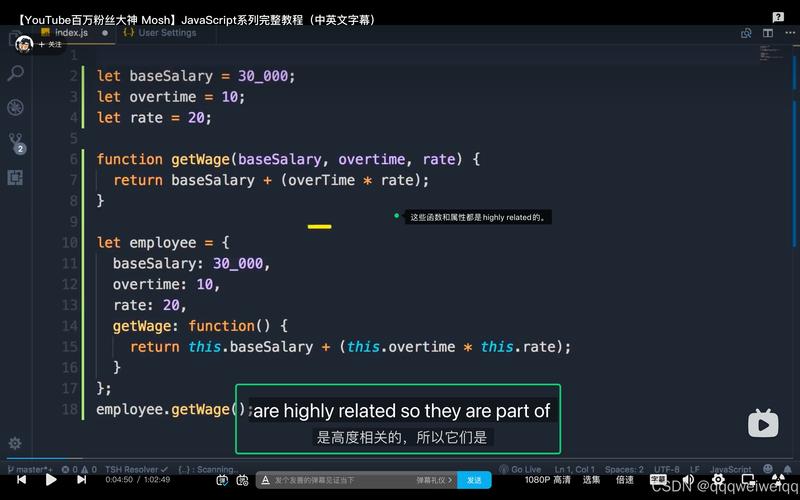
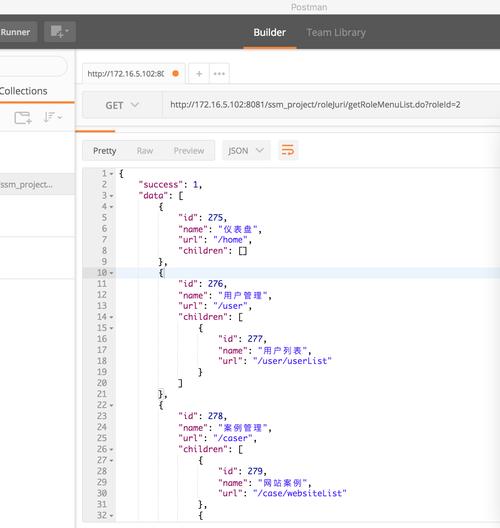
A JSONObject is a Java representation of a JSON object. In JSON, an object is an unordered collection of key/value pairs, enclosed in curly braces . The keys are strings, and the values can be strings, numbers, booleans, other JSON objects, arrays, or null.
The org.json.JSONObject class is part of the popular org.json library, created by Douglas Crockford. It's a simple, lightweight library for parsing and generating JSON.
How to Add the org.json Library
First, you need to include the library in your project. The most common way is with Maven or Gradle.
Maven (pom.xml)
<dependency>
    <groupId>org.json</groupId>
    <artifactId>json</artifactId>
    <version>20251013</version> <!-- Use the latest version -->
</dependency>
Gradle (build.gradle)
implementation 'org.json:json:20251013' // Use the latest version
Creating a JSONObject
You can create a JSONObject in several ways.
a) Create an Empty Object and Add Data
You can add various types of data using methods like put(), append(), etc.
import org.json.JSONObject;
public class CreateJSONObjectExample {
    public static void main(String[] args) {
        // Create an empty JSONObject
        JSONObject user = new JSONObject();
        // Add key-value pairs
        user.put("name", "Alice");
        user.put("age", 30);
        user.put("isStudent", false);
        user.put("balance", 1250.75);
        // Add a nested JSONObject
        JSONObject address = new JSONObject();
        address.put("street", "123 Main St");
        address.put("city", "Wonderland");
        user.put("address", address);
        // Add a JSONArray
        user.append("hobbies", "Reading");
        user.append("hobbies", "Hiking");
        // Print the JSON string
        System.out.println(user.toString(2)); // The '2' adds indentation for pretty printing
    }
}
Output:
{
  "name": "Alice",
  "age": 30,
  "isStudent": false,
  "balance": 1250.75,
  "address": {
    "street": "123 Main St",
    "city": "Wonderland"
  },
  "hobbies": [
    "Reading",
    "Hiking"
  ]
}
b) Create from a JSON String
You can parse a JSON string directly into a JSONObject.
import org.json.JSONObject;
public class CreateFromStringExample {
    public static void main(String[] args) {
        String jsonString = "{\"name\":\"Bob\",\"age\":25,\"city\":\"New York\"}";
        // Parse the string into a JSONObject
        JSONObject person = new JSONObject(jsonString);
        // Access data
        System.out.println("Name: " + person.getString("name"));
        System.out.println("Age: " + person.getInt("age"));
    }
}
c) Create from a Map
A JSONObject can be initialized from a Java Map.
import org.json.JSONObject;
import java.util.HashMap;
import java.util.Map;
public class CreateFromMapExample {
    public static void main(String[] args) {
        Map<String, Object> dataMap = new HashMap<>();
        dataMap.put("productId", "A-101");
        dataMap.put("price", 99.99);
        dataMap.put("inStock", true);
        // Create JSONObject from the map
        JSONObject product = new JSONObject(dataMap);
        System.out.println(product);
    }
}
Accessing Data from a JSONObject
The JSONObject provides type-specific getter methods to retrieve values.
| Method | Description | Example |
|---|---|---|
getString(String key) |
Gets the value as a String. |
String name = obj.getString("name"); |
getInt(String key) |
Gets the value as an int. |
int age = obj.getInt("age"); |
getLong(String key) |
Gets the value as a long. |
long id = obj.getLong("id"); |
getDouble(String key) |
Gets the value as a double. |
double price = obj.getDouble("price"); |
getBoolean(String key) |
Gets the value as a boolean. |
boolean active = obj.getBoolean("active"); |
getJSONObject(String key) |
Gets the value as another JSONObject. |
JSONObject addr = obj.getJSONObject("address"); |
getJSONArray(String key) |
Gets the value as a JSONArray. |
JSONArray hobbies = obj.getJSONArray("hobbies"); |
opt... methods |
Safe getters. Return a default value (or null) if the key doesn't exist, instead of throwing an exception. |
String name = obj.optString("name", "Guest"); |
Example:
import org.json.JSONObject;
public class AccessDataExample {
    public static void main(String[] args) {
        String jsonString = "{\"name\":\"Charlie\",\"age\":42,\"address\":{\"city\":\"London\"},\"skills\":[\"Java\",\"Python\"]}";
        JSONObject data = new JSONObject(jsonString);
        // Standard getters (throws exception if key is missing)
        String name = data.getString("name");
        System.out.println("Name: " + name);
        // Safe getters (opt...)
        String country = data.optString("country", "Unknown"); // Key doesn't exist
        System.out.println("Country: " + country);
        // Getting nested objects and arrays
        JSONObject address = data.getJSONObject("address");
        String city = address.getString("city");
        System.out.println("City: " + city);
        org.json.JSONArray skills = data.getJSONArray("skills");
        System.out.print("Skills: ");
        for (int i = 0; i < skills.length(); i++) {
            System.out.print(skills.getString(i) + " ");
        }
    }
}
Modifying a JSONObject
You can modify data using the put() method, which overwrites existing keys and adds new ones.
import org.json.JSONObject;
public class ModifyJSONObjectExample {
    public static void main(String[] args) {
        JSONObject user = new JSONObject();
        user.put("name", "David");
        // Overwrite an existing value
        user.put("age", 28); // Was not there, now it is.
        // Add a new key-value pair
        user.put("email", "david@example.com");
        System.out.println("After modification:\n" + user.toString(2));
    }
}
Iterating Over a JSONObject
To get all the keys in a JSONObject, use the keys() method, which returns an Iterator<String>.
import org.json.JSONObject;
import java.util.Iterator;
public class IterateJSONObjectExample {
    public static void main(String[] args) {
        JSONObject data = new JSONObject("{\"name\":\"Eve\",\"age\":35,\"status\":\"Active\"}");
        System.out.println("Iterating over keys:");
        Iterator<String> keys = data.keys();
        while (keys.hasNext()) {
            String key = keys.next();
            Object value = data.get(key);
            System.out.println("Key: " + key + ", Value: " + value + ", Type: " + value.getClass().getSimpleName());
        }
    }
}
Common Pitfalls and Best Practices
a) NullPointerException vs. JSONException
-
JSONException: Thrown if you try to get a value using a type-specific getter (e.g.,getInt()) and the value in the JSON is not of that type (e.g., it's a string).// This will throw a JSONException JSONObject obj = new JSONObject("{\"name\":\"Frank\"}"); int age = obj.getInt("name"); // Fails because "name" is a string, not an int. -
NullPointerException: Thrown if you try to access a key that doesn't exist (unless you use theopt...methods).// This will throw a JSONException because the key is missing JSONObject obj = new JSONObject("{\"name\":\"Frank\"}"); int age = obj.getInt("age"); // Throws org.json.JSONException: JSONObject["age"] not found.
Best Practice: Use opt... methods when a key might be optional. This makes your code more robust.
// Safe way to get an optional integer
int age = obj.optInt("age", 0); // Returns 0 if "age" is missing or not a number
b) Choosing the Right Library
While org.json is simple, other libraries like Jackson and Gson are more powerful and widely used in enterprise applications, especially with frameworks like Spring Boot.
| Feature | org.json |
Jackson | Gson |
|---|---|---|---|
| Simplicity | Excellent. Very easy to use for basic tasks. | Good, but has a steeper learning curve. | Good, very similar to Jackson. |
| Performance | Good. | Excellent. Generally the fastest. | Very Good. |
| Flexibility | Basic. | Excellent. Highly configurable (annotations, custom serializers). | Excellent. Also highly configurable. |
| Ecosystem | Standalone. | Industry Standard. Deep integration with Java & Spring. | Industry Standard. Deep integration with Java & Android. |
When to use org.json:
- For small, simple projects.
- When you need a quick and lightweight solution without complex dependencies.
- For learning the basics of JSON manipulation.
When to use Jackson/Gson:
- In large, enterprise-level applications.
- When you need to map JSON directly to Java POJOs (Plain Old Java Objects) with annotations (
@JsonProperty,@JsonIgnore). - When performance is critical.
- When working with REST APIs (like in Spring Boot, which uses Jackson by default).