Of course! The term "getelement" is most famously associated with JavaScript's document.getElementById(). In Python, there isn't a single built-in function with that exact name, but the concept of "getting an element" is fundamental and done in several ways depending on the context.
Here’s a breakdown of the most common scenarios, from the most direct equivalent to other important use cases.
The Closest Equivalent: Getting an Element from a List or Tuple
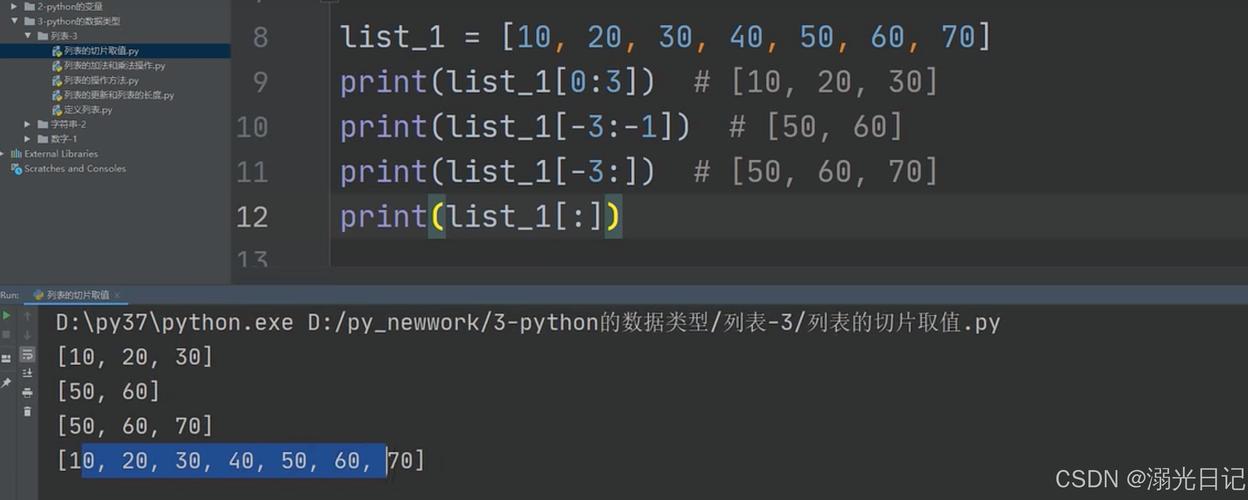
If you have a collection (like a list or tuple) and you want to get an element by its index (position), you use square brackets []. This is the most common and direct way to "get an element" in Python.
# A list of elements
my_list = ['apple', 'banana', 'cherry', 'date']
# Get the element at index 1 (lists are zero-indexed)
element = my_list[1]
print(element)
# Output: banana
# You can also use negative indices to count from the end
last_element = my_list[-1]
print(last_element)
# Output: date
Key Point: If you try to access an index that doesn't exist, Python will raise an IndexError.
# This will cause an error
# element = my_list[10] # IndexError: list index out of range
The "Pythonic" and Safe Way: .get() for Dictionaries
When working with dictionaries, you often want to get a value associated with a specific key. Using square brackets [] will raise a KeyError if the key doesn't exist.
The safer, more "Pythonic" way is to use the .get() method. It returns None (or a default value you specify) if the key is not found, preventing your program from crashing.
# A dictionary mapping keys to values
user_info = {
    'name': 'Alice',
    'age': 30,
    'city': 'New York'
}
# --- Using square brackets (risky) ---
# print(user_info['job']) # KeyError: 'job'
# --- Using .get() (safe) ---
# Get a key that exists
job = user_info.get('job') # Returns None because 'job' is not a key
print(f"Alice's job is: {job}")
# Output: Alice's job is: None
# Get a key that exists
name = user_info.get('name')
print(f"User's name is: {name}")
# Output: User's name is: Alice
# Get a key that doesn't exist, but provide a default value
country = user_info.get('country', 'USA')
print(f"User's country is: {country}")
# Output: User's country is: USA
Getting Elements from Complex Data: XML
If you're working with XML files, the term "getelement" makes a lot of sense. The standard library xml.etree.ElementTree is used for this. It has methods like .find() and .findall() which are very similar in spirit to getElementById.
Let's say you have an XML file data.xml:
<root>
  <user id="u1">
    <name>Charlie</name>
    <email>charlie@example.com</email>
  </user>
  <user id="u2">
    <name>Diana</name>
    <email>diana@example.com</email>
  </user>
</root>
Here's how you'd "get an element" from it:
import xml.etree.ElementTree as ET
tree = ET.parse('data.xml')
root = tree.getroot()
# Find the FIRST element with a specific tag
# This is like a simple "getElementByName"
first_user = root.find('user')
print(f"Found first user with tag: {first_user.tag}")
# Output: Found first user with tag: user
# Find a child element *within* the found element
name_element = first_user.find('name')
print(f"Name of the first user: {name_element.text}")
# Output: Name of the first user: Charlie
# To simulate "getElementById", you need to use a predicate
# We find the 'user' element that has an 'id' attribute equal to 'u2'
user_diana = root.find(".//user[@id='u2']")
print(f"Found user with id 'u2': {user_diana.find('name').text}")
# Output: Found user with id 'u2': Diana
# Find ALL elements with a specific tag
all_users = root.findall('user')
print(f"\nFound {len(all_users)} users in total.")
for user in all_users:
    print(f" - User: {user.find('name').text}")
Getting Elements from the Web: HTML (Web Scraping)
This is where the JavaScript analogy is strongest. If you want to get an element from a webpage's HTML, you use a library like BeautifulSoup.
Let's say you have this HTML:
<html>
  <body>
    <h1 id="main-title">Welcome to the Page</h1>
    <p class="intro">This is a paragraph.</p>
    <a href="https://python.org">Python's Website</a>
  </body>
</html>
Here's how you'd use BeautifulSoup to "get an element":
# First, you need to install it: pip install beautifulsoup4
from bs4 import BeautifulSoup
html_doc = """
<html>
  <body>
    <h1 id="main-title">Welcome to the Page</h1>
    <p class="intro">This is a paragraph.</p>
    <a href="https://python.org">Python's Website</a>
  </body>
</html>
"""
soup = BeautifulSoup(html_doc, 'html.parser')
# --- Get an element by ID (the direct equivalent of getElementById) ---
# The '#' prefix in CSS selectors means 'by ID'element = soup.select_one('#main-title')
print(f"Element by ID: {title_element.name} -> {title_element.text}")
# Output: Element by ID: h1 -> Welcome to the Page
# --- Get an element by its tag name ---
# This finds the FIRST <a> tag
link_element = soup.find('a')
print(f"Element by tag: {link_element.name} -> {link_element['href']}")
# Output: Element by tag: a -> https://python.org
# --- Get elements by CSS class ---
# The '.' prefix in CSS selectors means 'by class'
# find_all() returns a list of all matching elements
paragraphs = soup.find_all('p', class_='intro')
print(f"\nFound {len(paragraphs)} element(s) with class 'intro':")
for p in paragraphs:
    print(f" - Text: {p.text}")
# Output:
# Found 1 element(s) with class 'intro':
#  - Text: This is a paragraph.
Summary Table
| Context | What you have | What you want | Pythonic Solution | Analogy to JavaScript |
|---|---|---|---|---|
| Lists/Tuples | A sequence of items | An item at a specific position (index) | my_list[1] |
myArray[1] |
| Dictionaries | A mapping of keys to values | A value for a specific key | my_dict.get('key') |
myObject.key or myObject['key'] |
| XML | An XML tree | An element with a specific tag or ID | root.find(".//element[@id='x']) |
document.getElementById('x') |
| HTML | An HTML document | An element with a specific tag, ID, or class | soup.select_one('#my-id') |
document.getElementById('my-id') |
In short, to answer "how do I getelement in Python?", you first need to ask: "What kind of element and from where?" The answer will guide you to the correct Python tool.