Of course! Let's break down Java FineReport in a comprehensive way.
What is Java FineReport?
In simple terms, FineReport is a powerful enterprise-level reporting and business intelligence (BI) tool developed by the Chinese company Fanruan. Its primary purpose is to help organizations create, manage, and distribute a wide variety of reports.
The "Java" part is crucial because FineReport is 100% Java-based. This means it's not just a reporting tool that can be used with Java applications; it is a Java application itself. This deep integration with the Java ecosystem is one of its biggest strengths.
Core Concepts & Key Features
FineReport is more than just a drag-and-drop report designer. It's a complete platform. Here are its core features:
The Report Designer (The Heart of FineReport)
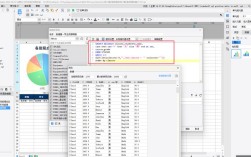
This is the desktop application where report creators (developers, analysts) design reports. It's a powerful WYSIWYG (What You See Is What You Get) designer.
- Drag-and-Drop Interface: Intuitive for creating complex layouts.
- Multiple Report Types: Supports various report styles to fit different business needs.
- Data Connection: Easily connects to a wide range of data sources (see below).
- Formula/Scripting: A powerful formula editor and JavaScript-based event scripting for calculations and dynamic behavior.
Rich Report Types
FineReport isn't limited to simple tables. It can create virtually any type of business report:
- List Report: The most common type, like a table or a formatted list of data.
- Group Report: Data grouped by categories (e.g., sales by region, sales by product).
- Crosstab Report: A pivot table for analyzing data across multiple dimensions.
- Chart Report: Integrates various charts (bar, line, pie, scatter, etc.) into reports.
- Composite Report: Combines multiple sub-reports (lists, charts, images) into a single, cohesive dashboard.
- Parameter Report: Interactive reports where users can input parameters (like date ranges, product IDs) to filter the data on the fly.
Powerful Data Integration
This is where the "Java" aspect shines. FineReport can connect to numerous data sources out-of-the-box:
- Databases: JDBC connections to all major relational databases (Oracle, MySQL, SQL Server, PostgreSQL, etc.).
- NoSQL: MongoDB, Redis.
- Data APIs: RESTful APIs, SOAP Web Services.
- Big Data: Hadoop Hive, Spark.
- File-based: Excel, TXT, CSV.
- OLAP: Supports connections to OLAP servers like Microsoft Analysis Services.
Web-Based Deployment & Viewing
Once a report is designed, it's deployed to a Web Application Server (like Tomcat, JBoss, or WebLogic). Users then view and interact with these reports through a standard web browser.
Strong Java Integration (This is a key differentiator)
This is what makes it a favorite for enterprise Java applications.
- Embedding Reports: You can embed FineReport reports directly into your Java web application (e.g., a Spring Boot or Struts app). The reports appear as if they are a native part of your application.
- APIs for Control: FineReport provides a rich set of Java APIs that allow you to:
- Programmatically load and execute reports.
- Pass parameters to reports from your Java code.
- Export reports to various formats (PDF, Excel, Word, HTML) on the server-side.
- Control the report viewer's behavior.
- Event Listeners: You can write Java code that responds to report events (e.g.,
onBeforeGenerate,onAfterGenerate) to perform custom logic, such as logging, modifying data, or triggering other business processes.
Security and Permissions
FineReport has a robust, role-based security system. You can control who can see which reports, what data they can access (even down to the row and column level), and what actions they can perform (view, export, print).
Scheduling and Distribution
You can schedule reports to be generated automatically at specific times (e.g., every morning at 8 AM) and then distributed via email or saved to a network folder.
How Does It Work? (A Simple Workflow)
- Design: A report developer uses the FineReport Designer desktop application to connect to a database and design a report by dragging fields, setting layouts, and writing formulas.
- Deploy: The designed report is saved and deployed to the FineReport server, which runs on a Java application server like Tomcat.
- Access: A user opens a web browser, navigates to the FineReport URL, logs in, and sees the report in their portal.
- Interact: The user can interact with the report (e.g., change a date parameter, drill down on a chart).
- Integrate (Optional): Alternatively, a user in a Java enterprise application might click a button that calls a Java method. This method uses the FineReport API to load the same report, pass a specific customer ID as a parameter, and display the result within the application's UI.
FineReport vs. Other Tools
| Feature | FineReport | JasperReports | Tableau / Power BI |
|---|---|---|---|
| Primary Focus | Embeddable Reporting & BI | Embeddable Reporting Engine | Interactive Data Visualization & Exploration |
| Deployment | Primarily a standalone server or embedded in Java apps. | A library you embed into your own Java app. | Primarily a cloud/SaaS or on-premise analytics server. |
| Ease of Use | Designer is powerful but can have a learning curve. | Very low-level; requires significant Java coding. | Extremely easy for drag-and-drop visual analytics. |
| Java Integration | Excellent & Native. It's a Java platform designed for this. | Excellent & Native. It's a Java library. | Poor. You can export data, but embedding is not its strength. |
| Output Formats | PDF, Excel, Word, HTML, PPT, Image, etc. | PDF, Excel, HTML, CSV, XML, etc. | Interactive dashboards, images, PDF exports. |
| Licensing | Commercial (Perpetual or Subscription) | Open Source (AGPL) / Commercial (Professional) | Commercial (Subscription-based) |
In short:
- Choose FineReport if you need powerful, pixel-perfect reports (especially for printing) and want to deeply embed them into a Java EE or Spring-based application with minimal fuss.
- Choose JasperReports if you need a pure Java library for reporting and want to build the entire reporting UI and process yourself.
- Choose Tableau/Power BI if your primary goal is self-service BI, ad-hoc data exploration, and creating beautiful, interactive visualizations for a broad audience.
Pros and Cons
Pros
- Deep Java Integration: The best-in-class for embedding reports in Java applications.
- Powerful and Flexible: Can handle very complex report layouts and calculations.
- Comprehensive Feature Set: Covers everything from simple lists to interactive dashboards and scheduling.
- Good Performance: Especially for server-side report generation and export.
- Strong in China: Has a large user base and excellent support in the Chinese market.
Cons
- Steep Learning Curve: The designer is very feature-rich and can be overwhelming for new users.
- Proprietary & Cost: It's a commercial product with licensing costs, which can be high for large enterprises.
- UI Feel: The web interface, while functional, can sometimes feel less modern than dedicated analytics tools like Tableau.
- Java-Centric: While it can connect to many data sources, its entire architecture is built around the Java/J2EE world.
Conclusion
Java FineReport is a top-tier enterprise reporting solution that excels in environments where deep integration with existing Java applications is a requirement. It bridges the gap between traditional, pixel-perfect operational reporting and modern interactive dashboards. If your organization is built on Java and needs reliable, embeddable, and powerful reports, FineReport is an excellent and robust choice to consider.