Of course! This is a very common and powerful combination in web scraping and data extraction. Here’s a comprehensive guide covering how to use Java to parse HTML with XPath.
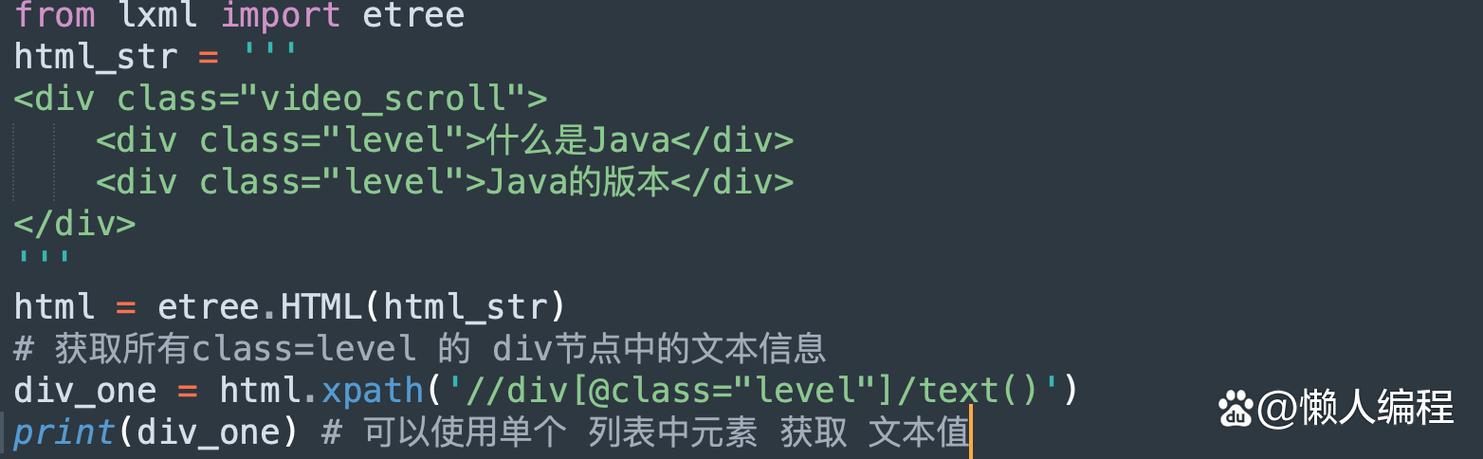
We'll use the popular Jsoup library for HTML parsing and then apply XPath expressions to the parsed document.
Why Use Java + XPath for HTML?
- XPath Power: XPath is a powerful query language designed for selecting nodes from an XML (and by extension, HTML) document. It's much more expressive and flexible than CSS selectors for complex queries.
- Java's Robustness: Java is a stable, platform-independent language, making it ideal for building reliable, long-running scraping applications or backend services.
- Jsoup's Simplicity: Jsoup is a fantastic library that parses HTML into a Document Object Model (DOM), which can then be queried using both CSS selectors and XPath.
Step 1: Setup Your Java Project
First, you need to add the Jsoup library to your project. If you're using a build tool like Maven or Gradle, it's very easy.
Using Maven (pom.xml)
Add this dependency to your pom.xml file:
<dependencies>
    <dependency>
        <groupId>org.jsoup</groupId>
        <artifactId>jsoup</artifactId>
        <version>1.17.2</version> <!-- Check for the latest version -->
    </dependency>
</dependencies>
Using Gradle (build.gradle)
Add this dependency to your build.gradle file:

dependencies {
    implementation 'org.jsoup:jsoup:1.17.2' // Check for the latest version
}
Step 2: Load and Parse HTML
The first step is to get the HTML content and parse it into a Jsoup Document object. You can do this from a URL, a file, or a string.
import org.jsoup.Jsoup;
import org.jsoup.nodes.Document;
import java.io.IOException;
public class HtmlParser {
    public static void main(String[] args) {
        String url = "https://en.wikipedia.org/wiki/Main_Page";
        try {
            // 1. Fetch and parse the HTML from a URL
            Document doc = Jsoup.connect(url)
                                .userAgent("Mozilla/5.0") // Set a user-agent to avoid being blocked
                                .get();
            // You can also parse from a string or a file
            // String html = "<html><head><title>My Title</title></head><body><p>Hello, world!</p></body></html>";
            // Document docFromString = Jsoup.parse(html);
            System.out.println("Title: " + doc.title());
        } catch (IOException e) {
            e.printStackTrace();
        }
    }
}
Step 3: Using XPath to Query the Document
This is the core of the process. Jsoup doesn't have a built-in XPath engine. Instead, we use a library that can evaluate XPath expressions on a Jsoup Document.
A great, lightweight library for this is **jsoup-xpath`.
Setup jsoup-xpath
Add this dependency to your pom.xml:
<dependencies>
    <!-- Jsoup for HTML parsing -->
    <dependency>
        <groupId>org.jsoup</groupId>
        <artifactId>jsoup</artifactId>
        <version>1.17.2</version>
    </dependency>
    <!-- Jsoup-XPath for XPath support -->
    <dependency>
        <groupId>cn.wanghaomiao</groupId>
        <artifactId>jsoup-xpath</artifactId>
        <version>2.3.2</version> <!-- Check for the latest version -->
    </dependency>
</dependencies>
How to Use JsoupXpath
The main class is JsoupXpath. You call its select() method, passing in your XPath expression and the Jsoup Document.
Let's use a sample HTML string for our examples:
<!DOCTYPE html>
<html>
<head>Sample Page</title>
</head>
<body>
    <h1>Welcome to the Page</h1>
    <div id="content">
        <p class="main-paragraph">This is the first paragraph.</p>
        <p class="main-paragraph">This is the second paragraph with a <a href="https://example.com">link</a>.</p>
    </div>
    <ul class="items">
        <li>Item 1</li>
        <li>Item 2</li>
        <li>Item 3</li>
    </ul>
</body>
</html>
Example Code with XPath Queries
import cn.wanghaomiao.xpath.model.JXDocument;
import cn.wanghaomiao.xpath.model.JXNode;
import org.jsoup.Jsoup;
import org.jsoup.nodes.Document;
import java.util.List;
public class XPathExample {
    public static void main(String[] args) {
        String html = "<!DOCTYPE html><html><head><title>Sample Page</title></head>" +
                       "<body><h1>Welcome to the Page</h1>" +
                       "<div id=\"content\"><p class=\"main-paragraph\">This is the first paragraph.</p>" +
                       "<p class=\"main-paragraph\">This is the second paragraph with a <a href=\"https://example.com\">link</a>.</p></div>" +
                       "<ul class=\"items\"><li>Item 1</li><li>Item 2</li><li>Item 3</li></ul></body></html>";
        // Parse the HTML into a Jsoup Document
        Document doc = Jsoup.parse(html);
        // Create a JXDocument from the Jsoup Document
        JXDocument jxdoc = new JXDocument(doc);
        try {
            // 1. Select the title of the page
            // XPath: /html/head/title
            System.out.println("--- 1. Title ---");
            List<JXNode> titles = jxdoc.selN("//title"); // //title is a shortcut for /html/head/title
            for (JXNode node : titles) {
                System.out.println("Title Text: " + node.toString());
            }
            // 2. Select all paragraph elements with class 'main-paragraph'
            // XPath: //p[@class='main-paragraph']
            System.out.println("\n--- 2. Main Paragraphs ---");
            List<JXNode> paragraphs = jxdoc.selN("//p[@class='main-paragraph']");
            for (JXNode node : paragraphs) {
                System.out.println("Paragraph Text: " + node.toString());
            }
            // 3. Select all list items from the 'items' unordered list
            // XPath: //ul[@class='items']/li
            System.out.println("\n--- 3. List Items ---");
            List<JXNode> listItems = jxdoc.selN("//ul[@class='items']/li");
            for (JXNode node : listItems) {
                System.out.println("List Item Text: " + node.toString());
            }
            // 4. Select the 'href' attribute of the link inside a paragraph
            // XPath: //p[@class='main-paragraph']//a/@href
            System.out.println("\n--- 4. Link Href ---");
            List<JXNode> hrefs = jxdoc.selN("//p[@class='main-paragraph']//a/@href");
            for (JXNode node : hrefs) {
                System.out.println("Link Href: " + node.toString());
            }
            // 5. Select the text of the second paragraph
            // XPath: (//p[@class='main-paragraph'])[2]/text()
            System.out.println("\n--- 5. Second Paragraph Text ---");
            List<JXNode> secondParagraphText = jxdoc.selN("(//p[@class='main-paragraph'])[2]/text()");
            for (JXNode node : secondParagraphText) {
                System.out.println("Text: " + node.toString().trim());
            }
        } catch (Exception e) {
            e.printStackTrace();
        }
    }
}
Common XPath Expressions for HTML
| Goal | XPath Expression | Description |
|---|---|---|
| All Elements | Selects all elements in the document. | |
| Element by Tag | //div |
Selects all <div> elements. |
| Element by ID | //*[@id='main-content'] |
Selects any element with id="main-content". |
| Element by Class | //p[@class='intro'] |
Selects all <p> elements with class="intro". |
| Attribute Value | //a[@href='https://...'] |
Selects all <a> elements with a specific href. |
| Text Content | //h1/text() |
Selects the text node of all <h1> elements. |
| Contains Text | //*[contains(text(), 'Welcome')] |
Selects any element whose text contains "Welcome". |
| Starts With | //a[starts-with(@href, 'https')] |
Selects all <a> elements whose href starts with "https". |
| Parent Element | //a/.. |
Selects the parent of all <a> elements. |
| Specific Child | //ul/li[1] |
Selects the first <li> child of every <ul>. |
| Last Child | //ul/li[last()] |
Selects the last <li> child of every <ul>. |
Important Considerations and Best Practices
- HTML vs. XML: HTML is often "messy" (unclosed tags, case-insensitive). Jsoup does a great job of cleaning it up to make it more XML-like, which is essential for XPath to work reliably.
- Robustness: Websites change. If a website changes its class names or structure, your XPath queries will break. Always build your scraper with this in mind.
- Ethics and
robots.txt: Always check a website'srobots.txtfile (e.g.,https://example.com/robots.txt) to see which parts of the site they ask scrapers not to visit. Respect these rules. - Rate Limiting: Don't send too many requests in a short period. You can get your IP address blocked. Add delays between requests.
- Error Handling: Network connections can fail, and HTML can be unexpected. Always wrap your code in
try-catchblocks. - Alternatives to XPath: While XPath is powerful, CSS selectors are also supported natively by Jsoup (
doc.select("div.content > p")) and are often more readable for simple to medium queries. Many developers prefer CSS selectors for this reason. Use XPath when you need its advanced features like axes (ancestor,following-sibling) or complex conditions.