Of course! This is a fundamental concept in Python. Let's break down import and def separately and then show how they work together.
The def Keyword: Defining a Function
The def keyword is used to create or define a new function. A function is a reusable block of code that performs a specific task. It helps you organize your code, avoid repetition, and make it more readable.
Syntax:
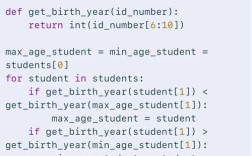
def function_name(parameter1, parameter2, ...):
    """Docstring: Optional description of what the function does."""
    # Code to be executed (the function's body)
    # ...
    return value  # Optional: returns a value back to the caller
Example:
Let's define a simple function that adds two numbers.
def add_numbers(a, b):
  """This function takes two numbers and returns their sum."""
  result = a + b
  return result
# You can also define a function that doesn't return anything (implicitly returns None)
def print_greeting(name):
  """This function prints a greeting to the console."""
  print(f"Hello, {name}!")
Key Points about def:
- It creates a new function object and assigns it to a name (
function_name). - The code inside the function is not executed until the function is called.
- It's a way of creating your own custom "command" or "tool" in Python.
The import Statement: Using Code from Other Files
The import statement is used to load code from other Python files (called modules) or from built-in libraries. This allows you to use powerful, pre-written functionality without having to write it yourself.
Common Syntaxes:
-
Importing an entire module:
import math
You then access the module's contents using the module name as a prefix.
print(math.sqrt(16)) # Output: 4.0
-
Importing specific items from a module:
from math import sqrt, pi
You can use the imported items directly without the module prefix.
print(sqrt(9))   # Output: 3.0
print(pi)        # Output: 3.141592653589793
-
Importing a module with an alias (a shorter name):
import numpy as np
This is very common for large libraries like NumPy, Pandas, etc.
# Now you can use 'np' instead of 'numpy'
my_array = np.array([1, 2, 3])
Key Points about import:
- It makes external code available in your current script.
- It's how you access Python's vast ecosystem of libraries (like
requestsfor web,Pandasfor data analysis,Djangofor web development, etc.). - You cannot use anything from a module until you have imported it.
How import and def Work Together
This is where the real power of Python comes in. You can use def to create your own modules and then import them into other scripts to reuse your code.
Step 1: Create a Module File
Create a file named my_calculator.py. This is your custom module.
my_calculator.py
# This is a module containing some simple math functions.
def add(a, b):
  """Returns the sum of a and b."""
  return a + b
def subtract(a, b):
  """Returns the difference between a and b."""
  return a - b
# You can also have variables in a module
PI = 3.14159
Step 2: Import and Use the Module in Another Script
Now, create a second file named main_script.py in the same directory. This script will import and use the functions from my_calculator.py.
main_script.py
# Import the entire module
import my_calculator
# --- Using the imported module ---
# Call the 'add' function from our module, using the module name as a prefix
sum_result = my_calculator.add(10, 5)
print(f"The sum is: {sum_result}")  # Output: The sum is: 15
# Call the 'subtract' function
diff_result = my_calculator.subtract(10, 5)
print(f"The difference is: {diff_result}") # Output: The difference is: 5
# Access the variable 'PI' from our module
print(f"The value of PI is: {my_calculator.PI}") # Output: The value of PI is: 3.14159
# --- Importing specific items for direct use ---
from my_calculator import add, PI
# Now we can use 'add' and 'PI' directly without the 'my_calculator' prefix
another_sum = add(100, 50)
print(f"Another sum is: {another_sum}") # Output: Another sum is: 150
print(f"PI is still: {PI}")             # Output: PI is still: 3.14159
Summary Table
| Keyword | Purpose | When to Use | Example |
|---|---|---|---|
def |
To create a function or a method. | When you want to define a reusable block of code, organize your logic, or create a custom tool. | def greet(name): print(f"Hi {name}") |
import |
To load code from a module (another file or library). | When you want to use code that exists elsewhere—either in a different file you wrote or in a standard library like math or os. |
import math from my_module import my_func |
In short: you use def to build tools (functions) and save them in files (modules), and you use import to pick up those tools and use them in your current project.