Of course! Let's break down the relationship between Nginx, uWSGI, and Python. This is a very common and powerful stack for deploying web applications.
The Big Picture: Why Use All Three?
Imagine you want to open a restaurant.
- Python (Your Chef): This is your head chef. They have the recipes (your Python code) and know how to cook amazing dishes (process web requests). However, they are not great at dealing with a crowd of customers at the front door (handling thousands of simultaneous network connections). They get overwhelmed easily.
- uWSGI (The Kitchen Manager): This is your kitchen manager. Their job is to take orders (requests) from the waiters and pass them to the chef. They are highly efficient at managing a queue of orders, ensuring the chef isn't overwhelmed, and coordinating the workflow. They can also manage multiple chefs (multiple Python processes) to handle more orders.
- Nginx (The Maître d' / Host): This is the friendly face at the entrance. Their job is to greet all the customers (web browsers), handle their initial requests, and seat them at a table. They are excellent at managing the crowd, serving static content (like menus and wine lists), and passing complex orders to the kitchen manager (uWSGI) when needed. They protect the kitchen from unruly customers.
You wouldn't have the chef running out to the parking lot to take every order. You need a system. This is the Nginx + uWSGI + Python stack.
The Roles of Each Component
Nginx (The Reverse Proxy & Static File Server)
Nginx (pronounced "Engine-X") is a high-performance web server and reverse proxy. Its main jobs in this stack are:
- Serving Static Files: It's incredibly fast at serving files like CSS, JavaScript, images, and fonts directly to the user. It offloads this work from your Python application, which is much slower at it.
- Handling Client Connections: Nginx is built to handle thousands of simultaneous connections efficiently. It accepts incoming HTTP/HTTPS requests from users.
- Acting as a Reverse Proxy: This is the key part. Nginx receives a request, decides what to do with it, and then forwards the relevant parts to the uWSGI server. It also takes the response from uWSGI and sends it back to the user.
- Security & SSL/TLS: It's the perfect place to handle SSL/TLS termination (decrypting HTTPS traffic) and can add security headers.
uWSGI (The Application Server)
uWSGI is an application server. Its job is to act as a bridge between the web server (Nginx) and your Python web application.
- Protocol Translation: Nginx speaks HTTP. uWSGI understands a special, fast protocol called
uwsgi. Nginx is configured to translate the incoming HTTP request into auwsgirequest and send it to the uWSGI process. - Process Management: uWSGI manages a pool of Python worker processes. When it receives a request, it passes it to an available worker. This prevents the GIL (Global Interpreter Lock) in Python from becoming a major bottleneck for handling concurrent requests.
- Interfacing with Python: uWSGI has plugins that allow it to run Python applications using various WSGI-compatible frameworks (like Flask, Django, etc.). WSGI (Web Server Gateway Interface) is a standard that lets Python web applications communicate with a web server.
Python (The Application)
This is your actual web application code, written in a framework like Flask, Django, FastAPI, etc.
- Business Logic: This is where your application's logic lives. For example, fetching data from a database, processing user input, and rendering templates.
- WSGI Interface: Your Python application is written to conform to the WSGI standard. It provides a callable (usually a function or object) that uWSGI can invoke to start the application.
How They Work Together: The Data Flow
Let's trace a single request from a user's browser to your Python app and back.
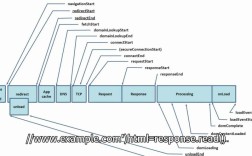
- User Request: A user's browser requests
http://example.com/myapp/. - Nginx (The Maître d'): Nginx receives the request on port 80 (or 443 for HTTPS). It checks its configuration.
- Static File Check: Nginx first checks if the request is for a static file (e.g.,
/css/style.css). If so, it serves the file directly and the process ends here. - Proxy Pass: If the request is for a dynamic URL (like
/myapp/), Nginx sees it needs to pass the request to the uWSGI server. It translates the HTTP request into auwsgirequest and forwards it to the IP address and port where uWSGI is listening (e.g.,localhost:8000). - uWSGI (The Kitchen Manager): uWSGI receives the
uwsgirequest. It looks at its pool of Python worker processes and finds an idle one. - Python Application (The Chef): uWSGI passes the request data to the WSGI callable of your Python application (e.g., the
appobject in Flask). Your Python code executes the logic for that URL. - Response Generation: Your Python application generates the response (e.g., an HTML page).
- Response Path Back:
- The response is passed back from the Python worker to uWSGI.
- uWSGI wraps the response and sends it back to Nginx over the
uwsgiprotocol. - Nginx receives the response, translates it back into a full HTTP response, and sends it back to the user's browser.
A Simple Example: Flask + uWSGI + Nginx
Let's put it all together with a minimal Flask application.
Step 1: The Python Application (app.py)
# app.py
from flask import Flask
app = Flask(__name__)
@app.route('/')
def hello():
    return "Hello from Python, Nginx, and uWSGI!"
@app.route('/user/<username>')
def show_user_profile(username):
    return f'User: {username}'
if __name__ == '__main__':
    # Don't use app.run() for production! uWSGI will run it.
    pass
Step 2: The uWSGI Configuration (myapp.ini)
Create a configuration file for uWSGI. This tells it how to run your app.
# myapp.ini
[uwsgi]
# The module to import. Python will look for 'app' in 'app.py'
module = app
# The callable WSGI object
callable = app
# The socket Nginx will connect to
socket = /tmp/uwsgi.sock
# The permissions for the socket
chmod-socket = 666
# Number of worker processes to handle requests
processes = 4
# Enable master process to manage workers
master = true
# Automatically respawn workers if they die
die-on-term = true
# Enable threading for better concurrency (optional)
threads = 2
Step 3: The Nginx Configuration (/etc/nginx/sites-available/myapp)
This configures Nginx to act as a reverse proxy.
# /etc/nginx/sites-available/myapp
server {
    listen 80;
    server_name your_domain.com; # Or your server's IP
    # The location of your static files (if any)
    # location /static {
    #     alias /path/to/your/static/files;
    # }
    # Pass requests to uWSGI
    location / {
        # The uwsgi_pass directive tells Nginx where to send requests
        # It uses the socket defined in the uWSGI config
        uwsgi_pass unix:/tmp/uwsgi.sock;
        # Pass additional headers to uWSGI
        include uwsgi_params;
    }
}
Step 4: Putting It All Together (Running the Stack)
-
Install the software:
sudo apt update
sudo apt install nginx python3-pip python3-dev
pip3 install uwsgi flask
-
Start uWSGI: Navigate to your project directory and run uWSGI with the config file.
uwsgi --ini myapp.ini
You should see uWSGI start up and report that it's listening on
/tmp/uwsgi.sock. -
Configure and Start Nginx:
- Create a symbolic link for your site config:
sudo ln -s /etc/nginx/sites-available/myapp /etc/nginx/sites-enabled/ - Test the Nginx config:
sudo nginx -t - If the test is successful, restart Nginx:
sudo systemctl restart nginx
- Create a symbolic link for your site config:
-
Visit the URL: Open your web browser and go to
http://your_server_ip/. You should see "Hello from Python, Nginx, and uWSGI!".
Why not use just Nginx and Python?
You could, using Nginx's built-in proxy_pass to a development server like Gunicorn or Flask's built-in server. However, uWSGI is a more robust and feature-rich solution for production. It's designed specifically for this purpose, offering advanced process management, monitoring, and performance optimizations that a simple Python server cannot match.