Of course! "Invent with Python" is the fantastic philosophy and book series by Al Sweigart. It's all about learning programming by creating fun, tangible projects instead of just memorizing abstract concepts.
Let's break down what this means, starting with the core philosophy and then moving to the practical steps you can take to start inventing.
Part 1: The Philosophy - "Invent with Python"
The core idea is simple: You learn best by building.
Instead of a traditional textbook that might start with "Hello, World!" and then spend chapters on data types and loops, the "Invent with Python" approach jumps right into making games and useful tools.
- Motivation is Key: When you're creating something you can play (like a game of Hangman) or use (like a simple program to rename files), you're intrinsically motivated to solve the problems. You don't care if a
forloop is "for iterating over a sequence"; you care that it's the perfect tool to check every letter in a secret word. - Contextual Learning: You learn programming concepts like variables, functions, and lists because you need them to make your project work. The concepts are never taught in a vacuum.
- Focus on Creativity: It's not just about following instructions. The "invent" part encourages you to take a basic project and add your own flair. What if your Guess the Number game had different difficulty levels? What if your Tic-Tac-Toe game had a graphical interface? This is where real learning and passion ignite.
Part 2: The Books (The Official Guide)
Al Sweigart has written several books that perfectly embody this philosophy. They are free to read online, but you can also buy them to support the author.
Automate the Boring Stuff with Python
This is the perfect starting point, even if you've never programmed before. It focuses on using Python to solve real-world problems on your computer.
- What you'll learn: Reading/writing files, scraping websites, sending emails, manipulating Excel spreadsheets, working with PDFs, and automating your mouse and keyboard.
- Example Projects:
- A program that finds all phone numbers and email addresses on a webpage.
- A script that renames hundreds of photo files based on their creation date.
- A tool that downloads all images from a website.
- Best for: Anyone who wants to be more productive and see immediate, practical results from their coding.
Invent Your Own Computer Games with Python
This is the flagship book for the "invent" philosophy. It teaches game development using Python's built-in pygame library.
- What you'll learn: Game loops, handling user input (keyboard/mouse), drawing graphics on screen, collision detection, and basic game AI.
- Example Projects (you'll build these from scratch):
- Hangman: A classic text-based guessing game.
- Guess the Number: A simple game where the computer picks a number and you have to guess it.
- Tic-Tac-Toe: A graphical two-player game.
- A Map Grid Game: A top-down game where you move a player around a grid.
- Sonar Hunt: A Battleship-style game.
- Mr. Stick Man Races for the Exit: A platformer game.
- Best for: Beginners who want to make visual, interactive games and are excited by the creative process.
Making Games with Python & Pygame
This is a more advanced follow-up to the previous book, focusing on more complex game mechanics.
- What you'll learn: More advanced
pygametechniques, sprite animation, tile-based maps, and creating more sophisticated game engines. - Example Projects:
- Squirrel Eat Squirrel: A top-down shooter game.
- Four in a Row: A Connect Four clone.
- A platformer with multiple levels.
- Best for: Someone who has finished the first book and wants to take their game development skills to the next level.
Part 3: Your First "Invent" Project - A Simple Guess the Number Game
Let's get a taste of it. Here is a simple version of the "Guess the Number" game. You don't need to install anything special; Python comes with a random module we can use.
The Goal: The computer picks a random secret number between 1 and 20. The player has to guess it. After each guess, the computer tells the player if their guess was too high, too low, or correct.
# 1. Import the 'random' module to generate random numbers.
import random
# 2. Generate a secret number between 1 and 20.
secret_number = random.randint(1, 20)
# 3. Greet the player and explain the game.
print("Hello! What is your name?")
player_name = input()
print(f"Well, {player_name}, I am thinking of a number between 1 and 20.")
print("You have 6 tries to guess it.")
# 4. Loop 6 times, giving the player a chance to guess each time.
for guess_count in range(1, 7):
    # Get the player's guess and convert it to a number.
    guess_str = input("Take a guess: ")
    guess = int(guess_str)
    # 5. Check the guess and give feedback.
    if guess < secret_number:
        print("Your guess is too low.")
    elif guess > secret_number:
        print("Your guess is too high.")
    else:
        # If the guess is correct, break out of the loop.
        break
# 6. After the loop, check if the player won or lost.
if guess == secret_number:
    print(f"Good job, {player_name}! You guessed my number in {guess_count} guesses!")
else:
    print(f"Sorry, the number I was thinking of was {secret_number}.")
What you just learned by inventing this:
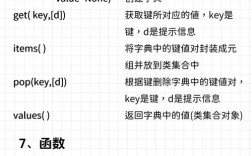
import random: How to use a library (a pre-written set of tools).random.randint(1, 20): A specific function from that library.input(): How to get text from the user.f"..."(f-string): An easy way to format strings with variables.for ... in range(...): How to repeat a block of code a specific number of times (a loop).if / elif / else: How to make decisions in your code.int(): How to convert text (like"15") into a number (like15).
You didn't memorize these in a boring list; you used them to build something functional. That's the power of "Invent with Python."
Part 4: How to Get Started
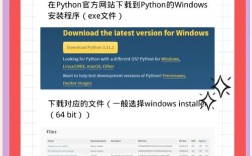
- Install Python: If you don't have it, go to python.org and download the latest version. Crucially, during installation, check the box that says "Add Python to PATH".
- Get a Code Editor: You don't have to use Notepad. A good editor makes coding much easier.
- Beginner-Friendly: Thonny comes with Python and is fantastic for learning.
- Popular & Powerful: Visual Studio Code (VS Code) is free, highly customizable, and what most professionals use.
- Read the Books: Go to inventwithpython.com and start reading Automate the Boring Stuff or Invent Your Own Computer Games. Don't just read—type the code out yourself! Typing is crucial for building muscle memory.
- Start Small, Then Modify: Build the projects exactly as they are in the book. Once you get them working, the real invention begins! Change them.
- Can you change the range from 1-20 to 1-100?
- Can you give the player more or fewer guesses?
- Can you add a feature where the computer tells the player if they are "getting close"?
The journey of "inventing with Python" is incredibly rewarding. It turns a complex skill into a fun and creative hobby. Happy coding