Of course! Inserting data into a database using Java is a fundamental task. The most common and recommended way to do this is with JDBC (Java Database Connectivity).
I'll guide you through the process, starting with the modern best practice and then showing the older methods for context.
The Modern Best Practice: PreparedStatement
Using a PreparedStatement is the standard, secure, and efficient way to insert data. It has two major advantages:
- Prevents SQL Injection: It separates the SQL command from the data, making your application secure.
- Improves Performance: The database can pre-compile the SQL statement and reuse it for different data, which is much faster.
Step-by-Step Guide: Using PreparedStatement
Here is a complete, step-by-step example. We will insert a new user into a users table.
Step 1: Set Up Your Database Table
First, you need a table in your database (e.g., MySQL, PostgreSQL, SQLite) to insert data into.

-- A sample 'users' table
CREATE TABLE users (
    id INT AUTO_INCREMENT PRIMARY KEY,
    username VARCHAR(50) NOT NULL UNIQUE,
    email VARCHAR(100) NOT NULL,
    created_at TIMESTAMP DEFAULT CURRENT_TIMESTAMP
);
Step 2: Add the JDBC Driver Dependency
You need to include the JDBC driver for your specific database in your project.
For Maven (pom.xml):
<!-- Example for MySQL -->
<dependency>
    <groupId>com.mysql</groupId>
    <artifactId>mysql-connector-j</artifactId>
    <version>8.0.33</version> <!-- Use the latest version -->
</dependency>
For Gradle (build.gradle):
// Example for MySQL
implementation 'com.mysql:mysql-connector-j:8.0.33' // Use the latest version
Step 3: Write the Java Code
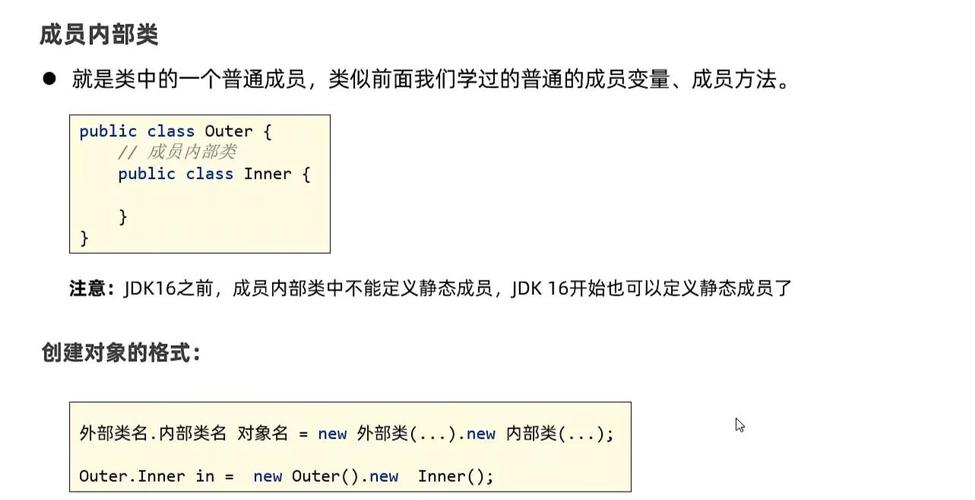
This class demonstrates how to connect to the database and perform the insert operation.
import java.sql.Connection;
import java.sql.DriverManager;
import java.sql.PreparedStatement;
import java.sql.SQLException;
import java.sql.Timestamp;
public class JdbcInsertExample {
    // Database connection details
    private static final String DB_URL = "jdbc:mysql://localhost:3306/your_database_name";
    private static final String USER = "your_username";
    private static final String PASS = "your_password";
    public static void main(String[] args) {
        // The data we want to insert
        String username = "johndoe";
        String email = "john.doe@example.com";
        // SQL INSERT statement with placeholders (?)
        String sql = "INSERT INTO users (username, email) VALUES (?, ?)";
        // Use try-with-resources to ensure the connection is closed automatically
        try (Connection conn = DriverManager.getConnection(DB_URL, USER, PASS);
             PreparedStatement pstmt = conn.prepareStatement(sql)) {
            // Set the values for the placeholders
            pstmt.setString(1, username); // Sets the first '?' to 'johndoe'
            pstmt.setString(2, email);   // Sets the second '?' to 'john.doe@example.com'
            // Execute the update
            int affectedRows = pstmt.executeUpdate();
            // Check if the insertion was successful
            if (affectedRows > 0) {
                System.out.println("A new user was inserted successfully!");
            } else {
                System.out.println("No user was inserted.");
            }
        } catch (SQLException e) {
            System.err.println("Database error: " + e.getMessage());
            e.printStackTrace();
        }
    }
}
Code Breakdown
DriverManager.getConnection(...): Establishes a connection to the database. The URL, username, and password are specific to your database setup.conn.prepareStatement(sql): Creates aPreparedStatementobject from the connection. The SQL string contains as placeholders for the values.pstmt.setString(1, ...): Binds aStringvalue to the first placeholder (). The index starts at 1.pstmt.setInt(2, ...): If you had an integer column, you would use this method. (We didn't in this example, but it's good to know).pstmt.executeUpdate(): Executes the SQL command. This method returns an integer representing the number of rows affected by theINSERT,UPDATE, orDELETEstatement.try-with-resources: Thetry (Connection ...; PreparedStatement ...)block ensures that both theConnectionandPreparedStatementare closed automatically, preventing resource leaks.
Handling Auto-Generated Keys (e.g., getting the new id)
Often, after inserting a row, you want to get the value of the auto-generated primary key (like the id in our example).
You can do this by telling the PreparedStatement that you want to retrieve generated keys.
// ... (same setup as before)
// 1. Modify the prepareStatement call to request generated keys
String sql = "INSERT INTO users (username, email) VALUES (?, ?)";
try (Connection conn = DriverManager.getConnection(DB_URL, USER, PASS);
     // Statement.RETURN_GENERATED_KEYS is the key part
     PreparedStatement pstmt = conn.prepareStatement(sql, PreparedStatement.RETURN_GENERATED_KEYS)) {
    pstmt.setString(1, "janedoe");
    pstmt.setString(2("jane.doe@example.com");
    int affectedRows = pstmt.executeUpdate();
    if (affectedRows > 0) {
        // 2. Get the generated keys
        try (java.sql.ResultSet generatedKeys = pstmt.getGeneratedKeys()) {
            if (generatedKeys.next()) {
                // 3. Retrieve the new ID
                int newUserId = generatedKeys.getInt(1);
                System.out.println("A new user was inserted with ID: " + newUserId);
            }
        }
    }
} catch (SQLException e) {
    e.printStackTrace();
}
The Older Way: Statement (Not Recommended for Dynamic Data)
You might see examples using a Statement object. This is simpler but highly insecure and should be avoided if your data comes from user input or any external source.
Why it's bad: It directly embeds variables into the SQL string, making it vulnerable to SQL Injection attacks.
// --- DANGEROUS - DO NOT USE WITH USER INPUT ---
String username = "hacker'; DROP TABLE users; --";
String email = "hacker@example.com";
// SQL is built by concatenating strings - VULNERABLE!
String sql = "INSERT INTO users (username, email) VALUES ('" + username + "', '" + email + "')";
try (Connection conn = DriverManager.getConnection(DB_URL, USER, PASS);
     Statement stmt = conn.createStatement()) {
    // This could execute: "INSERT INTO users ... VALUES ('hacker'; DROP TABLE users; --', '...')"
    stmt.executeUpdate(sql);
} catch (SQLException e) {
    e.printStackTrace();
}
Always use PreparedStatement to prevent this.
Best Practices Summary
- Always Use
PreparedStatement: It's the standard for security and performance. - Use
try-with-resources: This is the modern Java way to handle resources like database connections, ensuring they are always closed. - Handle Exceptions:
SQLExceptionis a checked exception, so you must handle it (either with atry-catchblock or by declaringthrowsin your method signature). - Close Resources: If you don't use
try-with-resources, manually close yourConnection,PreparedStatement, andResultSetobjects in afinallyblock to prevent resource leaks. - Use Connection Pools: For real-world applications, creating a new connection for every query is inefficient. Use a connection pool library like HikariCP, which is the de-facto standard.