
Of course! It looks like you might have meant TensorFlow, which is an extremely popular open-source library for machine learning, developed by Google.
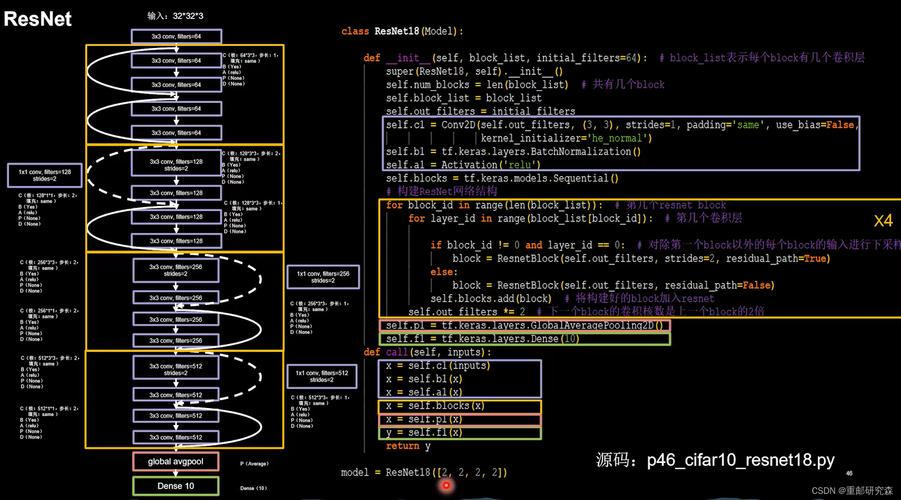
Let's break down what TensorFlow is, why it's so important, and how you can get started with it in Python.
What is TensorFlow?
At its core, TensorFlow is an end-to-end open-source platform for machine learning.
Think of it as a massive, versatile toolkit that allows you to:
- Build machine learning models (from simple linear regression to complex deep neural networks).
- Train those models on your data.
- Deploy those trained models to make predictions on new data.
The name gives a clue to how it works:
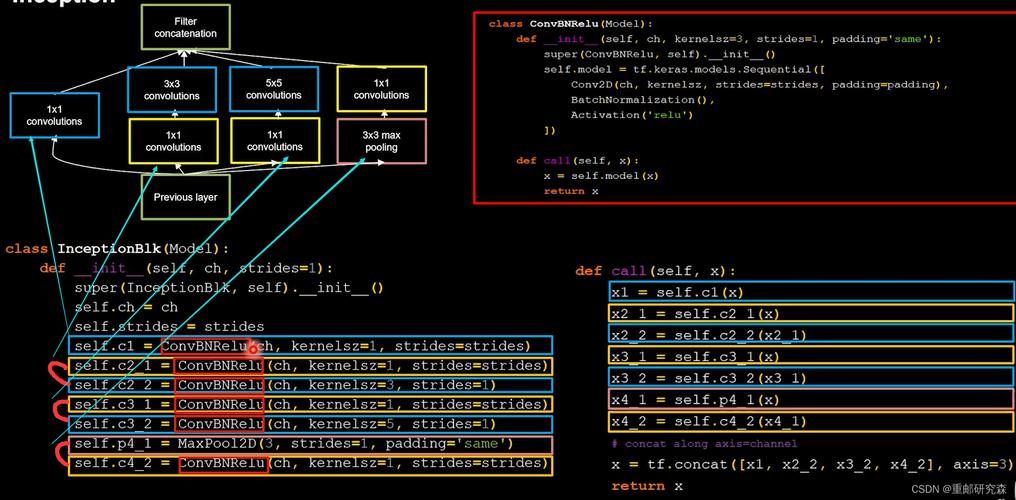
- Tensor: A tensor is just a fancy name for a multi-dimensional array (or a matrix). It's the fundamental data structure that TensorFlow uses to represent all data—input data, model parameters, and predictions.
- Flow: TensorFlow is built around a concept called a computational graph. You define a series of mathematical operations (the graph), and then data (tensors) "flows" through this graph to produce an output.
Key Concepts to Understand
To use TensorFlow effectively, you need to grasp a few core ideas:
a) Tensors
As mentioned, these are the multi-dimensional arrays. They are the building blocks of everything in TensorFlow.
- A scalar (a single number) is a 0-dimensional tensor.
- A vector (a list of numbers) is a 1-dimensional tensor.
- A matrix (a grid of numbers) is a 2-dimensional tensor.
- You can have tensors with 3, 4, or more dimensions (like a batch of images).
b) The Computational Graph
This is TensorFlow's superpower. Instead of executing operations immediately, TensorFlow builds a graph of all the computations that need to be done.
- Definition Phase: You define the model structure (the graph) without any actual data running through it. This is very efficient and allows for optimizations.
- Execution Phase: You then run data (tensors) through this graph. This is typically done using a high-level API called Keras, which simplifies the process immensely.
c) Keras
Keras is TensorFlow's high-level API for building and training models. It's designed to be user-friendly and intuitive, allowing you to define complex neural networks with just a few lines of code. For most users, Keras is the primary way to interact with TensorFlow.
d) tf.data API
Real-world data is messy. The tf.data API is a powerful set of tools for building efficient input pipelines. It handles loading data from various sources, preprocessing it (like normalizing images), and feeding it to your model in batches.
A Simple Python Example: "Hello, TensorFlow!"
Let's start with a very basic example to see TensorFlow in action. This will create two constants, add them together, and run the computation.
Installation: First, you need to install TensorFlow. If you don't have it, open your terminal or command prompt and run:
pip install tensorflow
The Code:
import tensorflow as tf
# Print the installed TensorFlow version to confirm it's working
print("TensorFlow version:", tf.__version__)
# --- Define the Computational Graph ---
# Create two constant tensors
a = tf.constant(5)
b = tf.constant(10)
# Define an operation (addition)
c = a + b
# --- Execute the Graph ---
# In modern TensorFlow (Eager Execution), operations are executed immediately.
# You can just print the result directly.
print(f"The value of tensor 'a' is: {a}")
print(f"The value of tensor 'b' is: {b}")
print(f"The result of a + b is: {c}")
# To get the actual numerical value from the tensor, use .numpy()
result_value = c.numpy()
print(f"The numerical result is: {result_value}")
Output:
TensorFlow version: 2.x.x
The value of tensor 'a' is: 5
The value of tensor 'b' is: 10
The result of a + b is: tf.Tensor(15, shape=(), dtype=int32)
The numerical result is: 15
Notice that c is a tf.Tensor object. We use .numpy() to convert it back to a standard Python number.
A More Realistic Example: A Simple Neural Network
This is where TensorFlow's power really shines. Let's build a simple neural network to classify handwritten digits from the famous MNIST dataset.
import tensorflow as tf
import numpy as np
# 1. LOAD AND PREPARE THE DATA
mnist = tf.keras.datasets.mnist
(x_train, y_train), (x_test, y_test) = mnist.load_data()
# Normalize the pixel values from 0-255 to 0-1
x_train, x_test = x_train / 255.0, x_test / 255.0
# 2. BUILD THE MODEL using Keras
# We use a Sequential model, which is a linear stack of layers.
model = tf.keras.models.Sequential([
    # Flatten the 28x28 image into a 1D vector of 784 pixels
    tf.keras.layers.Flatten(input_shape=(28, 28)),
    # Add a fully connected (Dense) layer with 128 neurons and a ReLU activation function
    tf.keras.layers.Dense(128, activation='relu'),
    # Add a Dropout layer to prevent overfitting
    tf.keras.layers.Dropout(0.2),
    # Add the output layer with 10 neurons (one for each digit 0-9) and a softmax activation
    # Softmax converts the output into a probability distribution
    tf.keras.layers.Dense(10, activation='softmax')
])
# 3. COMPILE THE MODEL
# This configures the model for training.
model.compile(optimizer='adam',      # Adam is an efficient optimization algorithm
              loss='sparse_categorical_crossentropy', # Good for multi-class classification with integer labels
              metrics=['accuracy']) # We want to monitor the accuracy during training
# 4. TRAIN THE MODEL
# The model "fits" to the training data for 5 epochs (passes through the entire dataset)
print("\n--- Training the model ---")
model.fit(x_train, y_train, epochs=5)
print("--- Training finished ---\n")
# 5. EVALUATE THE MODEL
# Check the model's performance on the test data it has never seen before.
print("\n--- Evaluating the model ---")
test_loss, test_acc = model.evaluate(x_test, y_test, verbose=2)
print(f"\nTest accuracy: {test_acc:.4f}")
This single script loads data, defines a neural network architecture, compiles it with a loss function and optimizer, trains it, and evaluates its performance. This is the standard workflow for most deep learning projects.
Why Use TensorFlow? (Key Advantages)
- Flexibility and Power: It can be used for everything from simple numerical computations to massive, state-of-the-art deep learning models.
- Scalability: TensorFlow is designed to scale. You can train a model on your laptop and then deploy it on a single server, a cluster of servers, or even on specialized hardware like TPUs (Tensor Processing Units).
- Ecosystem: It's not just a library. It's a full ecosystem with tools for:
- TensorBoard: Visualization tool for inspecting your models and training progress.
- TensorFlow Lite: For deploying models on mobile and embedded devices (like Android and iOS).
- TensorFlow.js: For running models directly in a web browser.
- TensorFlow Serving: For deploying models in production environments.
- Community and Support: It has a massive and active community, backed by Google. This means plenty of tutorials, pre-trained models, and help is available.
Alternatives
While TensorFlow is a leader, it's good to know about its main competitor:
- PyTorch: Developed by Meta (Facebook). It has gained immense popularity, especially in the research community, for its more "Pythonic" and dynamic nature. Many find it easier to learn and debug than TensorFlow. However, TensorFlow has made huge strides in usability with its Keras integration and is still the dominant force in many production environments.
Summary
| Feature | Description |
|---|---|
| What it is | An open-source platform for machine learning, primarily developed by Google. |
| Core Idea | A computational graph where data (tensors) flows through mathematical operations. |
| Main API | Keras, a high-level, user-friendly API for building models. |
| Strengths | Power, scalability, a huge ecosystem of tools, and strong industry adoption. |
| Best For | A wide range of applications, from simple ML to complex deep learning in production. |
For anyone serious about machine learning in Python, learning TensorFlow (or PyTorch) is an essential skill. Start with the basics, understand the Keras API, and you'll be well on your way to building powerful AI models.











