
Of course! Using Java Sockets with JSON is a very common and powerful pattern for building networked applications, especially APIs and microservices. JSON provides a standardized, human-readable way to structure data, while Java Sockets provide the low-level communication channel.
Here’s a comprehensive guide covering the concepts, a step-by-step example, and best practices.
Core Concepts
-
Java Socket (
java.net.Socket): This is the endpoint for communication between two machines over the network. One application acts as the Server (listening for connections) and the other as the Client (initiating the connection). They communicate by sending and receiving raw byte streams. -
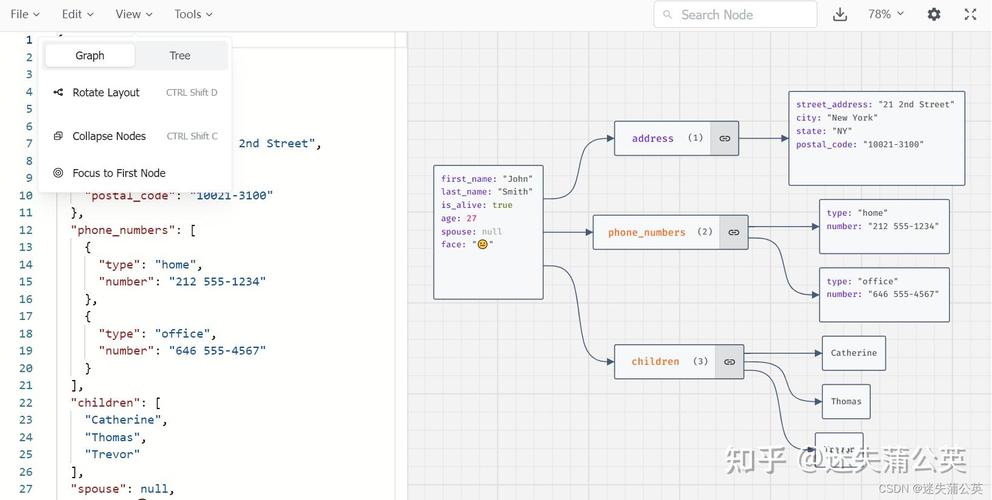
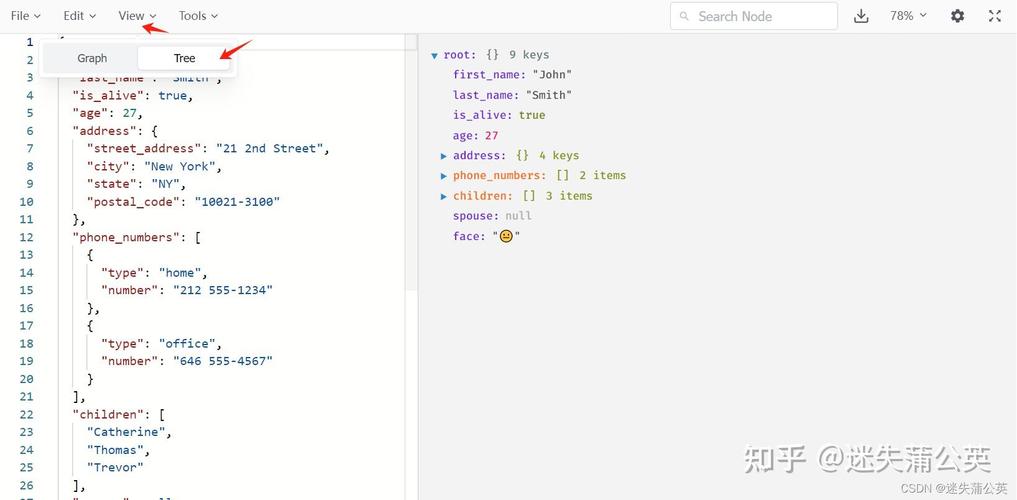
JSON (JavaScript Object Notation): This is a lightweight data-interchange format. It's a text-based format, which means it must be converted into bytes to be sent over a socket and converted back from bytes into a Java object to be used.
The key to combining them is serialization (Java Object -> JSON String -> Bytes) and deserialization (Bytes -> JSON String -> Java Object).
The Workflow
Here's the data flow for a simple request-response:
Client Side:
- Create a Java object (e.g., a
Userobject). - Serialize this object into a JSON string (e.g.,
{"name":"Alice","age":30}). - Convert the JSON string into a byte array (using UTF-8 encoding).
- Send the byte array over the socket's output stream.
- Read the response byte array from the socket's input stream.
- Convert the response bytes back into a JSON string.
- Deserialize the JSON string into a Java response object.
Server Side:
- Listen for an incoming client connection on a specific port.
- Accept the connection.
- Read the request byte array from the client's input stream.
- Convert the request bytes into a JSON string.
- Deserialize the JSON string into a Java request object.
- Process the request (e.g., query a database).
- Create a Java response object.
- Serialize the response object into a JSON string.
- Convert the JSON string into a byte array.
- Send the response byte array back to the client over the socket's output stream.
Step-by-Step Example
Let's build a simple "Echo Service". The client will send a JSON object with a message, and the server will respond with the same message.
Prerequisites
You'll need a JSON library for Java. The most popular ones are:
- Jackson (Recommended): High performance, feature-rich.
- Gson: Google's library, very easy to use.
- org.json: A simple, lightweight library.
We'll use Jackson in this example because it's the industry standard.
- Add Jackson to your project:
- Maven (
pom.xml):<dependency> <groupId>com.fasterxml.jackson.core</groupId> <artifactId>jackson-databind</artifactId> <version>2.15.2</version> <!-- Use the latest version --> </dependency> - Gradle (
build.gradle):implementation 'com.fasterxml.jackson.core:jackson-databind:2.15.2' // Use the latest version
- Maven (
Step 1: Create Data Transfer Objects (DTOs)
These are simple Java classes that represent our JSON data structure. Jackson can automatically convert between these objects and JSON.
Message.java
import com.fasterxml.jackson.annotation.JsonProperty;
public class Message {
    private String text;
    private int timestamp;
    // Jackson requires a no-arg constructor
    public Message() {
    }
    public Message(String text, int timestamp) {
        this.text = text;
        this.timestamp = timestamp;
    }
    // Getters and Setters
    public String getText() {
        return text;
    }
    public void setText(String text) {
        this.text = text;
    }
    public int getTimestamp() {
        return timestamp;
    }
    public void setTimestamp(int timestamp) {
        this.timestamp = timestamp;
    }
    @Override
    public String toString() {
        return "Message{" +
                "text='" + text + '\'' +
                ", timestamp=" + timestamp +
                '}';
    }
}
Step 2: The Server
The server will listen for a connection, read a JSON message, and send it back.
JsonSocketServer.java
import com.fasterxml.jackson.databind.ObjectMapper;
import java.io.*;
import java.net.ServerSocket;
import java.net.Socket;
import java.time.Instant;
public class JsonSocketServer {
    private static final int PORT = 8080;
    public static void main(String[] args) {
        ObjectMapper objectMapper = new ObjectMapper(); // Jackson's object mapper
        try (ServerSocket serverSocket = new ServerSocket(PORT)) {
            System.out.println("Server is listening on port " + PORT);
            while (true) { // Keep the server running to accept multiple clients
                try (Socket socket = serverSocket.accept();
                     BufferedReader in = new BufferedReader(new InputStreamReader(socket.getInputStream()));
                     PrintWriter out = new PrintWriter(socket.getOutputStream(), true)) {
                    System.out.println("New client connected: " + socket.getInetAddress().getHostAddress());
                    // 1. Read the JSON string from the client
                    String jsonInput = in.readLine();
                    System.out.println("Received JSON: " + jsonInput);
                    // 2. Deserialize JSON to a Java object
                    Message receivedMessage = objectMapper.readValue(jsonInput, Message.class);
                    // 3. Process the message (in this case, just print it)
                    System.out.println("Deserialized Message: " + receivedMessage);
                    // 4. Create a response object
                    Message responseMessage = new Message("Echo: " + receivedMessage.getText(), (int) Instant.now().getEpochSecond());
                    // 5. Serialize the Java object to a JSON string
                    String jsonResponse = objectMapper.writeValueAsString(responseMessage);
                    System.out.println("Sending JSON: " + jsonResponse);
                    // 6. Send the JSON response back to the client
                    out.println(jsonResponse);
                } catch (IOException e) {
                    System.err.println("Error handling client connection: " + e.getMessage());
                }
            }
        } catch (IOException e) {
            System.err.println("Server exception: " + e.getMessage());
            e.printStackTrace();
        }
    }
}
Step 3: The Client
The client will connect to the server, send a JSON message, and print the response.
JsonSocketClient.java
import com.fasterxml.jackson.databind.ObjectMapper;
import java.io.*;
import java.net.Socket;
import java.time.Instant;
public class JsonSocketClient {
    private static final String HOST = "localhost";
    private static final int PORT = 8080;
    public static void main(String[] args) {
        ObjectMapper objectMapper = new ObjectMapper(); // Jackson's object mapper
        try (Socket socket = new Socket(HOST, PORT);
             PrintWriter out = new PrintWriter(socket.getOutputStream(), true);
             BufferedReader in = new BufferedReader(new InputStreamReader(socket.getInputStream()))) {
            System.out.println("Connected to the server.");
            // 1. Create a request object
            Message requestMessage = new Message("Hello from the client!", (int) Instant.now().getEpochSecond());
            // 2. Serialize the Java object to a JSON string
            String jsonRequest = objectMapper.writeValueAsString(requestMessage);
            System.out.println("Sending JSON: " + jsonRequest);
            // 3. Send the JSON request to the server
            out.println(jsonRequest);
            // 4. Read the JSON response from the server
            String jsonResponse = in.readLine();
            System.out.println("Received JSON: " + jsonResponse);
            // 5. Deserialize JSON to a Java object
            Message responseMessage = objectMapper.readValue(jsonResponse, Message.class);
            // 6. Process the response
            System.out.println("Deserialized Response: " + responseMessage);
        } catch (IOException e) {
            System.err.println("Client exception: " + e.getMessage());
            e.printStackTrace();
        }
    }
}
How to Run
-
Run the Server: Execute
JsonSocketServer.java. You will see "Server is listening on port 8080". -
Run the Client: Execute
JsonSocketClient.java. -
Observe the Output:
Server Console:
Server is listening on port 8080
New client connected: 127.0.0.1
Received JSON: {"text":"Hello from the client!","timestamp":1678886400}
Deserialized Message: Message{text='Hello from the client!', timestamp=1678886400}
Sending JSON: {"text":"Echo: Hello from the client!","timestamp":1678886401}
Client Console:
Connected to the server.
Sending JSON: {"text":"Hello from the client!","timestamp":1678886400}
Received JSON: {"text":"Echo: Hello from the client!","timestamp":1678886401}
Deserialized Response: Message{text='Echo: Hello from the client!', timestamp=1678886401}
Important Considerations & Best Practices
Character Encoding
Always specify a character encoding (like UTF-8) when converting between strings and bytes. This prevents issues with special characters.
// Good
byte[] bytes = jsonString.getBytes(StandardCharsets.UTF_8);
String jsonString = new String(bytes, StandardCharsets.UTF_8);
// Bad (uses platform default encoding)
byte[] bytes = jsonString.getBytes();
Message Framing (The "Line-Based" Problem)
The simple readLine() example works, but it has a major flaw: how do you know when one message ends and the next begins? If a JSON string itself contains a newline character (\n), readLine() will fail.
For real applications, you need a framing mechanism. Here are two common approaches:
A) Fixed-Length Prefix Send the length of the JSON payload as an integer (e.g., 4 bytes) before the JSON data itself.
- Client: Get JSON string -> Get its byte length -> Send
lengthas 4 bytes -> Send JSON bytes. - Server: Read 4 bytes -> Convert to integer
N-> ReadNbytes -> Decode to JSON string.
B) Delimiter-Based Framing
Use a special delimiter that is not valid in JSON to mark the end of a message. A common choice is \n\n (two newlines) or \0 (null character).
- Client: Get JSON string -> Append delimiter -> Send the whole thing.
- Server: Read bytes until you find the delimiter -> Split the data -> Decode the part before the delimiter.
Resource Management
Always use try-with-resources for sockets, input streams, and output streams. This ensures they are automatically closed, even if an exception occurs, preventing resource leaks.
Handling Multiple Clients
The server example uses a while(true) loop. For each client, it creates a new thread to handle the connection. This is a simple approach but can become inefficient with thousands of connections. Modern servers use NIO (New I/O) with Selectors and non-blocking sockets to handle many connections with a single thread.
Error Handling
What happens if the client sends invalid JSON? The objectMapper.readValue() call will throw an IOException. Your server should catch this, log it, and potentially send an error message back to the client in a standardized JSON format (e.g., {"error":"Invalid JSON format"}).
Modern Alternatives to Raw Sockets
While raw sockets are great for learning, most modern Java network applications use higher-level frameworks that handle serialization, threading, and framing for you:
-
HTTP Server Libraries (for REST APIs):
- Spring Boot: The de-facto standard for building production-ready applications. It embeds servers like Tomcat or Netty and makes creating JSON-based REST APIs trivial with
@RestController. - Javalin: A lightweight and modern web framework.
- SparkJava: A micro-framework inspired by Spark (Scala).
- Spring Boot: The de-facto standard for building production-ready applications. It embeds servers like Tomcat or Netty and makes creating JSON-based REST APIs trivial with
-
RPC (Remote Procedure Call) Frameworks:
- gRPC: Uses Protocol Buffers (a binary serialization format) for high performance and HTTP/2 for transport. It's excellent for microservices.
- GraphQL: A query language for APIs that can be transported over HTTP or WebSockets.
These frameworks abstract away the low-level socket details, allowing you to focus on your application's business logic.


