
Of course. Connecting Java to SQL Server 2005 is a common task, especially when maintaining legacy systems. Here’s a comprehensive guide covering the prerequisites, the JDBC driver setup, and complete code examples.
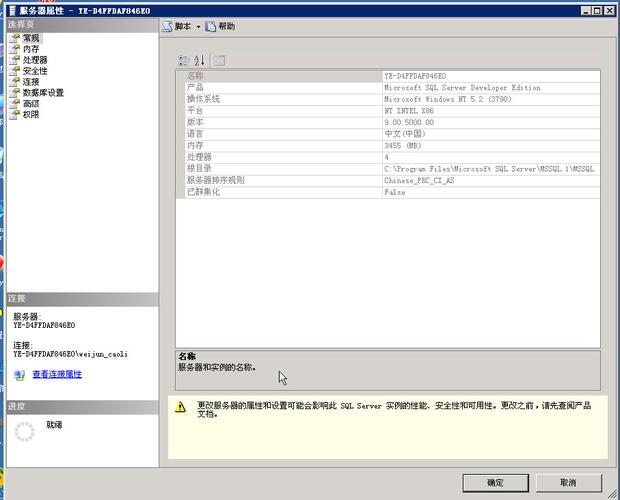
Important Note on SQL Server 2005 Support
SQL Server 2005 has been out of mainstream support since 2012 and extended support since 2025. This means it no longer receives security updates.
- Security Risk: Using it is highly discouraged for any production environment.
- Driver Availability: Modern JDBC drivers (like the official Microsoft JDBC Driver 12.2+) have dropped support for SQL Server 2005. You must use an older version of the driver.
This guide will focus on the correct legacy drivers and practices to get it working.
Prerequisites
Before you start, you need two things:
a) Java Development Kit (JDK)
Ensure you have a JDK installed. SQL Server 2005 is compatible with Java 5, 6, and 7. For modern development, it's best to use a JDK 7 or 8 (32-bit or 64-bit, matching your SQL Server installation and driver).
b) SQL Server 2005 JDBC Driver
You need the correct JDBC driver for SQL Server 2005. The best choice is the Microsoft JDBC Driver 4.0 for SQL Server, as it was the last version to officially support SQL Server 2005.
- Download Location: You can find older versions of the Microsoft JDBC driver on the Microsoft Download Archive. Search for "Microsoft JDBC Driver 4.0 for SQL Server".
- Download File: You will download a
.zipfile (e.g.,sqljdbc_4.0.0_enu.zip). - Extract the Driver: Unzip the file. Inside, you'll find folders like
enu,jpn, etc. Go into theenufolder. You will see two JAR files:sqljdbc.jar: This is the JDBC 3.0 driver, compatible with Java 5 (JDK 1.5) and Java 6 (JDK 1.6).sqljdbc4.jar: This is the JDBC 4.0 driver, compatible with Java 6 (JDK 1.6) and Java 7 (JDK 1.7). This is the recommended one if you are using JDK 6 or 7.
c) SQL Server 2005 Database
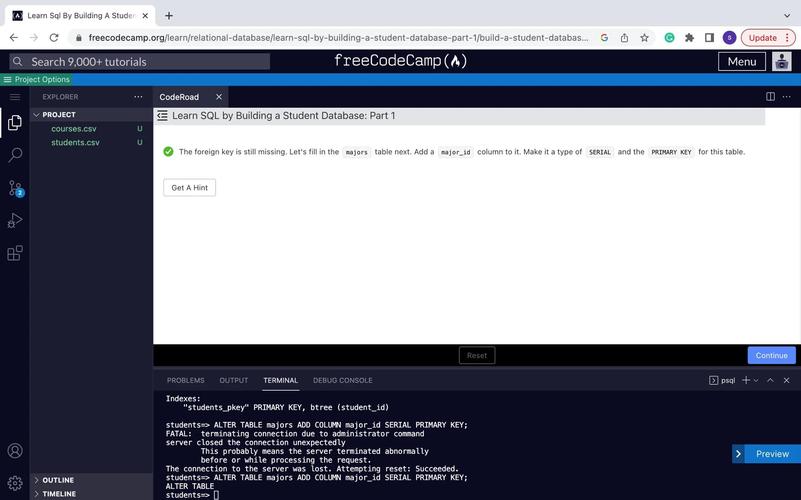
You need a running instance of SQL Server 2005 and a database to connect to. For this example, let's assume:
- Server Name:
localhost(or the name of your server) - Database Name:
TestDB - Username:
sa - Password:
your_password
You should also create a simple table for testing:
USE TestDB;
GO
CREATE TABLE Employees (
    id INT PRIMARY KEY,
    name NVARCHAR(50),
    email NVARCHAR(50)
);
GO
INSERT INTO Employees (id, name, email) VALUES (1, 'John Doe', 'john.doe@example.com');
INSERT INTO Employees (id, name, email) VALUES (2, 'Jane Smith', 'jane.smith@example.com');
GO
Setting Up Your Java Project
You need to add the JDBC driver JAR file to your project's classpath.
For Command-Line / Manual Compilation:
- Create your Java source file (e.g.,
DBTest.java). - Compile it, making sure to include the JAR file in the classpath.
# Assuming sqljdbc4.jar is in the same directory
javac -cp ".;sqljdbc4.jar" DBTest.java
- Run it, also including the JAR in the classpath.
java -cp ".;sqljdbc4.jar" DBTest
Note: On Linux/macOS, the classpath separator is instead of .
For Maven Projects (Recommended):
This is the best way to manage dependencies. You will need to install the Microsoft JDBC driver JAR into your local Maven repository first.
-
Install the JAR locally: Run this command in your terminal, replacing the path with the actual path to your downloaded
sqljdbc4.jar.mvn install:install-file \ -Dfile="C:/path/to/your/sqljdbc4.jar" \ -DgroupId=com.microsoft.sqlserver \ -DartifactId=sqljdbc4 \ -Dversion=4.0 \ -Dpackaging=jar
-
Add the dependency to your
pom.xml: Now you can reference it like any other Maven dependency.<project xmlns="http://maven.apache.org/POM/4.0.0" xmlns:xsi="http://www.w3.org/2001/XMLSchema-instance" xsi:schemaLocation="http://maven.apache.org/POM/4.0.0 http://maven.apache.org/xsd/maven-4.0.0.xsd"> <modelVersion>4.0.0</modelVersion> <groupId>com.example</groupId> <artifactId>sqlserver2005-demo</artifactId> <version>1.0-SNAPSHOT</version> <properties> <maven.compiler.source>1.7</maven.compiler.source> <maven.compiler.target>1.7</maven.compiler.target> </properties> <dependencies> <!-- SQL Server 2005 JDBC Driver --> <dependency> <groupId>com.microsoft.sqlserver</groupId> <artifactId>sqljdbc4</artifactId> <version>4.0</version> </dependency> </dependencies> </project>
Java Code Examples
Here are three common examples: a simple connection, executing a query, and executing an update with parameters.
Example 1: Basic Connection Test
This code tests if you can establish a connection to the database.
import java.sql.Connection;
import java.sql.DriverManager;
import java.sql.SQLException;
public class ConnectionTest {
    // Replace with your database connection details
    private static final String DB_URL = "jdbc:sqlserver://localhost:1433;databaseName=TestDB;user=sa;password=your_password;";
    public static void main(String[] args) {
        // The try-with-resources statement ensures the connection is closed automatically.
        try (Connection conn = DriverManager.getConnection(DB_URL)) {
            if (conn != null) {
                System.out.println("Connected to the database successfully!");
            }
        } catch (SQLException e) {
            System.err.println("Connection failed!");
            e.printStackTrace();
        }
    }
}
Note: The connection string jdbc:sqlserver://localhost:1433;... uses the default port 1433. If your SQL Server uses a different port, change it.
Example 2: Executing a Query (SELECT)
This code retrieves all records from the Employees table.
import java.sql.Connection;
import java.sql.DriverManager;
import java.sql.ResultSet;
import java.sql.SQLException;
import java.sql.Statement;
public class SelectExample {
    private static final String DB_URL = "jdbc:sqlserver://localhost:1433;databaseName=TestDB;user=sa;password=your_password;";
    public static void main(String[] args) {
        // Use try-with-resources to ensure Statement and Connection are closed
        try (Connection conn = DriverManager.getConnection(DB_URL);
             Statement stmt = conn.createStatement();
             ResultSet rs = stmt.executeQuery("SELECT id, name, email FROM Employees")) {
            System.out.println("Employee List:");
            System.out.println("-------------------------------------------");
            // Loop through the result set and print the data
            while (rs.next()) {
                // Retrieve by column name for clarity and robustness
                int id = rs.getInt("id");
                String name = rs.getString("name");
                String email = rs.getString("email");
                System.out.println("ID: " + id + ", Name: " + name + ", Email: " + email);
            }
            System.out.println("-------------------------------------------");
            System.out.println("Query executed successfully.");
        } catch (SQLException e) {
            System.err.println("SQL Error:");
            e.printStackTrace();
        }
    }
}
Example 3: Executing an Update with Parameters (INSERT)
This code demonstrates the correct and safe way to insert data using a PreparedStatement to prevent SQL injection.
import java.sql.Connection;
import java.sql.DriverManager;
import java.sql.PreparedStatement;
import java.sql.SQLException;
public class InsertExample {
    private static final String DB_URL = "jdbc:sqlserver://localhost:1433;databaseName=TestDB;user=sa;password=your_password;";
    public static void main(String[] args) {
        // The SQL query with placeholders (?)
        String insertSql = "INSERT INTO Employees (id, name, email) VALUES (?, ?, ?)";
        try (Connection conn = DriverManager.getConnection(DB_URL);
             // Create a PreparedStatement from the connection
             PreparedStatement pstmt = conn.prepareStatement(insertSql)) {
            // Set the parameters for the PreparedStatement
pstmt.setInt(1, 3); // First ? becomes id 

