Of course! In Python, there are several ways to create a timer, each with its own use case. Here’s a breakdown from the simplest to the most robust methods.
The Simplest Way: time.perf_counter()
This is the most common and recommended method for measuring short durations in Python. It provides a high-resolution monotonic clock, which means it's reliable for measuring elapsed time and won't go backward if the system time is changed.
How it works:
- Import the
timemodule. - Record the start time with
time.perf_counter(). - Record the end time with
time.perf_counter(). - Subtract the start time from the end time.
import time
# --- Code you want to time ---
start_time = time.perf_counter()
# Example: A loop that takes some time
total = 0
for i in range(1000000):
    total += i
end_time = time.perf_counter()
# -----------------------------
elapsed_time = end_time - start_time
print(f"Code executed in {elapsed_time:.6f} seconds")
# Example output: Code executed in 0.048712 seconds
Creating a Reusable Timer Class
If you find yourself timing code blocks frequently, wrapping the logic in a class is a great idea. This makes your code cleaner and more reusable.
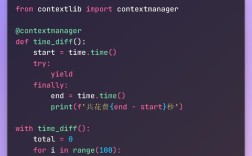
Here is a simple context manager class that can be used with the with statement.
import time
class Timer:
    def __enter__(self):
        """Record the start time when entering the 'with' block."""
        self.start_time = time.perf_counter()
        return self
    def __exit__(self, exc_type, exc_val, exc_tb):
        """Calculate and print the elapsed time when exiting the 'with' block."""
        self.end_time = time.perf_counter()
        elapsed_time = self.end_time - self.start_time
        print(f"Block executed in {elapsed_time:.6f} seconds")
# --- How to use the Timer class ---
# This is the code block you want to time
with Timer():
    total = 0
    for i in range(1000000):
        total += i
print("The timer automatically printed the duration above.")
How it works:
__enter__: This method is called when you enter thewithblock. It records the start time.__exit__: This method is called when you exit thewithblock, even if an error occurs inside. It calculates and prints the elapsed time.
Using the timeit Module for Benchmarking
The timeit module is specifically designed for measuring the execution time of small snippets of Python code. It's more precise for benchmarking because it automatically handles things like running the code multiple times and disabling garbage collection to get more stable results.
This is the best choice if you want to compare the performance of two different pieces of code.
import timeit
# Code snippet to test
code_to_test = """
total = 0
for i in range(1000000):
    total += i
"""
# Number of times to run the code
number_of_runs = 1000
# timeit.timeit() returns the total time for all runs
total_time = timeit.timeit(stmt=code_to_test, number=number_of_runs)
# Calculate the average time per run
average_time = total_time / number_of_runs
print(f"Total time for {number_of_runs} runs: {total_time:.6f} seconds")
print(f"Average time per run: {average_time:.9f} seconds")
# Example output:
# Total time for 1000 runs: 48.123456 seconds
# Average time per run: 0.048123456 seconds
Parameters for timeit.timeit():
stmt: The code snippet to be timed (as a string).setup: Code that is run once before the timing (e.g., to import modules). Defaults topass.number: The number of times to execute thestmt.
For Timing Long-Running Processes: datetime.datetime.now()
If you need to measure something that takes hours, days, or more, perf_counter() might lose precision due to system updates. In these cases, it's better to use datetime.now().
How it works:
- Get a
datetimeobject for the start time. - Get a
datetimeobject for the end time. - Subtract them to get a
timedeltaobject, which represents the duration.
from datetime import datetime
start_time = datetime.now()
# --- A long-running process ---
# Example: Simulating a long task
time.sleep(5) # Pauses execution for 5 seconds
# -----------------------------
end_time = datetime.now()
elapsed_time = end_time - start_time
print(f"Process started at: {start_time}")
print(f"Process ended at:   {end_time}")
print(f"Total duration:     {elapsed_time}")
print(f"Total seconds:      {elapsed_time.total_seconds()}")
# Example output:
# Process started at: 2025-10-27 10:30:00.123456
# Process ended at:   2025-10-27 10:30:05.456789
# Total duration:     0:00:05.333333
# Total seconds:      5.333333
Summary: Which One Should You Use?
| Method | Best For | Pros | Cons |
|---|---|---|---|
time.perf_counter() |
Most general-purpose timing. Measuring the execution of functions, loops, or code blocks. | Simple, highly accurate for short durations, standard library. | Requires manual subtraction. |
Timer Class |
Reusable, clean code. Timing multiple different code blocks in your application. | Clean syntax with with, reusable, encapsulates logic. |
Requires writing a small class upfront. |
timeit Module |
Benchmarking and micro-optimizations. Comparing the speed of two small code snippets. | Very precise, handles setup/teardown, runs multiple times automatically. | Less intuitive for timing a single, large block of code. |
datetime.now() |
Long-running processes. Tasks that take minutes, hours, or days. | Handles large time spans accurately, gives human-readable dates. | Less precise for short durations. |
For 99% of cases where you just need to time how long a piece of code takes to run, time.perf_counter() is the best choice.