Of course! In Java, "getproperty" most commonly refers to retrieving system properties. These are key-value pairs that provide configuration information about the runtime environment, the operating system, and the Java virtual machine (JVM).
Here’s a comprehensive guide covering the main ways to get properties in Java.
Getting System Properties
This is the most common use case. System properties are used to configure the JVM and applications.
The Primary Method: System.getProperty(String key)
This is the standard way to get a system property. It returns the value of the property as a String, or null if the property does not exist.
Common System Properties:

| Property Key | Description | Example Value |
|---|---|---|
java.version |
Java Runtime Environment version | 0.2 |
java.home |
Java installation directory | /usr/lib/jvm/java-17-openjdk |
os.name |
Operating system name | Linux or Windows 10 |
os.version |
Operating system version | 15.0-76-generic |
user.name |
User's account name | john.doe |
user.home |
User's home directory | /home/john.doe |
user.dir |
Current working directory | /home/john.doe/projects/my-app |
Example 1: Getting a Single Property
This example demonstrates how to get a specific property, like the operating system name.
public class GetPropertyExample {
    public static void main(String[] args) {
        // Get the value of the "os.name" property
        String osName = System.getProperty("os.name");
        // Check if the property exists before printing
        if (osName != null) {
            System.out.println("Operating System: " + osName);
        } else {
            System.out.println("The 'os.name' property is not available.");
        }
        // Getting a property that might not exist
        String customProp = System.getProperty("my.custom.property");
        System.out.println("Custom Property: " + customProp); // This will print null
    }
}
Output (on a Linux machine):
Operating System: Linux
Custom Property: null
Example 2: Getting a Property with a Default Value
A very useful variation is System.getProperty(String key, String defaultValue). If the property is not found, it returns the default value instead of null. This is great for avoiding NullPointerException.
public class GetPropertyWithDefault {
    public static void main(String[] args) {
        // The "app.server.port" property is not a standard one.
        // If it's not set, we'll use the default value 8080.
        String portStr = System.getProperty("app.server.port", "8080");
        // We can now safely parse it to an int
        int port = Integer.parseInt(portStr);
        System.out.println("Application will start on port: " + port);
    }
}
Output (if app.server.port is not set):
Application will start on port: 8080Example 3: Getting All System Properties
You can retrieve a copy of all system properties as a Properties object using System.getProperties().
import java.util.Properties;
public class GetAllProperties {
    public static void main(String[] args) {
        // Get all system properties
        Properties properties = System.getProperties();
        // Iterate through the properties and print them
        // Using a for-each loop with Map.Entry
        for (Object key : properties.keySet()) {
            System.out.println(key + " = " + properties.get(key));
        }
    }
}
This will print a long list of all available properties.
How to Set System Properties
You often need to set properties to test your application or configure it. You can do this in three ways:
a) From the Command Line (at runtime)
Use the -D flag when running your Java application.
# Syntax: java -D<key>=<value> <class_name>
java -Dmy.custom.property="Hello from CLI" -Dapp.env=dev GetPropertyExample
Now, if you run GetPropertyExample again, it will print:
Custom Property: Hello from CLIb) In Your Code (before the main method runs)
Use System.setProperty(String key, String value). This is useful for unit tests or application initialization.
public class SetPropertyExample {
    public static void main(String[] args) {
        // Set a property programmatically
        System.setProperty("app.message", "This was set in code!");
        // Now, retrieve it
        String message = System.getProperty("app.message");
        System.out.println(message); // Output: This was set in code!
    }
}
c) In the IDE (e.g., IntelliJ, Eclipse)
Most IDEs allow you to set VM options for your run configuration.
- IntelliJ:
Run->Edit Configurations...->VM optionsfield. - Eclipse:
Run->Run Configurations...->Argumentstab ->VM argumentsfield.
You would enter the same -D flags here: -Dapp.env=production
Other "Get Property" Methods in Java
While System.getProperty() is the most common, other classes have their own getProperty methods.
java.util.Properties.getProperty()
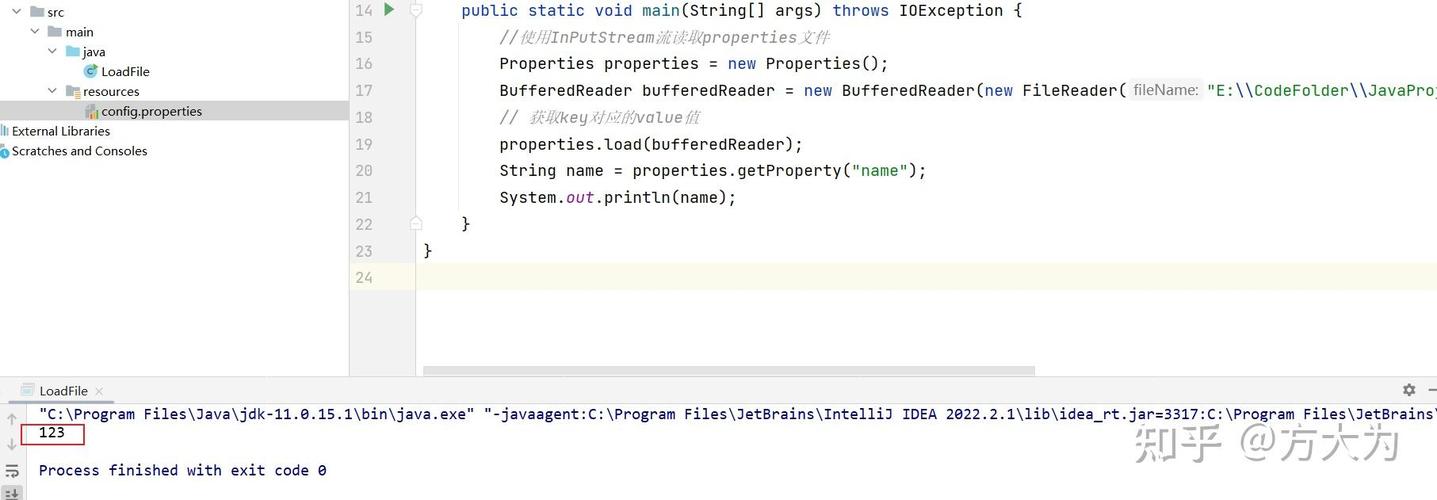
This is for custom property files (.properties files), not system properties. You load a file into a Properties object and then query it.
Example: Reading from config.properties
config.properties file:
database.url=jdbc:mysql://localhost:3306/mydb
database.user=admin
database.password=secret
ReadPropertiesFile.java:
import java.io.FileInputStream;
import java.io.IOException;
import java.util.Properties;
public class ReadPropertiesFile {
    public static void main(String[] args) {
        Properties props = new Properties();
        try (FileInputStream fis = new FileInputStream("config.properties")) {
            // Load the properties from the file
            props.load(fis);
            // Get properties using the Properties class's getProperty method
            // It also supports a default value
            String dbUrl = props.getProperty("database.url");
            String dbUser = props.getProperty("database.user", "default_user"); // with default
            String dbPassword = props.getProperty("database.password");
            System.out.println("Database URL: " + dbUrl);
            System.out.println("Database User: " + dbUser);
            System.out.println("Database Password: " + dbPassword);
        } catch (IOException e) {
            System.err.println("Error reading properties file: " + e.getMessage());
        }
    }
}
Summary
| Method | Purpose | Source | Key Difference |
|---|---|---|---|
System.getProperty(key) |
Get JVM and OS configuration. | JVM environment. | Returns null if not found. |
System.getProperty(key, defaultValue) |
Get a system property with a fallback. | JVM environment. | Returns defaultValue if not found. |
Properties.getProperty(key) |
Get values from a .properties file. |
A local file. | Returns null if not found. Also supports defaults. |
System.getenv(key) |
Get OS environment variables. | Operating system. | A different concept from Java system properties. |