
sshtunnel 是一个非常实用的 Python 库,它的主要作用是建立一个通过 SSH 服务器的“隧道”(Tunnel),从而安全地访问那些无法直接从你的机器访问的网络资源(比如数据库、API 等)。
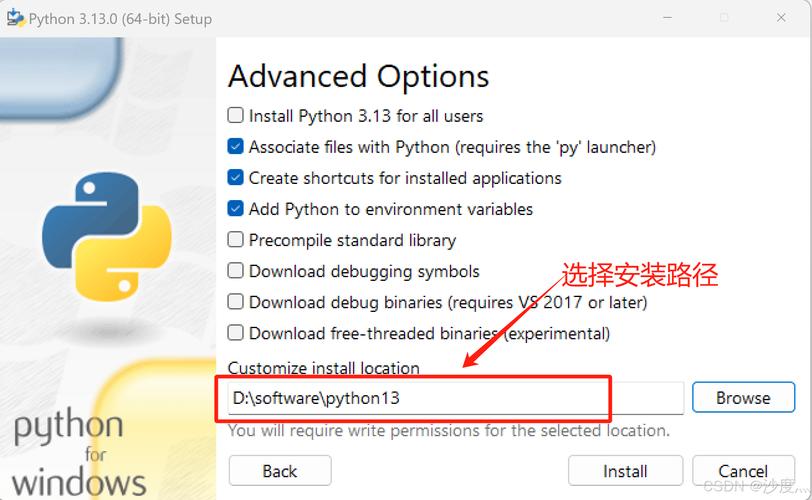
第一步:安装 sshtunnel
安装过程非常简单,使用 pip 包管理器即可。
打开终端或命令行
- Windows: 打开 Command Prompt (cmd), PowerShell, 或 Git Bash。
- macOS / Linux: 打开 Terminal。
执行安装命令
在终端中输入以下命令:
pip install sshtunnel
如果你使用的是 Python 3,并且系统同时存在 Python 2,建议使用 pip3:
pip3 install sshtunnel
验证安装
安装完成后,你可以通过以下命令来验证是否安装成功:

pip show sshtunnel
如果安装成功,你会看到类似下面的输出,显示了库的版本、位置等信息:
Name: sshtunnel
Version: 0.4.0
Summary: SSH Tunneling library for Python
Home-page: https://github.com/NoneGG/sshtunnel
Author: NoneGG
Author-email: None
Location: /your/python/path/lib/python3.9/site-packages
Requires:
Required-by:第二步:sshtunnel 的核心概念与使用方法
要使用 sshtunnel,你通常需要三个关键信息:
- SSH 服务器地址: 你要连接的 SSH 主机名或 IP 地址。
- SSH 用户名: 登录 SSH 服务器的用户名。
- SSH 密码或私钥: 登录 SSH 服务器的密码或 SSH 私钥文件路径。
基本用法:创建一个简单的隧道
最常用的场景是访问一个远程数据库,假设你有一个数据库在远程服务器的内网里,你只能通过 SSH 服务器(跳板机)访问它。
场景假设:
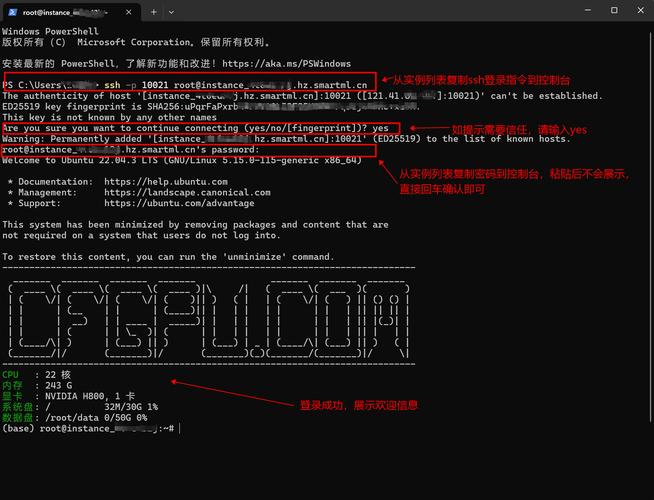
- SSH 服务器 (跳板机):
ssh.example.com(端口 22) - 数据库服务器 (内网):
168.1.100(端口 3306 for MySQL) - 数据库用户:
db_user - 数据库密码:
db_password
代码实现:
import sshtunnel
import pymysql  # 以连接 MySQL 数据库为例
# 1. 配置并启动 SSH 隧道
with sshtunnel.SSHTunnelForwarder(
    ('ssh.example.com', 22),  # SSH 服务器的地址和端口
    ssh_username='your_ssh_username',  # SSH 用户名
    ssh_password='your_ssh_password',  # SSH 密码
    # ssh_pkey='/path/to/your/private_key', # 或者使用私钥文件
    remote_bind_address=('192.168.1.100', 3306)  # 要转发的远程地址和端口
) as tunnel:
    # 2. 隧道建立后,通过本地端口连接数据库
    # sshtunnel 会自动分配一个本地端口 (e.g., 12345)
    # 你需要连接到这个本地端口,它会通过 SSH 隧道转发到远程地址
    connection = pymysql.connect(
        host='127.0.0.1',  # 连接到本地
        port=tunnel.local_bind_port,  # 使用隧道分配的本地端口
        user='db_user',
        password='db_password',
        database='your_database'
    )
    try:
        with connection.cursor() as cursor:
            # 执行 SQL 查询
            sql = "SELECT `id`, `name` FROM `users` LIMIT 10"
            cursor.execute(sql)
            result = cursor.fetchall()
            print("查询结果:")
            for row in result:
                print(row)
    finally:
        connection.close()
print("隧道已关闭。")
代码解析:
with sshtunnel.SSHTunnelForwarder(...) as tunnel:: 这是核心。with语句确保隧道在使用完毕后会自动关闭。ssh.example.com, 22: 你的 SSH 服务器信息。ssh_username,ssh_password: 你的 SSH 登录凭据。remote_bind_address: 你真正想访问的内网服务的地址和端口。sshtunnel会帮你把对这个本地端口的请求转发到这里。tunnel.local_bind_port: 这是sshtunnel在你本地机器上开放的端口,所有发往这个本地端口的流量都会被安全地通过 SSH 服务器转发到remote_bind_address指定的地址。pymysql.connect(...): 在with代码块内,你像往常一样连接数据库,但host要写成0.0.1,port要使用tunnel.local_bind_port。
第三步:进阶用法与常见配置
使用 SSH 私钥而不是密码
如果你的 SSH 服务器使用密钥认证,你需要提供私钥文件路径。
with sshtunnel.SSHTunnelForwarder(
    ('ssh.example.com', 22),
    ssh_username='your_ssh_username',
    ssh_pkey='/home/user/.ssh/id_rsa',  # 指向你的私钥文件
    remote_bind_address=('192.168.1.100', 3306)
) as tunnel:
    # ... 连接数据库的代码 ...
指定本地绑定端口
sshtunnel 会自动选择一个可用的本地端口,但你也可以手动指定。
with sshtunnel.SSHTunnelForwarder(
    ('ssh.example.com', 22),
    ssh_username='your_ssh_username',
    ssh_password='your_ssh_password',
    local_bind_address=('127.0.0.1', 9999),  # 手动指定本地端口为 9999
    remote_bind_address=('192.168.1.100', 3306)
) as tunnel:
    # 连接时使用 port=9999
    connection = pymysql.connect(
        host='127.0.0.1',
        port=9999,
        # ...
    )
处理复杂的 SSH 配置(如非标准端口)
SSH 服务器的端口不是默认的 22,可以这样配置:
with sshtunnel.SSHTunnelForwarder(
    ('ssh.example.com', 2222),  # 指定非标准端口
    ssh_username='your_ssh_username',
    ssh_password='your_ssh_password',
    remote_bind_address=('192.168.1.100', 3306)
) as tunnel:
    # ...
使用 SSH 配置文件 (~/.ssh/config)
如果你已经在 ~/.ssh/config 文件中配置了你的 SSH 主机,可以直接使用别名。
你的 ~/.ssh/config 文件内容如下:
Host my-jump-server
    HostName ssh.example.com
    User myuser
    Port 2222
    IdentityFile ~/.ssh/id_rsa
在 Python 代码中,你可以这样使用:
with sshtunnel.SSHTunnelForwarder(
    'my-jump-server',  # 使用 SSH 配置文件中的别名
    remote_bind_address=('192.168.1.100', 3306)
) as tunnel:
    # ...
处理超时问题
如果网络不稳定,SSH 连接可能会超时,你可以设置 ssh_timeout 参数。
with sshtunnel.SSHTunnelForwarder(
    ('ssh.example.com', 22),
    ssh_username='your_ssh_username',
    ssh_password='your_ssh_password',
    ssh_timeout=10,  # 设置 SSH 连接超时时间为 10 秒
    remote_bind_address=('192.168.1.100', 3306)
) as tunnel:
    # ...
常见问题与解决方案
Q1: ModuleNotFoundError: No module named 'sshtunnel'
A: 这表示 Python 找不到这个库,请确保你是在正确的 Python 环境中安装的(你用的是 python3 就应该用 pip3 install),如果你在使用虚拟环境,请先激活虚拟环境再安装。
Q2: paramiko.ssh_exception.AuthenticationException: Authentication failed.
A: SSH 认证失败,请检查你的 ssh_username 和 ssh_password(或 ssh_pkey)是否正确,如果你使用密钥,请确保公钥已经添加到 SSH 服务器的 ~/.ssh/authorized_keys 文件中。
Q3: OSError: [Errno 99] Cannot assign requested address
A: 这通常是因为你指定的 local_bind_address 中的端口已经被占用了,尝试不指定 local_bind_address,让 sshtunnel 自动选择一个可用端口,或者换一个端口。
Q4: 如何在后台保持隧道连接?
A: sshtunnel 的设计初衷是为脚本提供一个临时的、安全的连接通道,它不是一个持久化的 VPN 服务,如果你需要长期保持连接,可以考虑使用 autossh 等工具,或者将你的 Python 应用程序设计成一个服务。
sshtunnel 是 Python 开发者处理网络访问限制的利器,通过以上步骤,你应该能够成功安装并掌握其基本用法,从而轻松地连接到远程的内网服务,记住其核心思想:通过 SSH 服务器建立一个本地到远程的加密通道。


